This is the multi-page printable view of this section. .
Piglet Runtime: AI Runtime Sandbox
— Pigsty Lightweight Runtime, AI Coding Sandbox
PIGLET is a lightweight runtime environment based on Pigsty. It provides a cloud sandbox for AI Web Coding.
PIGLET combines PostgreSQL, JuiceFS distributed storage, Code Server, JupyterLab, Claude Code, Codex CLI, and other tools. These tools support a continuous workflow from code prompts to production deployment.
Key Features
| Feature | Description |
|---|---|
| 🤖 AI Coding | Pre-installed Claude Code, Codex CLI, OpenCode, VS Code, Jupyter full stack, Python/Go/Node.js dev env ready |
| 🐘 Data Capable | PostgreSQL 18 + 600 extensions, vector/timeseries/geo/graph/analytics, add Supabase for complex apps |
| 💾 Shared Storage | JuiceFS stores working directory in database, multi-agent/multi-user collaboration, files never lost, rollback to any point |
| ⏱️ Time Machine | Database PITR + filesystem snapshot sync, messed up? One-click restore to any point in time, keep db and filesystem consistent! |
| 🔀 Instant Clone | CoW sub-second Fork Large Database, fork existing instances/clusters, no extra storage, rebuild anytime, tinker freely! |
| 🌐 One-Click Deploy | Built-in Nginx handles domains, certs, proxy, static/dynamic sites, from prompt to production in one step! |
| 📊 Full-Stack Monitoring | VictoriaMetrics + Grafana panoramic dashboards, Claude Code observability included, all details at your fingertips! |
| 🇨🇳 China Accessible | Global CDN + mirrors, one config for CC + GLM-5.2 domestic models, legal and compliant! |
Quick Start
Prepare a node with SSH access and a compatible Linux distribution. Run these commands as an admin user with passwordless ssh and sudo:
After installation, access the sandbox homepage via IP: http://<ip>. Assuming your IP is 10.10.10.10:
| Tool | Description |
|---|---|
| Homepage | http://10.10.10.10/ |
| Code Server | http://10.10.10.10/code |
| Jupyter Lab | http://10.10.10.10/jupyter |
| Grafana Dashboard | http://10.10.10.10/ui |
| Claude Monitor | http://10.10.10.10/ui/d/claude-code |
For public cloud deployment, first read Security Recommendations. Run
configure -gand review credentials that it does not cover. Enable the firewall.
VIBE Components
vibe.yml splits the browser IDE, notebook, AI CLIs, and Node.js runtime into independently switchable components:
| Component | Default | Description | Run Separately |
|---|---|---|---|
| Code Server | code_enabled: true | Browser-based VS Code, mounted at /code by default | ./vibe.yml -t code |
| JupyterLab | jupyter_enabled: true | Notebook and interactive terminal; the role defaults to disabled, while conf/vibe.yml explicitly enables it for the sandbox template | ./vibe.yml -t jupyter |
| Node.js | nodejs_enabled: true | Runtime required by AI CLIs; installed on demand when Claude/Codex is enabled, and uses npmmirror for npm by default when region=china | ./vibe.yml -t nodejs |
| Claude Code | claude_enabled: true | Installs @anthropic-ai/claude-code, renders ~/.claude.json and ~/.claude/settings.json, and enables monitoring by default | ./vibe.yml -t claude |
| Codex CLI | codex_enabled: true | Only runs npm install -g @openai/codex; it does not manage Codex config or integrate Codex into VIBE observability | ./vibe.yml -t codex |
| Extra npm | npm_packages: [] | Installs additional global npm packages only; Claude and Codex are installed by their own tasks | ./vibe.yml -t nodejs_pkg |
If you do not need a component, set its *_enabled: false in pigsty.yml. For one run, pass a switch such as ./vibe.yml -e codex_enabled=false.
Start AI Coding
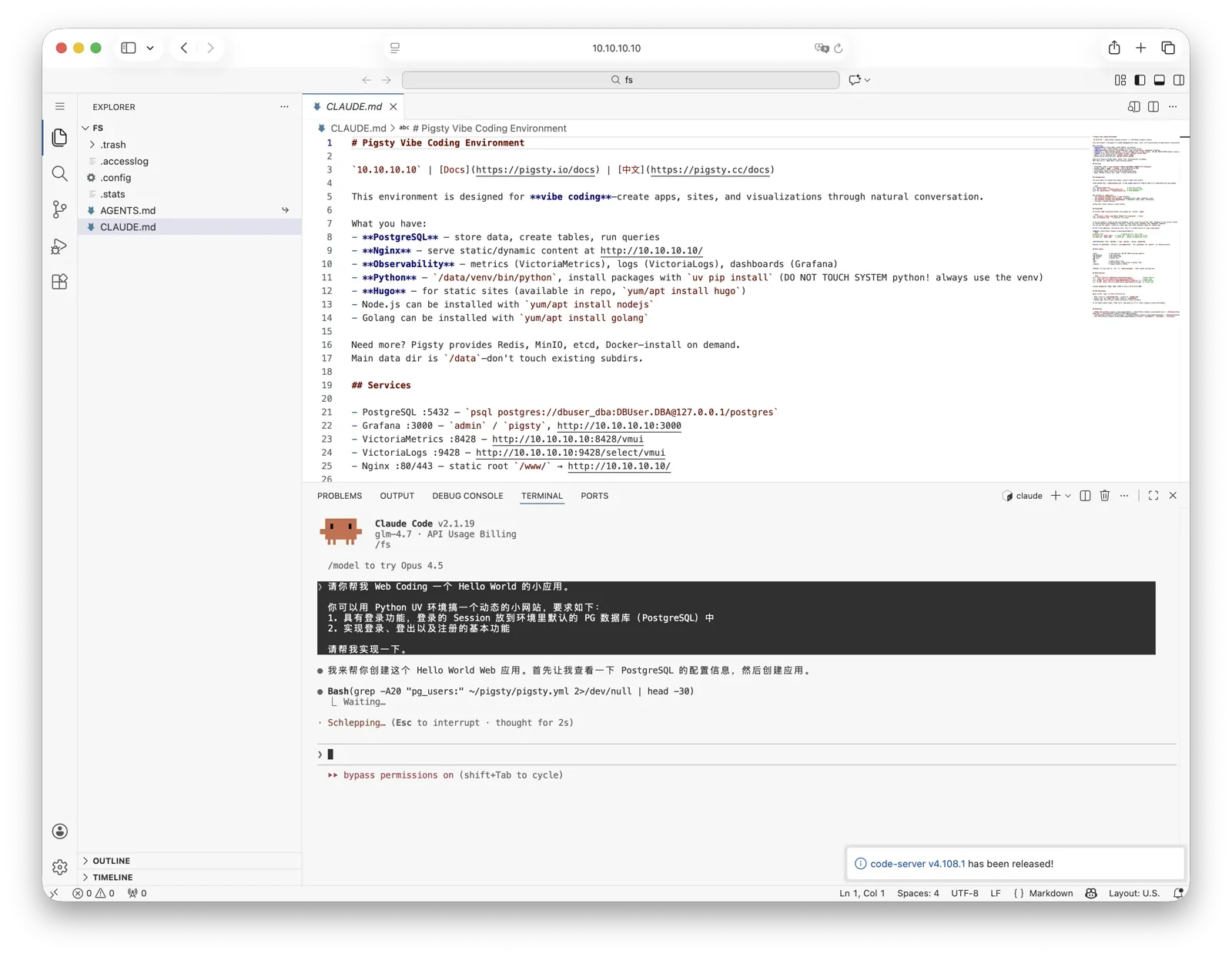
By default, /fs is a shared directory stored in PostgreSQL. It is also the default home for VS Code and Jupyter. The vibe role renders the AGENTS.md environment guide there and creates a CLAUDE.md -> AGENTS.md symlink. We recommend this directory for Vibe Coding.
Connect to the server with SSH and run cd /fs. Start the corresponding CLI with claude or codex. The preconfigured x alias starts Codex YOLO mode. The xx alias starts Claude YOLO mode. Use these modes carefully with real data.
You can also start Claude Code from the Code Server or Jupyter terminal, or through VS Code / Jupyter Claude plugins.
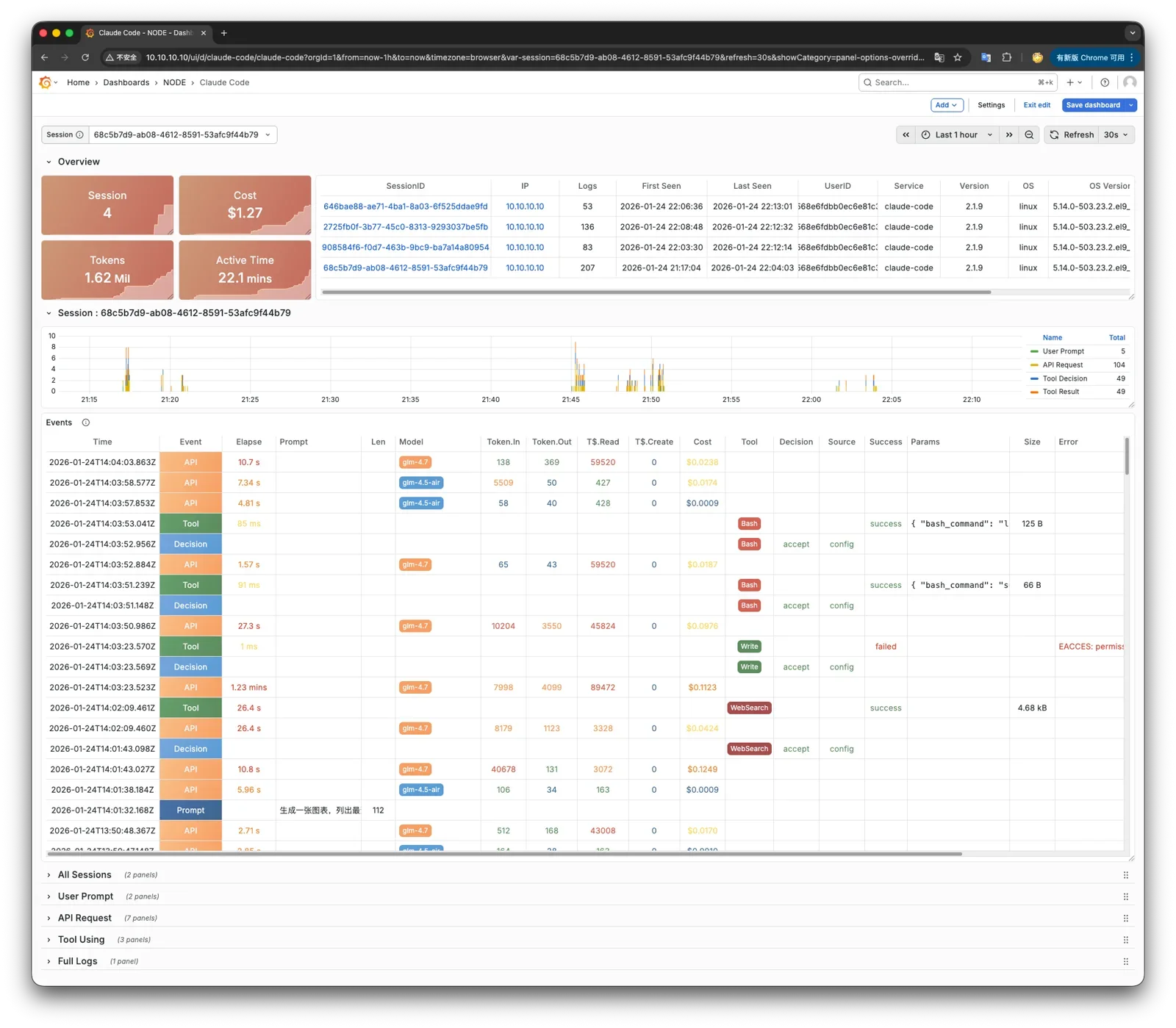
Claude logs and monitoring metrics integrate with Grafana dashboards. Use Grafana to monitor Claude runtime status.
VIBE installs the Codex CLI package by default. Codex itself manages login, provider setup, and configuration files.
Using Other Models
To use other models with Claude Code, edit pigsty.yml during installation. For example, GLM-5.2 does not require overseas network access in China. Find the claude_env section at the bottom. Add the Anthropic-compatible endpoint variables that you need:
Run ./vibe.yml -t claude again. This affects only Claude Code. VIBE does not manage Codex CLI account and provider configuration.
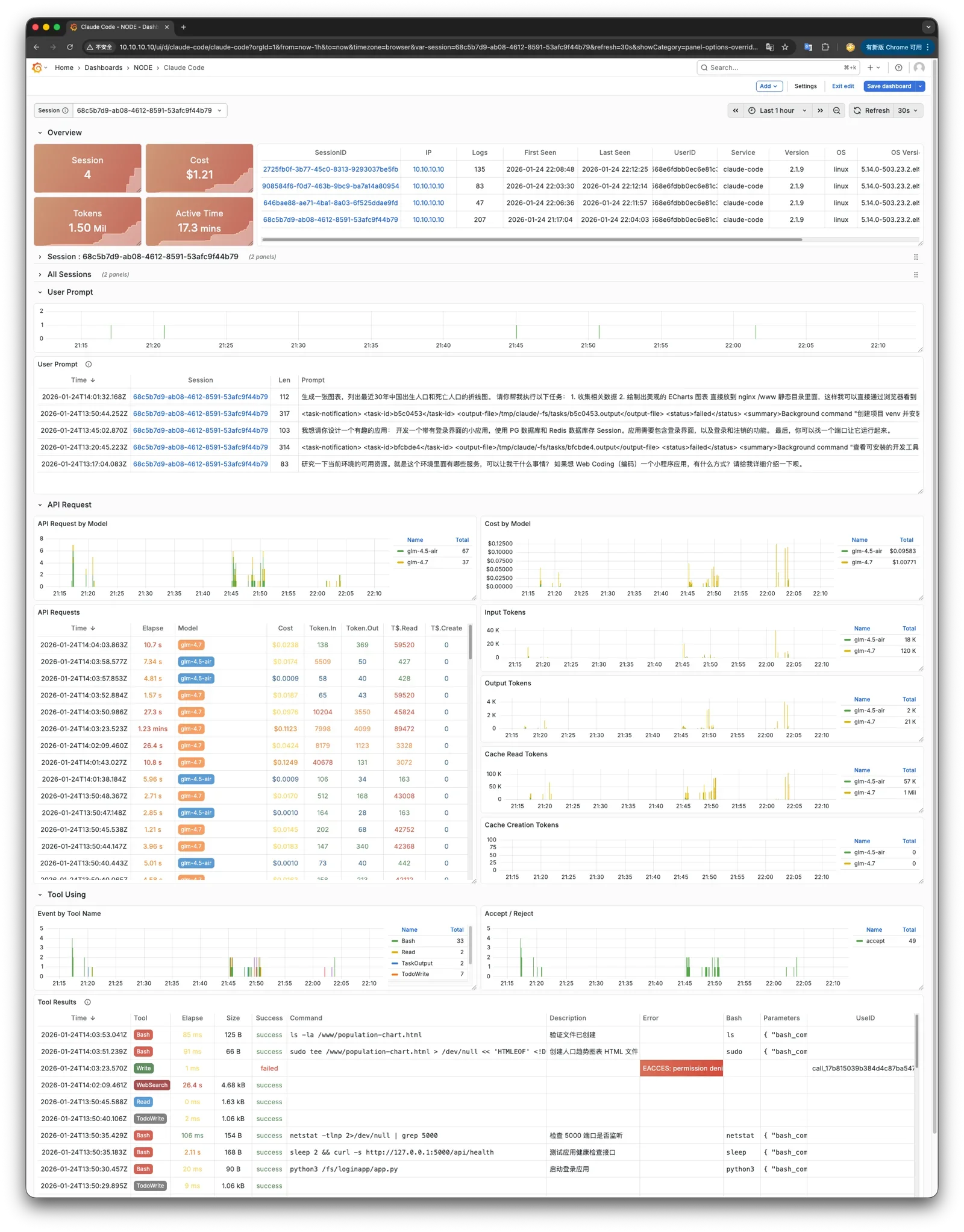
Claude Code Observability
To monitor Claude Code in other environments, send its OTEL events to the PIGLET VictoriaMetrics / VictoriaLogs OTEL endpoints. Set these environment variables: