Self-Hosting Supabase on PostgreSQL
Supabase is an open-source PostgreSQL-based BaaS. It provides authentication, Realtime, Edge Functions, object storage, and REST APIs generated from the database schema; enabling pg_graphql on demand also provides GraphQL APIs.
Self-hosting can make sense when you need control over data and infrastructure, isolated or compliant operation, or freedom to choose PostgreSQL versions and extensions. The official Supabase self-hosting guide recommends Docker and states that self-hosters are responsible for servers, security hardening, database maintenance, high availability, backups, and monitoring. Pigsty is an independent community integration and is not currently listed among the community projects on that page.
Pigsty v4.5’s supabase template moves stateful components under Pigsty management: the PGSQL module manages PostgreSQL, while the MINIO module’s current Silo implementation provides object storage. Auth, Storage, Realtime, Studio, and the other stateless services run through Docker Compose. The template supports PostgreSQL 15-18 (18 by default) and can use the 600 PostgreSQL extensions in the current Pigsty catalog.
This article was originally published on 25 November 2024 and revalidated against the current Pigsty v4.5 source on 14 August 2026. The continuously maintained Enterprise Self-Hosted Supabase reference is the single source of truth for deployment parameters and procedures.
Quick Start
The complete Supabase stack needs at least 2 CPU cores and 4 GB of RAM; 4 cores and 8 GB or more are recommended. Prepare a supported Linux system, download the current public stable Pigsty release, generate the inventory, and change every domain, password, and key before deployment:
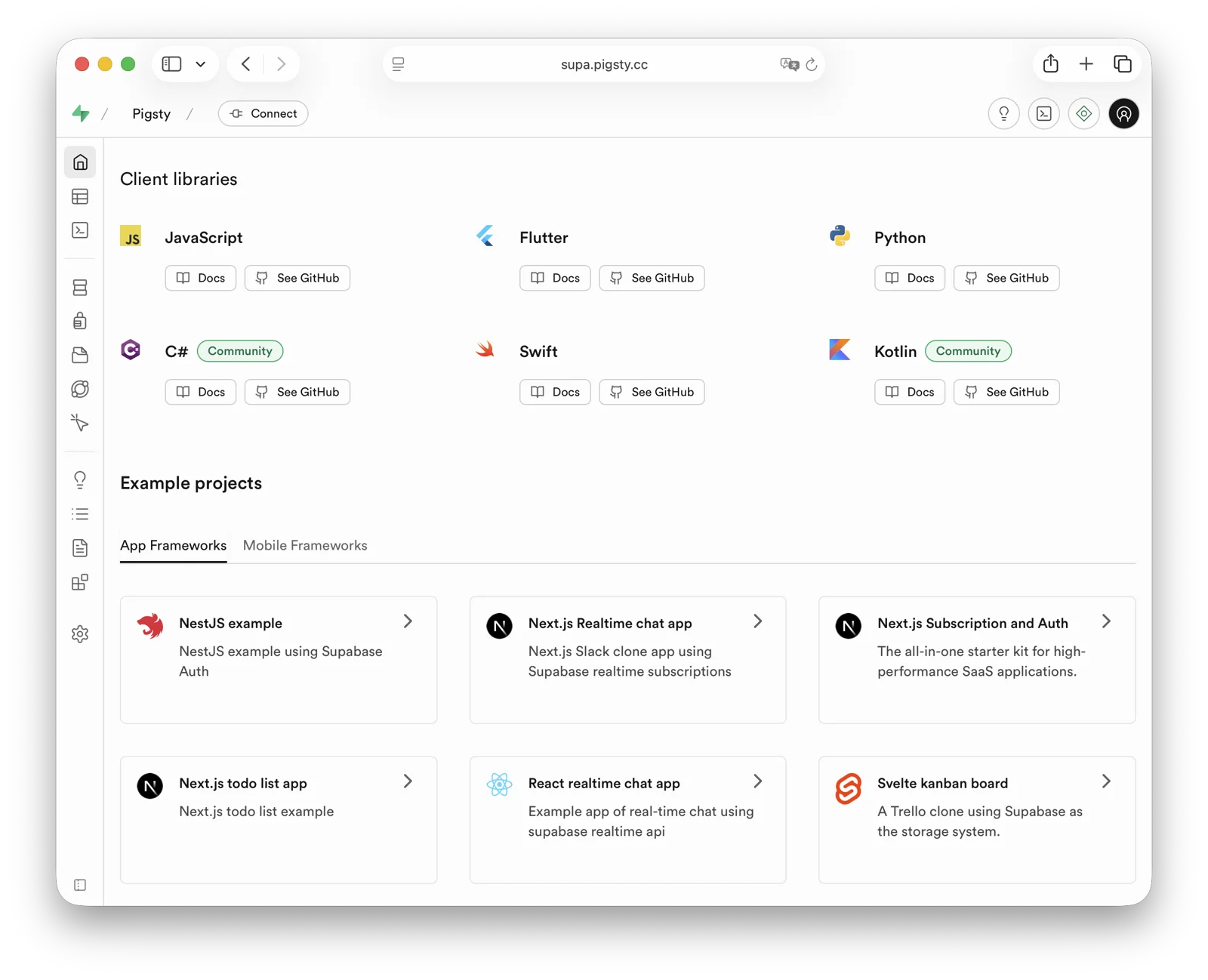
deploy.yml is the standard single-node deployment entry point. The -l supabase limits the Docker and application playbooks to the intended host group. After installation, Supabase Studio is available at http://<node-ip>:8000. The template’s supabase / pigsty credentials are demonstration defaults and must never remain in production.
Before running the deployment, verify that:
JWT_SECRET,ANON_KEY,SERVICE_ROLE_KEY, Dashboard, Logflare, Realtime, and S3 credentials were regenerated;API_EXTERNAL_URLretains the/auth/v1suffix, whileSITE_URLandSUPABASE_PUBLIC_URLuse the site root URL;- PostgreSQL role passwords match
POSTGRES_PASSWORD, and object-storage users match the S3 configuration; - public or OAuth deployments use a real domain and HTTPS;
pig pb infoconfirms a usable backup and a restore drill has succeeded.
See Security Hardening for exact variables, length constraints, source paths, and reload commands.
Architecture and Boundaries
The Pigsty template does not start the upstream Compose db or supavisor containers. Stateless services connect directly to the PostgreSQL service managed by Pigsty. The single-node template uses service port 5436, which always routes to the current primary.
Logflare / Analytics uses a dedicated _supabase database and its _analytics schema. Studio Query Performance reads pg_stat_statements compatibility objects in the extensions schema, while the actual extension remains in the monitor schema for Pigsty monitoring compatibility.
The default single-node template is suitable for evaluation, small workloads, and initial deployment, but it is not an HA topology. With only one server, use external S3 for both Supabase Storage and PostgreSQL backups to reduce whole-node failure risk. Actual RPO depends on recoverable backups, WAL archiving, and object-storage availability; it is not a fixed amount of data implied by the topology.
A production HA design normally needs:
- at least three ETCD nodes for the DCS;
- multi-node PostgreSQL with an explicitly selected synchronization policy;
- multi-node Silo or an independent highly available S3 service;
- multiple stateless Supabase replicas plus DNS, VIP, or HAProxy access;
- periodic restore, failover, and certificate-renewal drills.
The default norm preset targets RTO below 45 seconds, and asynchronous replication does not promise RPO=0. A target below 30 seconds while preserving acknowledged transactions requires the fast RTO preset plus the crit.yml strict-synchronous policy and must be demonstrated by failure tests. See High Availability and Deployment Planning.
Domains, Object Storage, and Mail
For production, configure the domain, reverse proxy, and certificate under infra_portal.supa, and set the three external URLs under apps.supabase.conf. After obtaining a certificate with make cert, update only the Supabase application configuration and containers with:
Supabase Storage can use Silo, cloud S3, or another S3-compatible service. Switching the PostgreSQL pgBackRest repository is a stateful change: check existing backups, run --check, and only after explicit authorization run ./pgsql.yml -t pg_backup -l <cluster>. Immediately create and verify a full backup in the new repository. Existing backups are not migrated automatically; see Switching Repositories.
Auth email requires a production SMTP provider. Put only the hostname in SMTP_HOST and the port in SMTP_PORT, then apply the change with the target-limited app.yml command.
The complete configuration example, Alibaba Cloud OSS fields, and SMTP parameters are in Enterprise Self-Hosted Supabase.
Why Pigsty
Supabase currently promises more than 50 preconfigured extensions and changes the exact list as the platform evolves. Pigsty v4.5 catalogs 600 extensions and packages Supabase dependencies including pg_graphql, pg_jsonschema, wrappers, index_advisor, pg_net, supabase_vault, pgjwt, pgsodium, supautils, and plan_filter.
Self-hosting does not mean “zero operations.” It returns control over versions, extensions, data, backups, and availability policy to the operator. It also makes that operator responsible for server maintenance, security updates, secret management, capacity planning, backup validation, and failure drills. Before starting, read the Supabase reference, security guide, and backup documentation.
Was this page helpful?
Thanks—your feedback helps us improve this page.
What got in the way? (optional)