PGLOG: PostgreSQL Log Analysis Application
A sample Applet included with Pigsty for analyzing PostgreSQL CSV log samples
PGLOG is a sample Pigsty application that uses pglog.sample in MetaDB as its data source. Load logs into this table, then open the related dashboard.
Pigsty provides commands to retrieve CSV logs and load them into the sample table. These shortcuts are available on the meta node by default:
Use these links to view the sample log analysis:
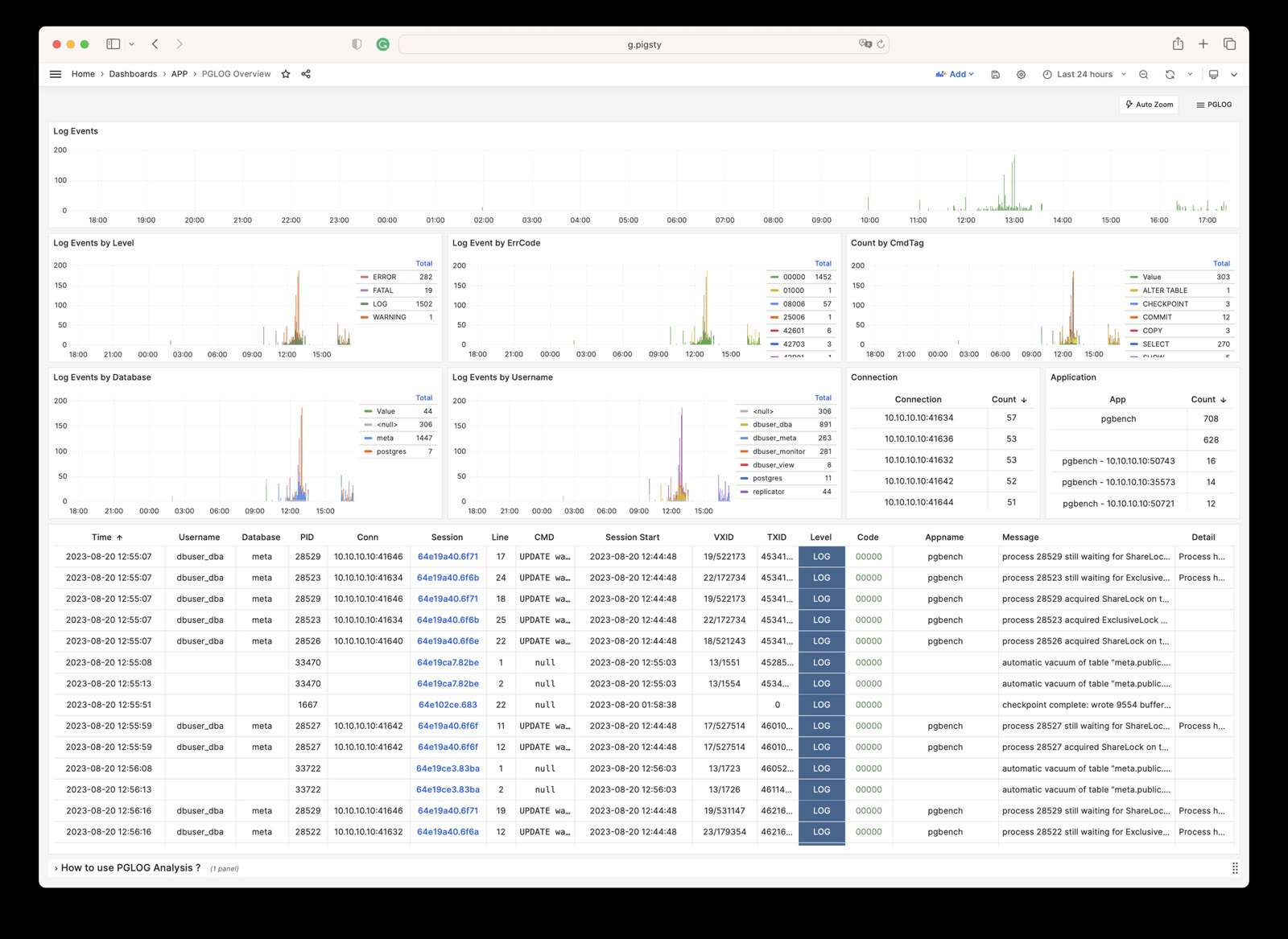
- PGLOG Overview: Present the entire CSV log sample details, aggregated by multiple dimensions.
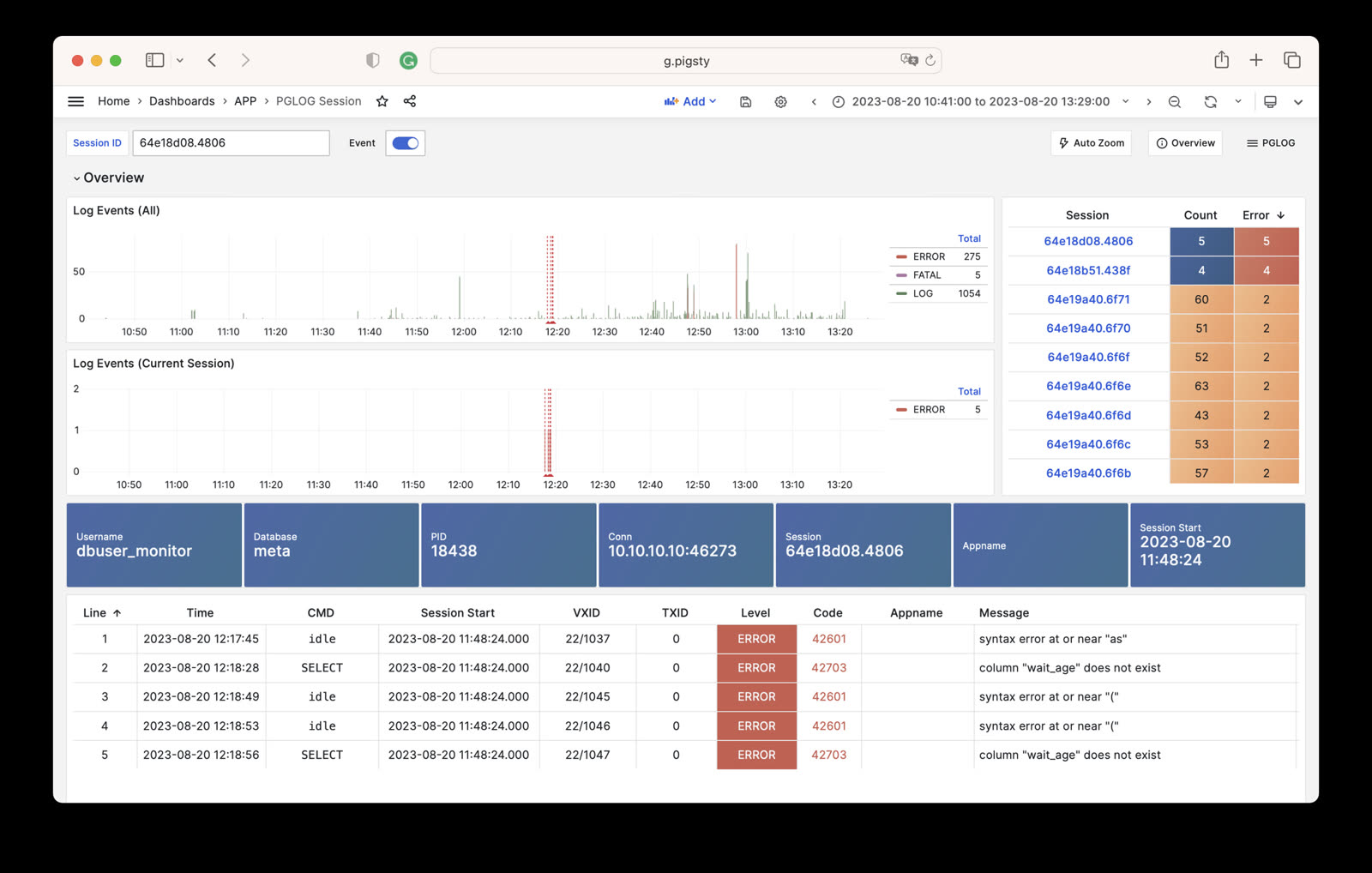
- PGLOG Session: Present detailed information about a specific connection in the log sample.
The catlog command retrieves CSV database logs for a node and date, then writes them to stdout.
By default, catlog pulls logs from the current node for today. You can specify the node and date through parameters.
Use pglog with catlog to retrieve and analyze database CSV logs:
Was this page helpful?
Thanks—your feedback helps us improve this page.
What got in the way? (optional)