Enterprise Self-Hosted Supabase
Supabase is great, but having your own Supabase is even better. Pigsty can help you deploy enterprise-grade Supabase on your own servers (physical, virtual, or cloud) with a single command — more extensions, better performance, deeper control, and more cost-effective.
Pigsty is one of three self-hosting approaches listed on the Supabase official documentation: Self-hosting: Third-Party Guides
This tutorial requires basic Linux knowledge. Otherwise, consider using Supabase cloud or plain Docker Compose self-hosting.
TL;DR
Prepare a Linux server, follow the Pigsty standard single-node installation process with the supabase config template:
curl -fsSL https://repo.pigsty.io/get | bash; cd ~/pigsty
./configure -c supabase    # Use supabase config (change credentials in pigsty.yml)
vi pigsty.yml              # Edit domain, passwords, keys...
./deploy.yml               # Standard single-node Pigsty deployment
./docker.yml               # Install Docker module
./app.yml                  # Start Supabase stateless components (may be slow)
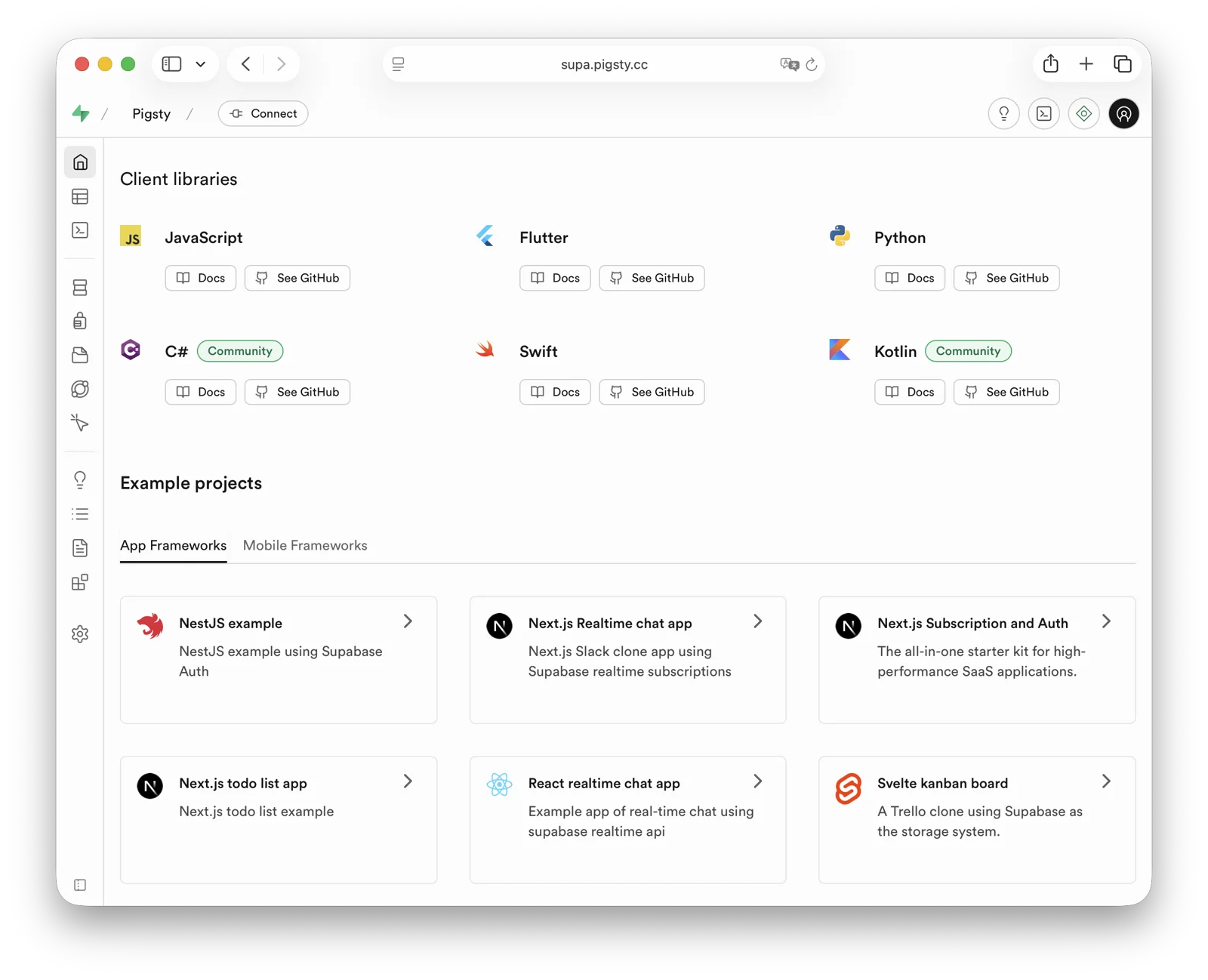
After installation, access Supa Studio on port 8000 with username supabase and password pigsty.
Checklist
- At least one 1C2G server
- Static internal IPv4 address
- Supported Linux distro installed
- Standard Pigsty installation
- Modified config file: domain, passwords, IP address
- Docker module installed, ensure proxy/mirror available
- Use Pigsty’s
app.ymlto start Supabase
Table of Contents
- What is Supabase?
- Why Self-Host?
- Single-Node Quick Start
- Advanced: Security Hardening
- Advanced: Domain Configuration
- Advanced: External Object Storage
- Advanced: Using SMTP
- Advanced: True High Availability
What is Supabase?
Supabase is a BaaS (Backend as a Service), an open-source Firebase alternative, and the most popular database + backend solution in the AI Agent era. Supabase wraps PostgreSQL and provides authentication, messaging, edge functions, object storage, and automatically generates REST and GraphQL APIs based on your database schema.
Supabase aims to provide developers with a one-stop backend solution, reducing the complexity of developing and maintaining backend infrastructure. It allows developers to skip most backend development work — you only need to understand database design and frontend to ship quickly! Developers can use vibe coding to create a frontend and database schema to rapidly build complete applications.
Currently, Supabase is the most popular open-source project in the PostgreSQL ecosystem, with over 90,000 GitHub stars. Supabase also offers a “generous” free tier for small startups — free 500 MB storage, more than enough for storing user tables and analytics data.
Why Self-Host?
If Supabase cloud is so attractive, why self-host?
The most obvious reason is what we discussed in “Is Cloud Database an IQ Tax?”: when your data/compute scale exceeds the cloud computing sweet spot (Supabase: 4C/8G/500MB free storage), costs can explode. And nowadays, reliable local enterprise NVMe SSDs have three to four orders of magnitude cost advantage over cloud storage, and self-hosting can better leverage this.
Another important reason is functionality — Supabase cloud features are limited. Many powerful PostgreSQL extensions aren’t available in cloud services due to multi-tenant security challenges and licensing. Despite extensions being PostgreSQL’s core feature, only 64 extensions are available on Supabase cloud. Self-hosted Supabase with Pigsty provides up to 510 ready-to-use PostgreSQL extensions.
Additionally, self-control and vendor lock-in avoidance are important reasons for self-hosting. Although Supabase aims to provide a vendor-lock-free open-source Google Firebase alternative, self-hosting enterprise-grade Supabase is not trivial. Supabase includes a series of PostgreSQL extensions they develop and maintain, and plans to replace the native PostgreSQL kernel with OrioleDB (which they acquired). These kernels and extensions are not available in the official PGDG repository.
This is implicit vendor lock-in, preventing users from self-hosting in ways other than the supabase/postgres Docker image. Pigsty provides an open, transparent, and universal solution. We package all 10 missing Supabase extensions into ready-to-use RPM/DEB packages, ensuring they work on all major Linux distributions:
| Extension | Description |
|---|---|
pg_graphql | GraphQL support in PostgreSQL (Rust), provided by PIGSTY |
pg_jsonschema | JSON Schema validation (Rust), provided by PIGSTY |
wrappers | Supabase foreign data wrapper bundle (Rust), provided by PIGSTY |
index_advisor | Query index advisor (SQL), provided by PIGSTY |
pg_net | Async non-blocking HTTP/HTTPS requests (C), provided by PIGSTY |
vault | Store encrypted credentials in Vault (C), provided by PIGSTY |
pgjwt | JSON Web Token API implementation (SQL), provided by PIGSTY |
pgsodium | Table data encryption TDE, provided by PIGSTY |
supautils | Security utilities for cloud environments (C), provided by PIGSTY |
pg_plan_filter | Filter queries by execution plan cost (C), provided by PIGSTY |
We also install most extensions by default in Supabase deployments. You can enable them as needed.
Pigsty also handles the underlying highly available PostgreSQL cluster, highly available MinIO object storage cluster, and even Docker deployment, Nginx reverse proxy, domain configuration, and HTTPS certificate issuance. You can spin up any number of stateless Supabase container clusters using Docker Compose and store state in external Pigsty-managed database services.
With this self-hosted architecture, you gain the freedom to use different kernels (PG 15-18, OrioleDB), install 510 extensions, scale Supabase/Postgres/MinIO, freedom from database operations, and freedom from vendor lock-in — running locally forever. Compared to cloud service costs, you only need to prepare servers and run a few commands.
Single-Node Quick Start
Let’s start with single-node Supabase deployment. We’ll cover multi-node high availability later.
Prepare a fresh Linux server, use the Pigsty supabase configuration template for standard installation,
then run docker.yml and app.yml to start stateless Supabase containers (default ports 8000/8433).
curl -fsSL https://repo.pigsty.io/get | bash; cd ~/pigsty
./configure -c supabase    # Use supabase config (change credentials in pigsty.yml)
vi pigsty.yml              # Edit domain, passwords, keys...
./deploy.yml               # Install Pigsty
./docker.yml               # Install Docker module
./app.yml                  # Start Supabase stateless components with Docker
Before deploying Supabase, modify the auto-generated pigsty.yml configuration file (domain and passwords) according to your needs.
For local development/testing, you can skip this and customize later.
If configured correctly, after about ten minutes, you can access the Supabase Studio GUI at http://<your_ip_address>:8000 on your local network.
Default username and password are supabase and pigsty.
Notes:
- In mainland China, Pigsty uses 1Panel and 1ms DockerHub mirrors by default, which may be slow.
- You can configure your own proxy and registry mirror, then manually pull images with
cd /opt/supabase; docker compose pull. We also offer expert consulting services including complete offline installation packages. - If you need object storage functionality, you must access Supabase via domain and HTTPS, otherwise errors will occur.
- For serious production deployments, always change all default passwords!
Key Technical Decisions
Here are some key technical decisions for self-hosting Supabase:
Single-node deployment doesn’t provide PostgreSQL/MinIO high availability. However, single-node deployment still has significant advantages over the official pure Docker Compose approach: out-of-the-box monitoring, freedom to install extensions, component scaling capabilities, and point-in-time recovery as a safety net.
If you only have one server or choose to self-host on cloud servers, Pigsty recommends using external S3 instead of local MinIO for object storage to hold PostgreSQL backups and Supabase Storage. This deployment provides a minimum safety net RTO (hour-level recovery time) / RPO (MB-level data loss) disaster recovery in single-node conditions.
For serious production deployments, Pigsty recommends at least 3-4 nodes, ensuring both MinIO and PostgreSQL use enterprise-grade multi-node high availability deployments.
You’ll need more nodes and disks, adjusting cluster configuration in pigsty.yml and Supabase cluster configuration to use high availability endpoints.
Some Supabase features require sending emails, so SMTP service is needed. Unless purely for internal use, production deployments should use SMTP cloud services. Self-hosted mail servers’ emails are often marked as spam.
If your service is directly exposed to the public internet, we strongly recommend using real domain names and HTTPS certificates via Nginx Portal.
Next, we’ll discuss advanced topics for improving Supabase security, availability, and performance beyond single-node deployment.
Advanced: Security Hardening
Pigsty Components
For serious production deployments, we strongly recommend changing Pigsty component passwords. These defaults are public and well-known — going to production without changing passwords is like running naked:
grafana_admin_password:pigsty, Grafana admin passwordpg_admin_password:DBUser.DBA, PostgreSQL superuser passwordpg_monitor_password:DBUser.Monitor, PostgreSQL monitoring user passwordpg_replication_password:DBUser.Replicator, PostgreSQL replication user passwordpatroni_password:Patroni.API, Patroni HA component passwordhaproxy_admin_password:pigsty, Load balancer admin passwordminio_secret_key:S3User.MinIO, MinIO root user secretetcd_root_password:Etcd.Root, ETCD root user password- Additionally, strongly recommend changing the PostgreSQL business user password for Supabase, default is
DBUser.Supa
These are Pigsty component passwords. Strongly recommended to set before installation.
Supabase Keys
Besides Pigsty component passwords, you need to change Supabase keys, including:
JWT_SECRET: JWT signing key, at least 32 charactersANON_KEY: Anonymous user JWT credentialSERVICE_ROLE_KEY: Service role JWT credentialPG_META_CRYPTO_KEY: PostgreSQL Meta service encryption key, at least 32 charactersDASHBOARD_USERNAME: Supabase Studio web UI default username, defaultsupabaseDASHBOARD_PASSWORD: Supabase Studio web UI default password, defaultpigstyLOGFLARE_PUBLIC_ACCESS_TOKEN: Logflare public access token, 32-64 random charactersLOGFLARE_PRIVATE_ACCESS_TOKEN: Logflare private access token, 32-64 random characters
Please follow the Supabase tutorial: Securing your services:
- Generate a
JWT_SECRETwith at least 40 characters, then use the tutorial tools to issueANON_KEYandSERVICE_ROLE_KEYJWTs. - Use the tutorial tools to generate an
ANON_KEYJWT based onJWT_SECRETand expiration time — this is the anonymous user credential. - Use the tutorial tools to generate a
SERVICE_ROLE_KEY— this is the higher-privilege service role credential. - Specify a random string of at least 32 characters for
PG_META_CRYPTO_KEYto encrypt Studio UI and meta service interactions. - If using different PostgreSQL business user passwords, modify
POSTGRES_PASSWORDaccordingly. - If your object storage uses different passwords, modify
S3_ACCESS_KEYandS3_SECRET_KEYaccordingly.
After modifying Supabase credentials, restart Docker Compose to apply:
./app.yml -t app_config,app_launch   # Using playbook
cd /opt/supabase; make up            # Manual execution
Advanced: Domain Configuration
If using Supabase locally or on LAN, you can directly connect to Kong’s HTTP port 8000 via IP:Port.
You can use an internal static-resolved domain, but for serious production deployments, we recommend using a real domain + HTTPS to access Supabase.
In this case, your server should have a public IP, you should own a domain, use cloud/DNS/CDN provider’s DNS resolution to point to the node’s public IP (optional fallback: local /etc/hosts static resolution).
The simple approach is to batch-replace the placeholder domain (supa.pigsty) with your actual domain, e.g., supa.pigsty.cc:
sed -ie 's/supa.pigsty/supa.pigsty.cc/g' ~/pigsty/pigsty.yml
If not configured beforehand, reload Nginx and Supabase configuration:
make cert       # Request certbot free HTTPS certificate
./app.yml       # Reload Supabase configuration
The modified configuration should look like:
all:
  vars:
    certbot_sign: true                # Use certbot to sign real certificates
    infra_portal:
      home: i.pigsty.cc               # Replace with your domain!
      supa:
        domain: supa.pigsty.cc        # Replace with your domain!
        endpoint: "10.10.10.10:8000"
        websocket: true
        certbot: supa.pigsty.cc       # Certificate name, usually same as domain

  children:
    supabase:
      vars:
        apps:
          supabase:                                         # Supabase app definition
            conf:                                           # Override /opt/supabase/.env
              SITE_URL: https://supa.pigsty.cc              # <------- Change to your external domain name
              API_EXTERNAL_URL: https://supa.pigsty.cc      # <------- Otherwise the storage API may not work!
              SUPABASE_PUBLIC_URL: https://supa.pigsty.cc   # <------- Don't forget to set this in infra_portal!
For complete domain/HTTPS configuration, see Certificate Management. You can also use Pigsty’s built-in local static resolution and self-signed HTTPS certificates as fallback.
Advanced: External Object Storage
You can use S3 or S3-compatible services for PostgreSQL backups and Supabase object storage. Here we use Alibaba Cloud OSS as an example.
Pigsty provides a
terraform/spec/aliyun-s3.tftemplate for provisioning a server and OSS bucket on Alibaba Cloud.
First, modify the S3 configuration in all.children.supa.vars.apps.[supabase].conf to point to Alibaba Cloud OSS:
# if using s3/minio as file storage
S3_BUCKET: data                       # Replace with S3-compatible service info
S3_ENDPOINT: https://sss.pigsty:9000  # Replace with S3-compatible service info
S3_ACCESS_KEY: s3user_data            # Replace with S3-compatible service info
S3_SECRET_KEY: S3User.Data            # Replace with S3-compatible service info
S3_FORCE_PATH_STYLE: true             # Replace with S3-compatible service info
S3_REGION: stub                       # Replace with S3-compatible service info
S3_PROTOCOL: https                    # Replace with S3-compatible service info
Reload Supabase configuration:
./app.yml -t app_config,app_launch
You can also use S3 as PostgreSQL backup repository. Add an aliyun backup repository definition in all.vars.pgbackrest_repo:
all:
  vars:
    pgbackrest_method: aliyun          # pgbackrest backup method: local,minio,[user-defined repos...]
    pgbackrest_repo:                   # pgbackrest backup repo: https://pgbackrest.org/configuration.html#section-repository
      aliyun:                          # Define new backup repo 'aliyun'
        type: s3                       # Alibaba Cloud OSS is S3-compatible
        s3_endpoint: oss-cn-beijing-internal.aliyuncs.com
        s3_region: oss-cn-beijing
        s3_bucket: pigsty-oss
        s3_key: xxxxxxxxxxxxxx
        s3_key_secret: xxxxxxxx
        s3_uri_style: host
        path: /pgbackrest
        bundle: y                         # bundle small files into a single file
        bundle_limit: 20MiB               # Limit for file bundles, 20MiB for object storage
        bundle_size: 128MiB               # Target size for file bundles, 128MiB for object storage
        cipher_type: aes-256-cbc          # enable AES encryption for remote backup repo
        cipher_pass: pgBackRest.MyPass    # Set encryption password for pgBackRest backup repo
        retention_full_type: time         # retention full backup by time on minio repo
        retention_full: 14                # keep full backup for the last 14 days
Then specify aliyun backup repository in all.vars.pgbackrest_method and reset pgBackrest:
./pgsql.yml -t pgbackrest
Pigsty will switch the backup repository to external object storage. For more backup configuration, see PostgreSQL Backup.
Advanced: Using SMTP
You can use SMTP for sending emails. Modify the supabase app configuration with SMTP information:
all:
  children:
    supabase:        # supa group
      vars:          # supa group vars
        apps:        # supa group app list
          supabase:  # the supabase app
            conf:    # the supabase app conf entries
              SMTP_HOST: smtpdm.aliyun.com:80
              SMTP_PORT: 80
              SMTP_USER: [email protected]
              SMTP_PASS: your_email_user_password
              SMTP_SENDER_NAME: MySupabase
              SMTP_ADMIN_EMAIL: [email protected]
              ENABLE_ANONYMOUS_USERS: false
Don’t forget to reload configuration with app.yml.
Advanced: True High Availability
After these configurations, you have enterprise-grade Supabase with public domain, HTTPS certificate, SMTP, PITR backup, monitoring, IaC, and access to 510 PostgreSQL extensions (basic single-node version). For high availability configuration, see other Pigsty documentation. We offer expert consulting services for hands-on Supabase self-hosting — $400 USD to save you the hassle.
Single-node RTO/RPO relies on external object storage as a safety net. If your node fails, backups in external S3 storage let you redeploy Supabase on a new node and restore from backup. This provides minimum safety net RTO (hour-level recovery) / RPO (MB-level data loss) disaster recovery.
For RTO < 30s with zero data loss on failover, use multi-node high availability deployment:
- ETCD: DCS needs three or more nodes to tolerate one node failure.
- PGSQL: PostgreSQL synchronous commit (no data loss) mode recommends at least three nodes.
- INFRA: Monitoring infrastructure failure has less impact; production recommends dual replicas.
- Supabase stateless containers can also be multi-node replicas for high availability.
In this case, you also need to modify PostgreSQL and MinIO endpoints to use DNS / L2 VIP / HAProxy high availability endpoints.
For these parts, follow the documentation for each Pigsty module.
Reference conf/ha/trio.yml and conf/ha/safe.yml for upgrading to three or more nodes.
Feedback
Was this page helpful?
Thanks for the feedback! Please let us know how we can improve.
Sorry to hear that. Please let us know how we can improve.