Enterprise Self-Hosted Supabase
Pigsty can deploy Supabase on your physical, virtual, or cloud servers with a single command. Self-hosting provides more extensions, performance options, control, and potential cost savings.
As of August 2026, the official Supabase self-hosting guide recommends Docker and classifies other implementations as community projects. Pigsty is an independent community integration and is not currently listed on that page.
This tutorial requires basic Linux knowledge. Otherwise, consider using Supabase cloud or plain Docker Compose self-hosting.
The current template tracks the coordinated Supabase self-hosted/v0.8.2 release (commit 564eab8), with Envoy 1.39.1 as the default gateway and Studio 2026.09.07-sha-7996410.
It uses external Pigsty-managed PostgreSQL, with PG18 as the template default. This combination has passed basic functional checks on PG18.6. See docker-compose.yml for the complete image versions and the upgrade procedure for existing deployments.
TL;DR
Prepare a Linux server, follow the Pigsty standard single-node installation process with the supabase config template:
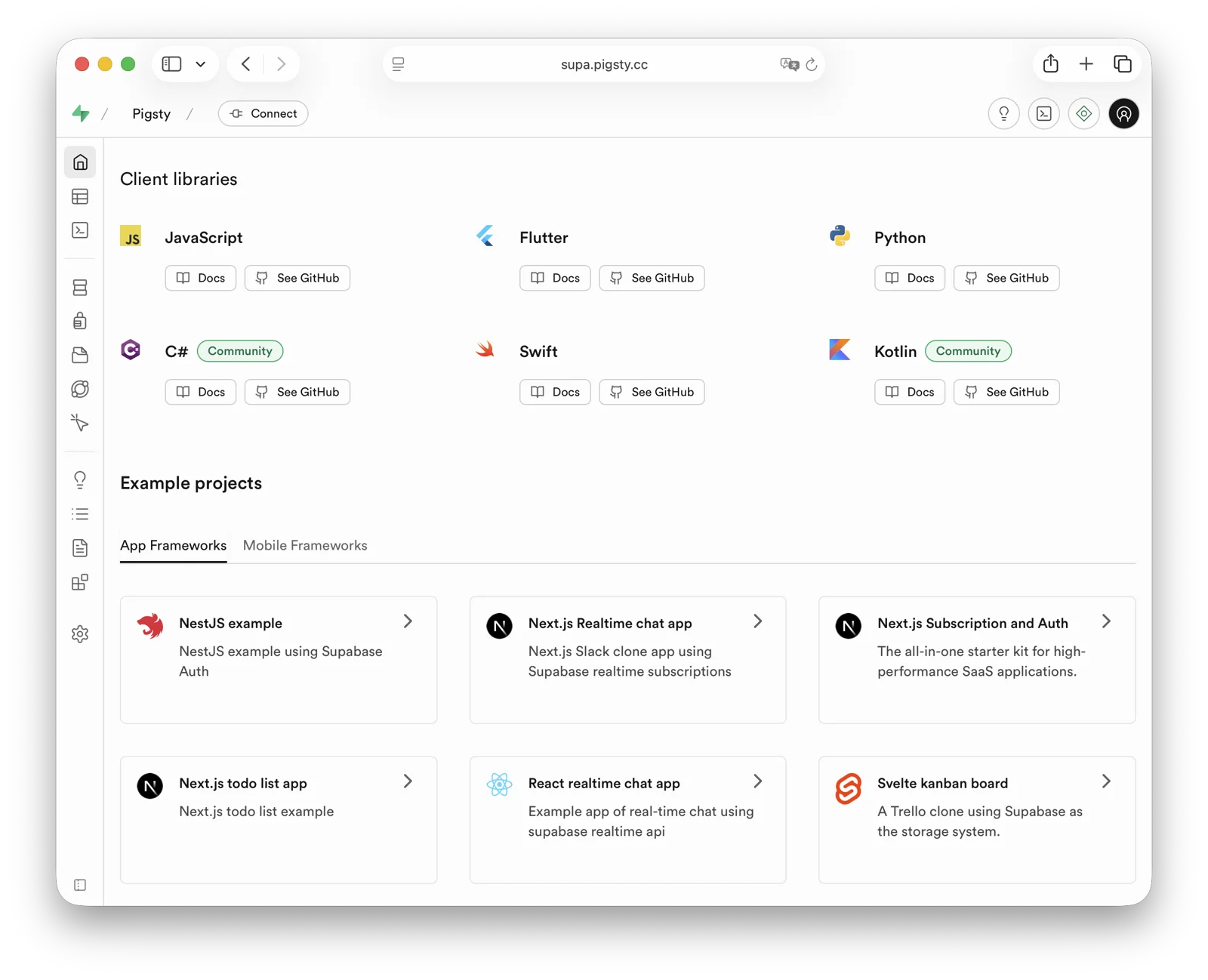
After installation, access Supa Studio on port 8000 with username supabase and password pigsty.
Checklist
- At least one 2-core/4 GB server; 4 cores/8 GB or more is recommended for the full stack
- Static internal IPv4 address
- Supported Linux distro installed
- Standard Pigsty installation
- Modified config file: domain, passwords, IP address
- Docker module installed, ensure proxy/mirror available
- Use Pigsty’s
app.ymlto start Supabase
Table of Contents
- What is Supabase?
- Why Self-Host?
- Single-Node Quick Start
- Upgrading Existing Deployments
- Advanced: Security Hardening
- Advanced: Domain Configuration
- Advanced: External Object Storage
- Advanced: Using SMTP
- Advanced: True High Availability
What is Supabase?
Supabase is an open-source Backend as a Service (BaaS) and Firebase alternative. It is widely used for AI agent database and backend services. Supabase adds authentication, messaging, edge functions, and object storage to PostgreSQL. It generates REST APIs from the database schema. Enable pg_graphql when you need GraphQL APIs.
Supabase combines backend services to reduce development and infrastructure maintenance work. Developers can focus on database design and the frontend to build applications quickly. Vibe coding can help create the frontend and schema for complete applications.
Supabase is one of the most popular open-source projects in the PostgreSQL ecosystem. As of August 2026, its GitHub repository has more than 100,000 stars. Supabase also offers a free hosted tier. The current Free plan includes shared CPU, 500 MB of RAM, a 500 MB database quota, and 1 GB of file storage; consult the official page for later changes.
Why Self-Host?
Self-hosting can address cost, functionality, and control requirements.
Costs can rise quickly when data, compute, or availability requirements exceed a managed-service tier. See Is Cloud Database an IQ Tax?. Reliable local enterprise NVMe SSDs have a cost advantage of three to four orders of magnitude over cloud storage. Self-hosting can use this advantage.
Functionality is another reason. Multi-tenant security and licensing constraints exclude many PostgreSQL extensions from cloud services. Although extensions are a core PostgreSQL feature, Supabase promises more than 50 preconfigured extensions. The exact list changes with platform releases. Self-hosting with Pigsty provides up to 600 ready-to-use extensions.
Self-hosting gives users control and helps avoid vendor lock-in. Supabase aims to provide an open-source Firebase alternative without vendor lock-in, but enterprise self-hosting still requires work. Supabase develops and maintains PostgreSQL extensions. It acquired the Oriole team in 2024 and offers OrioleDB as an optional Public Alpha. OrioleDB is not the production default or a confirmed replacement for native PostgreSQL. Some Supabase extensions and patched kernels are absent from the official PGDG repository.
Missing packages create a dependency on the supabase/postgres Docker image for self-hosting. Pigsty provides these packages for other deployment methods. The 10 missing Supabase extensions are available as RPM/DEB packages for the supabase template matrix. This covers EL 8/9, Debian 12, and Ubuntu 22.04/24.04/26.04 on x86_64 and aarch64. See supported Linux distributions.
| Extension | Description |
|---|---|
pg_graphql | GraphQL support in PostgreSQL (Rust), provided by PIGSTY, enabled on demand |
pg_jsonschema | JSON Schema validation (Rust), provided by PIGSTY |
wrappers | Supabase foreign data wrapper bundle (Rust), provided by PIGSTY |
index_advisor | Query index advisor (SQL), provided by PIGSTY |
pg_net | Async non-blocking HTTP/HTTPS requests (C), provided by PIGSTY |
vault | Store encrypted credentials in Vault (C), provided by PIGSTY |
pgjwt | JSON Web Token API implementation (SQL), provided by PIGSTY |
pgsodium | Table data encryption TDE, provided by PIGSTY |
supautils | Security utilities for cloud environments (C), provided by PIGSTY |
pg_plan_filter | Filter queries by execution plan cost (C), provided by PIGSTY |
Supabase deployments install most extensions by default. Enable them as needed. Newer templates install the pg_graphql package without creating its extension object. For GraphQL APIs, run CREATE EXTENSION IF NOT EXISTS pg_graphql; in the target database. The template event trigger rebuilds graphql_public.graphql and its permissions.
Pigsty manages the highly available PostgreSQL and Silo object storage clusters. It also manages Docker, the Nginx reverse proxy, domains, and HTTPS certificates. Run any number of stateless Supabase container clusters with Docker Compose. Store their state in external Pigsty-managed database services.
The current template supports PostgreSQL 15-18, with 18 as the default. You can install 600 extensions and scale Supabase, PostgreSQL, and Silo independently. You are responsible for operating and securing this infrastructure.
Single-Node Quick Start
Start with single-node deployment. Multi-node high availability is covered later.
Prepare a fresh Linux server, use the Pigsty supabase configuration template for standard installation,
then run docker.yml and app.yml to start stateless Supabase containers (Envoy uses HTTP port 8000 by default; the Nginx portal provides HTTPS).
Before deploying Supabase, modify the auto-generated pigsty.yml configuration file (domain and passwords) according to your needs.
For local development/testing, you can skip this and customize later.
If configured correctly, after about ten minutes, you can access the Supabase Studio GUI at http://<your_ip_address>:8000 on your local network.
Default username and password are supabase and pigsty.
Notes:
- In mainland China, Pigsty uses 1Panel and 1ms DockerHub mirrors by default, which may be slow.
- You can configure your own proxy and registry mirror, then manually pull images with
cd /opt/supabase; make pull. Before exporting offline images, runmake pulland thenmake save. The complete bundle includes both the default Envoy and optional Kong gateways. We also offer expert consulting services including complete offline installation packages. - If you need object storage functionality, you must access Supabase via domain and HTTPS, otherwise errors will occur.
- For serious production deployments, always change all default passwords!
Key Technical Decisions
Here are some key technical decisions for self-hosting Supabase:
Single-node deployment does not provide PostgreSQL/Silo high availability. Compared with the official Docker Compose setup, it provides monitoring, extension installation, independent component scaling, and point-in-time recovery.
Pigsty’s Supabase template does not start the upstream Compose db or supavisor containers, and does not use Supabase’s bundled connection pooler.
Stateless containers connect directly to the PostgreSQL service managed by Pigsty; the single-node template uses service port 5436 by default, which always routes to the current primary.
Logflare / Analytics uses _analytics in the separate _supabase database instead of postgres._analytics in the application database. This keeps internal tables such as oban_jobs and oban_peers out of the project database’s public schema. It prevents Supabase Advisor RLS warnings about those tables. LOGFLARE_DB and LOGFLARE_SCHEMA control these locations.
The Query Performance page in Supabase Studio accesses pg_stat_statements with a public, extensions search path.
Pigsty keeps the pg_stat_statements extension objects in the monitor schema for compatibility with pg_exporter and existing monitoring dashboards. The template creates a compatibility view and functions in the extensions schema for Studio.
Envoy is the default gateway, under the Compose service name api-gw. Kong 3.9.3 remains available as a transition option. To enable Kong, run this combination from the application directory:
Both gateways use API_GW_HTTP_PORT for their HTTP port, defaulting to 8000. Only the Kong configuration also exposes KONG_HTTPS_PORT (default 8443).
For one server or cloud-hosted servers, Pigsty recommends external S3 instead of local Silo for PostgreSQL backups and Supabase Storage. This supports recovery on an hour scale after single-node failure. Actual RPO depends on the latest recoverable backup, WAL archives, and object-storage availability. The topology does not guarantee a fixed RPO.
For production, Pigsty recommends at least 3-4 nodes with multi-node high availability for Silo and PostgreSQL. This requires more nodes and disks. Update pigsty.yml and Supabase configuration to use high-availability endpoints.
Some Supabase features require sending emails, so SMTP service is needed. Unless purely for internal use, production deployments should use SMTP cloud services. Self-hosted mail servers’ emails are often marked as spam.
If your service is directly exposed to the public internet, we strongly recommend using real domain names and HTTPS certificates via Nginx Portal.
Next, we’ll discuss advanced topics for improving Supabase security, availability, and performance beyond single-node deployment.
Upgrading Existing Deployments
Back up PostgreSQL, object storage, and application volumes, and review local customizations before upgrading. The old gateway service was named kong; the new service is api-gw. Before replacing the old Compose files, run docker compose down in the old application directory, without -v. This stops the old gateway and releases its ports while preserving volumes and external data. Running only up -d with the new files can leave the old kong container behind and cause port or container-name conflicts.
files/supabase.sql is a fresh-install baseline. Do not replay it over an existing database. Updating containers alone does not apply new SQL grants or remove old database settings. Version 0.8.2 removes the SQL-visible app.settings.jwt_secret and PostgREST’s PGRST_APP_SETTINGS_JWT_SECRET. Application-level JWT verification settings and app.settings.jwt_exp remain in place.
First review custom SQL functions that depend on current_setting('app.settings.jwt_secret'). If they still need a signing key, migrate them to a restricted Vault secret as described in the upstream migration guidance. Allow only the function owner to read it, and avoid exposing the decrypted key through a public RPC.
After handling these dependencies and backing up the database, run from the Pigsty installation root, connect to the target Supabase database as an administrator, and apply the idempotent narrow upgrade script:
The script resets only the old database-level secret setting in the current database and grants the webhook owner supabase_functions_admin USAGE on the extensions schema. It preserves JWT expiration and existing data. Also remove the old parameter from the deployment inventory, update Compose, and recreate PostgREST. If you injected the same secret through ALTER ROLE, server settings, or session SQL, review and remove those sources separately. Existing connections may retain the old value. Reconnect and verify as an ordinary application role in a new session without printing the secret:
For older deployments, also check that supabase_storage_admin has CREATE on the target database and that the upstream 2026-07-30 pg_cron privilege migration has been applied. See the template upgrade notes for the checks and remedies. Fresh-install and same-version container recreation tests do not replace an upgrade rehearsal for an existing application database.
Advanced: Security Hardening
Pigsty Components
For production, changing Pigsty component passwords is strongly recommended. These defaults are public:
grafana_admin_password:pigsty, Grafana admin passwordpg_admin_password:DBUser.DBA, PostgreSQL superuser passwordpg_monitor_password:DBUser.Monitor, PostgreSQL monitoring user passwordpg_replication_password:DBUser.Replicator, PostgreSQL replication user passwordpatroni_password:Patroni.API, Patroni HA component passwordhaproxy_admin_password:pigsty, Load balancer admin passwordminio_secret_key:S3User.MinIO, Silo root user secretetcd_root_password:Etcd.Root, ETCD root user password- Additionally, strongly recommend changing the PostgreSQL business user password for Supabase, default is
DBUser.Supa
These are Pigsty component passwords. Strongly recommended to set before installation.
Supabase Keys
Besides Pigsty component passwords, you need to change Supabase keys, including:
JWT_SECRET: JWT signing key, at least 32 charactersANON_KEY: Anonymous user JWT credentialSERVICE_ROLE_KEY: Service role JWT credentialSUPABASE_PUBLISHABLE_KEY/SUPABASE_SECRET_KEY: New opaque API keys, can be left empty if not enabledJWT_KEYS/JWT_JWKS: Asymmetric JWT keys and JWKS, can be left empty if not enabledANON_KEY_ASYMMETRIC/SERVICE_ROLE_KEY_ASYMMETRIC: Asymmetric signing JWTs, can be left empty if not enabledPG_META_CRYPTO_KEY: PostgreSQL Meta service encryption key, at least 32 charactersSECRET_KEY_BASE: Random secret used by RealtimeREALTIME_DB_ENC_KEY: Realtime database encryption keyDASHBOARD_USERNAME: Supabase Studio web UI default username, defaultsupabaseDASHBOARD_PASSWORD: Supabase Studio web UI default password, defaultpigstyLOGFLARE_PUBLIC_ACCESS_TOKEN: Logflare public access token, at least 32 random charactersLOGFLARE_PRIVATE_ACCESS_TOKEN: Logflare private access token, at least 32 random charactersLOGFLARE_DB/LOGFLARE_SCHEMA: Internal database and schema used by Logflare / Analytics, defaulting to_supabase/_analytics
Please follow the Supabase tutorial: Securing your services:
- Generate a
JWT_SECRETwith at least 40 characters, then use the tutorial tools to issueANON_KEYandSERVICE_ROLE_KEYJWTs. - Use the tutorial tools to generate an
ANON_KEYJWT based onJWT_SECRETand expiration time — this is the anonymous user credential. - Use the tutorial tools to generate a
SERVICE_ROLE_KEY— this is the higher-privilege service role credential. - If you use newer opaque API keys or asymmetric JWTs, also generate and fill
SUPABASE_PUBLISHABLE_KEY,SUPABASE_SECRET_KEY,JWT_KEYS,JWT_JWKS, and the corresponding asymmetricANON_KEY/SERVICE_ROLE_KEY. - Specify a random string of at least 32 characters for
PG_META_CRYPTO_KEYto encrypt Studio UI and meta service interactions. SECRET_KEY_BASEmust be at least 64 characters;REALTIME_DB_ENC_KEYmust be exactly 16 characters.- Generate separate random credentials for
S3_PROTOCOL_ACCESS_KEY_IDandS3_PROTOCOL_ACCESS_KEY_SECRET; do not reuse an object-storage administrator password. - If using different PostgreSQL business user passwords, modify
POSTGRES_PASSWORDaccordingly. - If your object storage uses different passwords, modify
S3_ACCESS_KEYandS3_SECRET_KEYaccordingly. - If Edge Functions are exposed to untrusted clients, set
FUNCTIONS_VERIFY_JWTtotrueas needed. API_EXTERNAL_URLshould now be the external Auth service URL, retaining the/auth/v1suffix, for examplehttps://supa.pigsty.io/auth/v1; keepSITE_URLandSUPABASE_PUBLIC_URLat the site root URL.- The current template defaults
PGRST_DB_SCHEMAStopublic,graphql_public; thestorageschema is used by the Storage API and is no longer exposed through PostgREST by default.
To enable asymmetric authentication, configure JWT_KEYS, JWT_JWKS, and all four opaque/asymmetric API-key variables together, then enable the corresponding Compose override. Without the override, the default remains HS256:
If you also select Kong, insert -f docker-compose.kong.yml before -f docker-compose.asymmetric.yml. Use the same override combination for subsequent starts and updates. Edge Functions receive JWT_JWKS through SUPABASE_JWKS and fall back to HS256 when it is empty. Update the worker together with the shared volumes/functions/deno.jsonc import map to support @supabase/functions-js, @supabase/server, and the per-request SUPABASE_FUNCTION_SLUG. See the pinned source notes.
After changing Supabase credentials, update configuration and recreate the containers. The commands below and later startup examples without Compose overrides apply only to the default Envoy + HS256 stack:
For Kong or asymmetric JWTs, first update configuration with ./app.yml -l supabase -t app_config, then enter /opt/supabase and run up -d with the same -f file combination shown above to retain the gateway and JWT overrides.
Advanced: Domain Configuration
If using Supabase locally or on LAN, you can directly connect to the API gateway’s HTTP port 8000 via IP:Port.
An internally resolved static domain is possible. For production, a real domain and HTTPS are recommended. Use a server with a public IP and a domain that you own. Point the domain to the public IP through your cloud, DNS, or CDN provider. Local /etc/hosts resolution is an optional fallback.
The simple approach is to batch-replace the placeholder domain (supa.pigsty) with your actual domain, e.g., supa.pigsty.io:
If not configured beforehand, reload Nginx and Supabase configuration:
The modified configuration should look like:
For complete domain/HTTPS configuration, see Certificate Management. You can also use Pigsty’s built-in local static resolution and self-signed HTTPS certificates as fallback.
Advanced: External Object Storage
You can use S3 or S3-compatible services for PostgreSQL backups and Supabase object storage. Here we use Alibaba Cloud OSS as an example.
Pigsty provides a
terraform/spec/aliyun-s3.tftemplate for provisioning a server and OSS bucket on Alibaba Cloud.
First, modify the S3 configuration in all.children.supabase.vars.apps.supabase.conf to point to Alibaba Cloud OSS:
Reload Supabase configuration:
You can also use S3 as PostgreSQL backup repository. Add an aliyun backup repository definition in all.vars.pgbackrest_repo:
Select aliyun with all.vars.pgbackrest_method. Check the current backup and run check mode first. After explicit authorization, regenerate pgBackRest configuration on the named cluster, initialize the stanza, and create a new full recovery point:
The new repository does not automatically receive old backups. A recovery-window gap remains until its first full backup succeeds. See Switching Repositories for the complete procedure.
Advanced: Using SMTP
You can use SMTP for sending emails. Modify the supabase app configuration with SMTP information:
Reload the configuration with ./app.yml -l supabase -t app_config,app_launch.
Advanced: True High Availability
These steps provide a single-node Supabase setup with a public domain, HTTPS, SMTP, PITR backups, monitoring, and IaC. It can use 600 PostgreSQL extensions. See other Pigsty documentation for high availability. Hands-on Supabase self-hosting consulting is available for $400 USD.
Single-node RTO/RPO depends on external object storage for recovery. After node failure, redeploy Supabase on a new node and restore from external S3 backups. This provides an hour-scale recovery fallback. RPO depends on actual backups and WAL archives and must be verified with restore drills. “MB-level” is not a fixed guarantee.
For RTO below 30 seconds with acknowledged transactions preserved, use multiple nodes. Explicitly select the fast RTO preset and crit.yml strict-synchronous policy. Validate them with failure drills. The default norm preset targets RTO below 45 seconds. Asynchronous replication does not promise RPO=0:
- ETCD: DCS needs three or more nodes to tolerate one node failure.
- PGSQL: PostgreSQL synchronous commit (no data loss) mode recommends at least three nodes.
- INFRA: Monitoring infrastructure failure has less impact; production recommends dual replicas.
- Supabase stateless containers can also be multi-node replicas for high availability.
In this case, you also need to modify PostgreSQL and Silo endpoints to use DNS / L2 VIP / HAProxy high availability endpoints.
For these parts, follow the documentation for each Pigsty module.
Reference conf/ha/trio.yml and conf/ha/safe.yml for upgrading to three or more nodes.
Was this page helpful?
Thanks—your feedback helps us improve this page.
What got in the way? (optional)