Infrastructure
Production HA PostgreSQL needs monitoring, alerts, logs, time synchronization, DNS, and software repositories. The INFRA module provides these services. It is optional but strongly recommended.
Overview
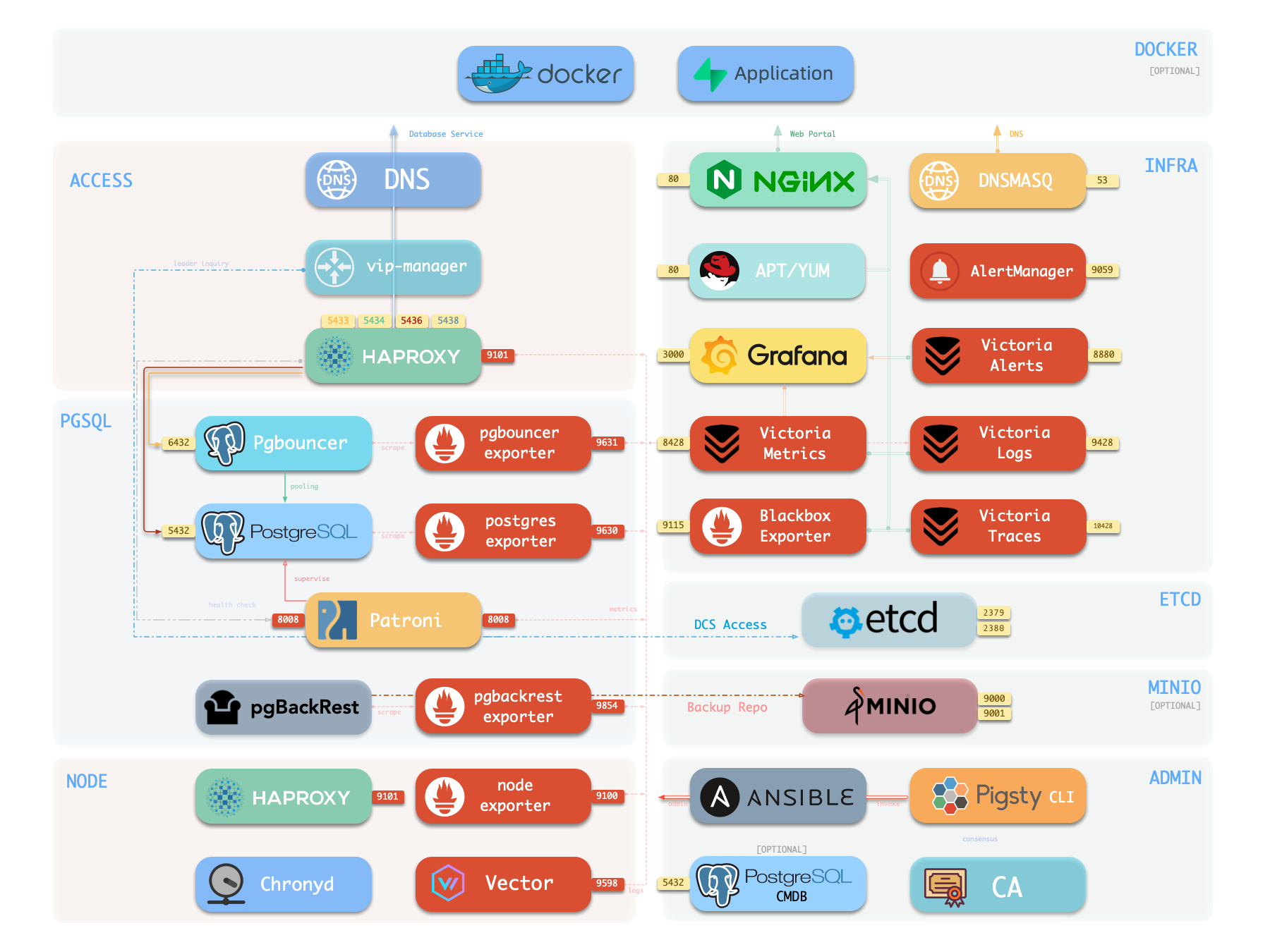
The following single-node deployment diagram shows INFRA components on the right:
| Component | Type | Description |
|---|---|---|
| Nginx | Web Server | Unified entry for WebUI, local repo, reverse proxy for internal services |
| Repo | Software Repo | APT/DNF repository with all RPM/DEB packages needed for deployment |
| Grafana | Visualization | Displays metrics, logs, and traces; hosts dashboards, reports, and custom data apps |
| VictoriaMetrics | Time Series DB | Scrapes all metrics, Prometheus API compatible, provides VMUI query interface |
| VictoriaLogs | Log Platform | Centralized log storage; all nodes run Vector by default, pushing logs here |
| VictoriaTraces | Tracing | Collects slow SQL, service traces, and other tracing data |
| VMAlert | Eval Rule/Alert | Evaluates alerting rules, pushes events to Alertmanager |
| AlertManager | Alert Manager | Aggregates alerts, dispatches notifications via email, Webhook, etc. |
| BlackboxExporter | Blackbox Probe | Probes reachability of IPs/VIPs/URLs |
| DNSMASQ | DNS Service | Provides DNS resolution for domains used within Pigsty [Optional] |
| Chronyd | Time Sync | Provides NTP time synchronization to ensure consistent time across nodes [Optional] |
| CA | Certificate | Issues encryption certificates within the environment |
| Ansible | Orchestration | Batch, declarative, agentless tool for managing large numbers of servers |
Nginx
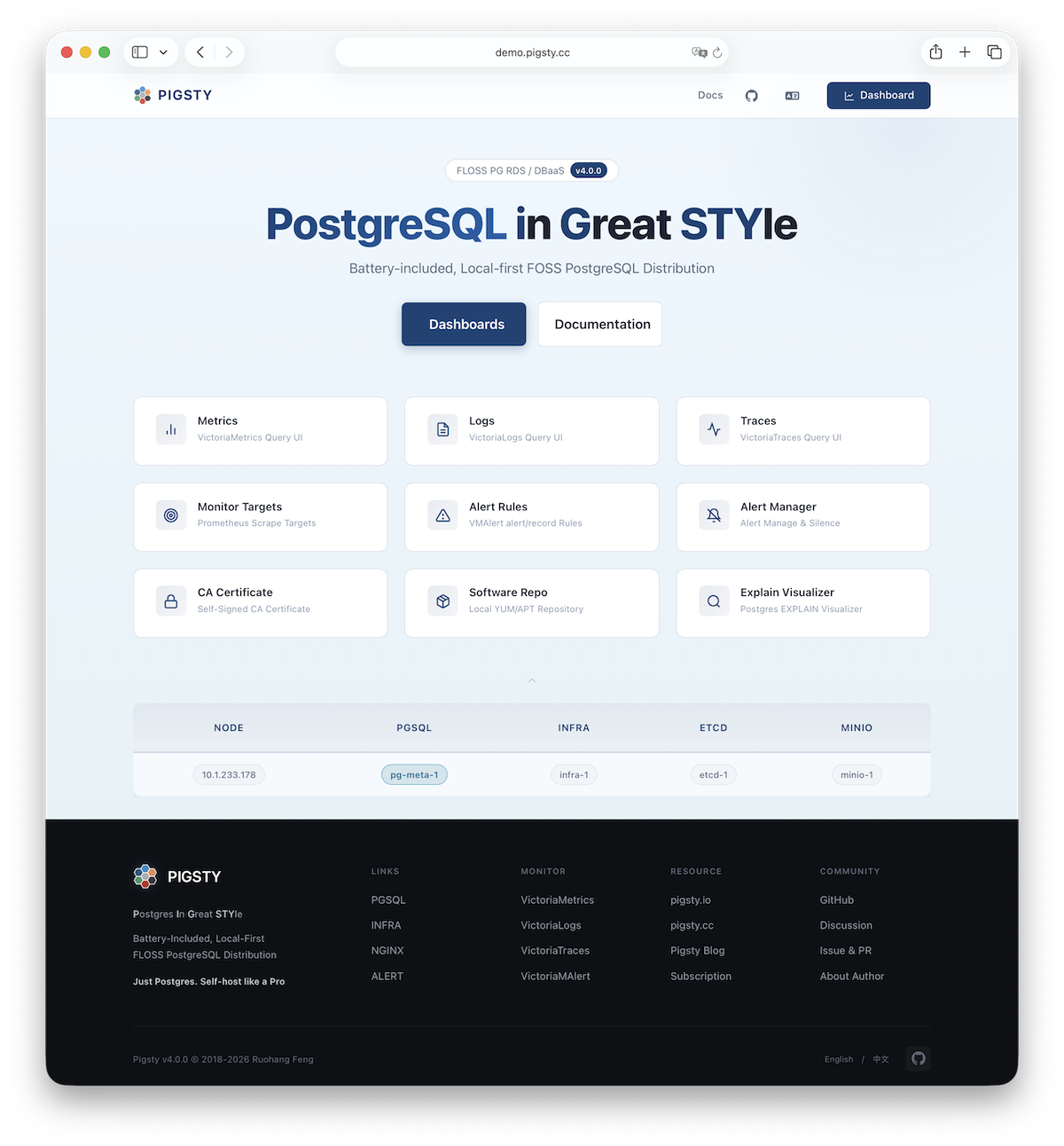
Nginx provides access to Pigsty WebUI services. HTTP and HTTPS use 80 and 443 by default. See the Live Demo.
| IP Access (replace) | Domain (HTTP) | Domain (HTTPS) | Public Demo |
|---|---|---|---|
http://10.10.10.10 | http://i.pigsty | https://i.pigsty | https://demo.pigsty.io |
Nginx exposes the Grafana, VictoriaMetrics (VMUI), AlertManager, and HAProxy web interfaces. It also serves the local software repository and other static files.
Nginx configures local web servers or reverse proxy servers based on definitions in infra_portal.
The default administration homepage is i.pigsty. Its endpoints proxy these components:
| Endpoint | Component | Native Port | Notes | Public Demo |
|---|---|---|---|---|
/ | Nginx | 80/443 | Homepage, local repo, file server | demo.pigsty.io |
/ui/ | Grafana | 3000 | Grafana dashboard entry | demo.pigsty.io/ui/ |
/vmetrics/ | VictoriaMetrics | 8428 | Time series DB Web UI | demo.pigsty.io/vmetrics/ |
/vlogs/ | VictoriaLogs | 9428 | Log DB Web UI | demo.pigsty.io/vlogs/ |
/vtraces/ | VictoriaTraces | 10428 | Tracing Web UI | demo.pigsty.io/vtraces/ |
/vmalert/ | VMAlert | 8880 | Alert rule management | demo.pigsty.io/vmalert/ |
/alertmgr/ | AlertManager | 9059 | Alert management Web UI | demo.pigsty.io/alertmgr/ |
/blackbox/ | Blackbox | 9115 | Blackbox probe |
Configure Nginx as a file server or reverse proxy. HTTPS supports self-signed and publicly trusted certificates.
For more information, see: Tutorial: Nginx—Expose Web Services via Proxy and Tutorial: Certbot—Request and Renew HTTPS Certificates
Repo
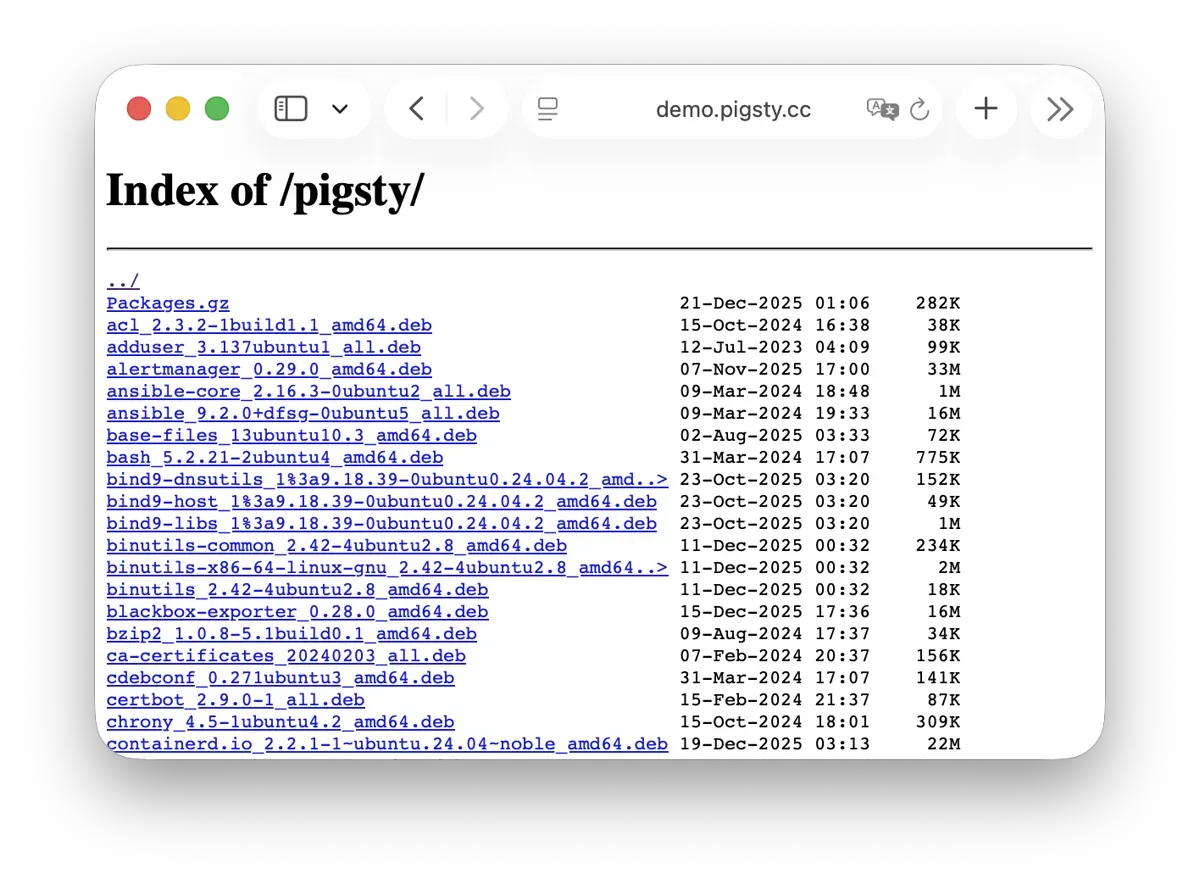
During installation, Pigsty creates a local software repository on the infrastructure node to speed later installations. See the Live Demo.
The default directory is /www/pigsty. Nginx serves it at /pigsty:
| IP Access (replace) | Domain (HTTP) | Domain (HTTPS) | Public Demo |
|---|---|---|---|
http://10.10.10.10/pigsty | http://i.pigsty/pigsty | https://i.pigsty/pigsty | https://demo.pigsty.io/pigsty |
For offline installation, copy a prepared local software repository into the target environment. If /www/pigsty/repo_complete exists, deployment skips upstream downloads and uses that repository. sow generates this file as a completion marker and SHA-256 manifest. To force a rebuild, run ./infra.yml -t repo_build -e repo_build=true.
For more information, see: Config: INFRA - REPO
Grafana
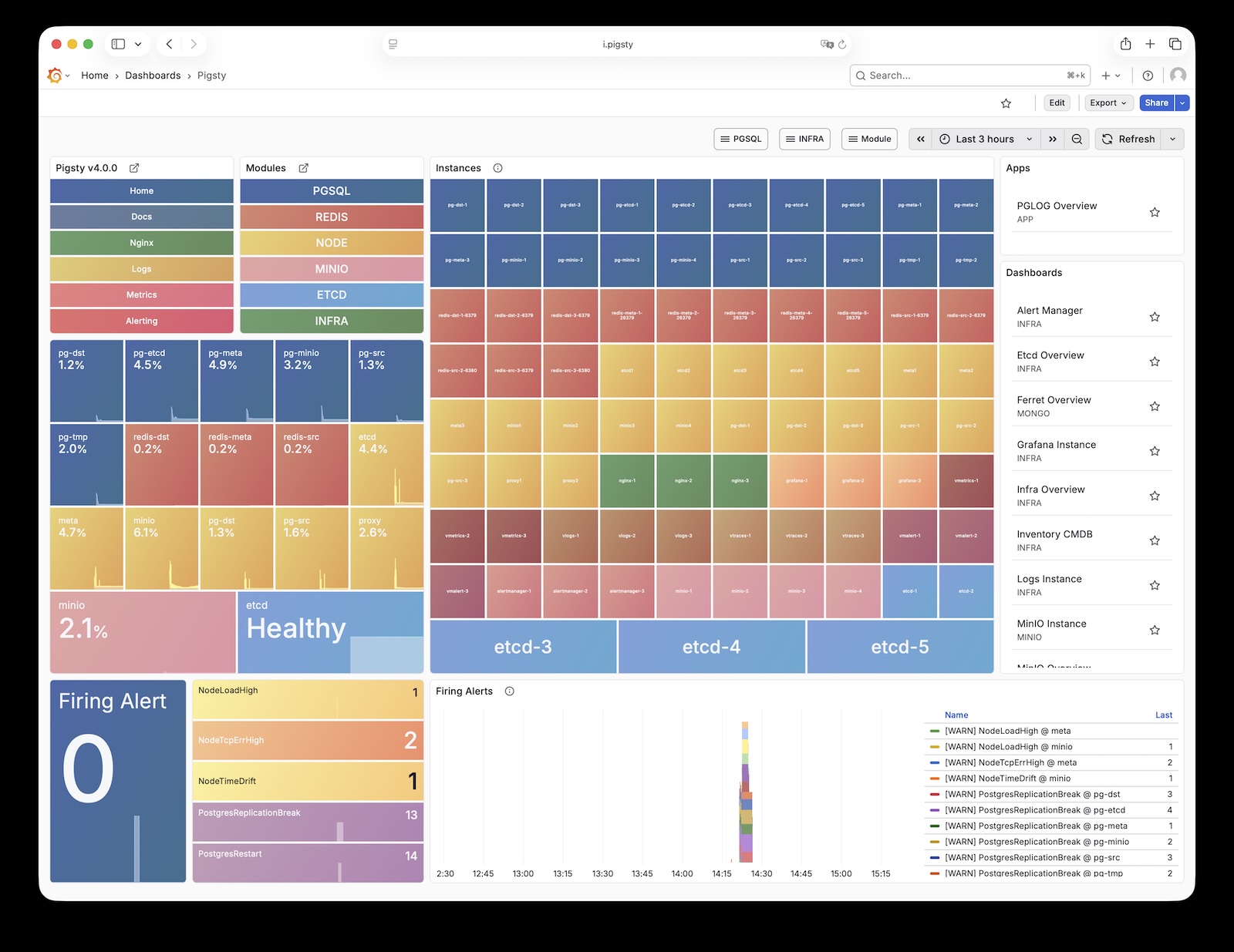
Grafana visualizes Pigsty metrics, logs, and other monitoring data. See the Live Demo.
Grafana listens on port 3000 by default and is proxied via Nginx at the /ui path:
| IP Access (replace) | Domain (HTTP) | Domain (HTTPS) | Public Demo |
|---|---|---|---|
http://10.10.10.10/ui | http://i.pigsty/ui | https://i.pigsty/ui | https://demo.pigsty.io/ui |
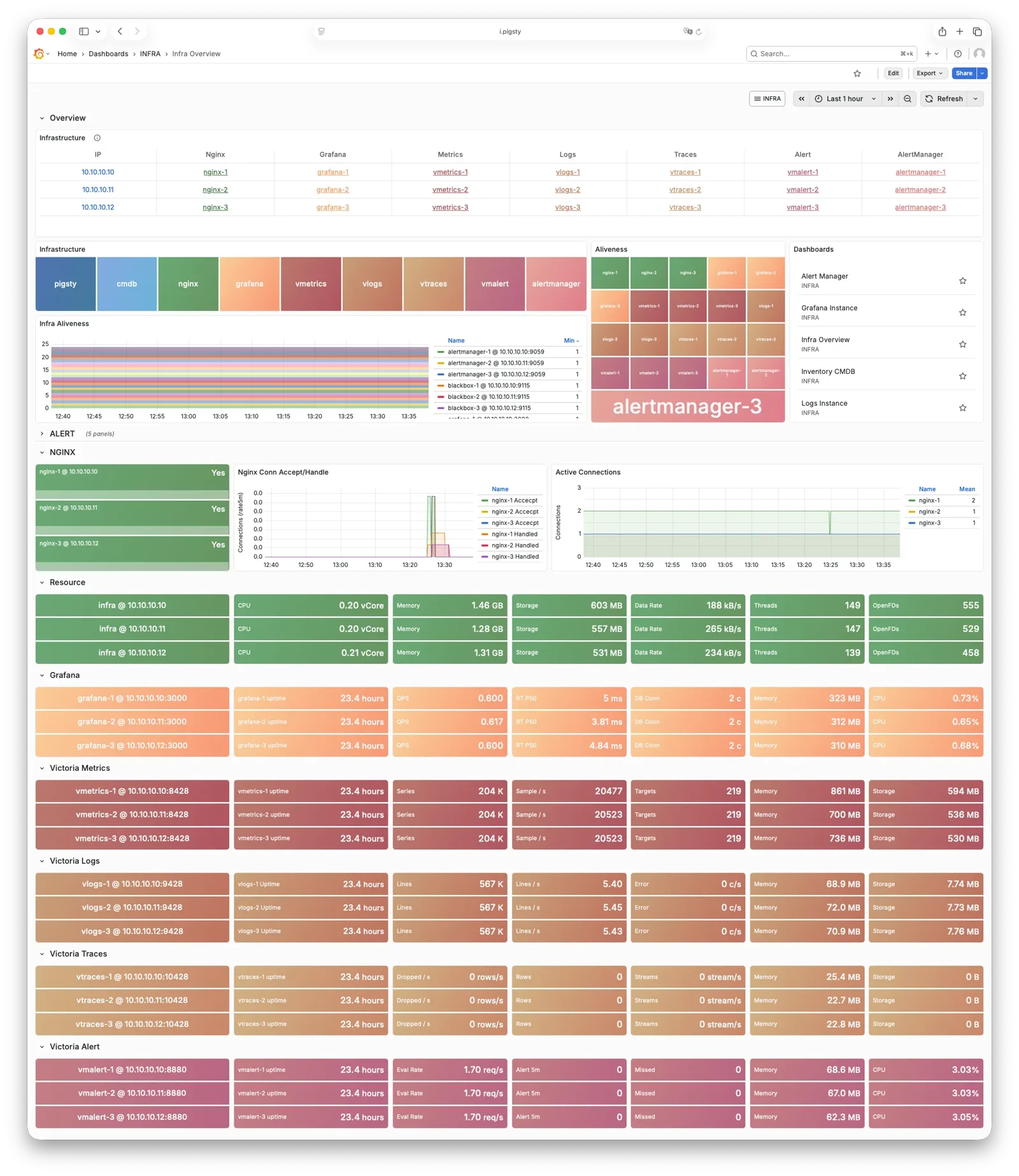
Pigsty includes dashboards for VictoriaMetrics, Logs, and Traces. URL links let you move between summary and detail views for diagnosis.
Grafana also supports low-code visualization. Pigsty installs ECharts, victoriametrics-datasource, and victorialogs-datasource plugins by default. Vector/Victoria data sources use the names vmetrics-*, vlogs-*, and vtraces-* for custom dashboards.
For more information, see: Config: INFRA - GRAFANA.
VictoriaMetrics
VictoriaMetrics collects and stores Pigsty monitoring metrics as time-series data. See the Live Demo.
The default port is 8428. Access it through Nginx at /vmetrics or the p.pigsty domain:
| IP Access (replace) | Domain (HTTP) | Domain (HTTPS) | Public Demo |
|---|---|---|---|
http://10.10.10.10/vmetrics | http://p.pigsty | https://i.pigsty/vmetrics | https://demo.pigsty.io/vmetrics |
VictoriaMetrics supports the Prometheus API, PromQL, remote read/write protocols, and the Alertmanager API. Its VMUI supports direct queries for metric exploration. It also supplies data to Grafana.
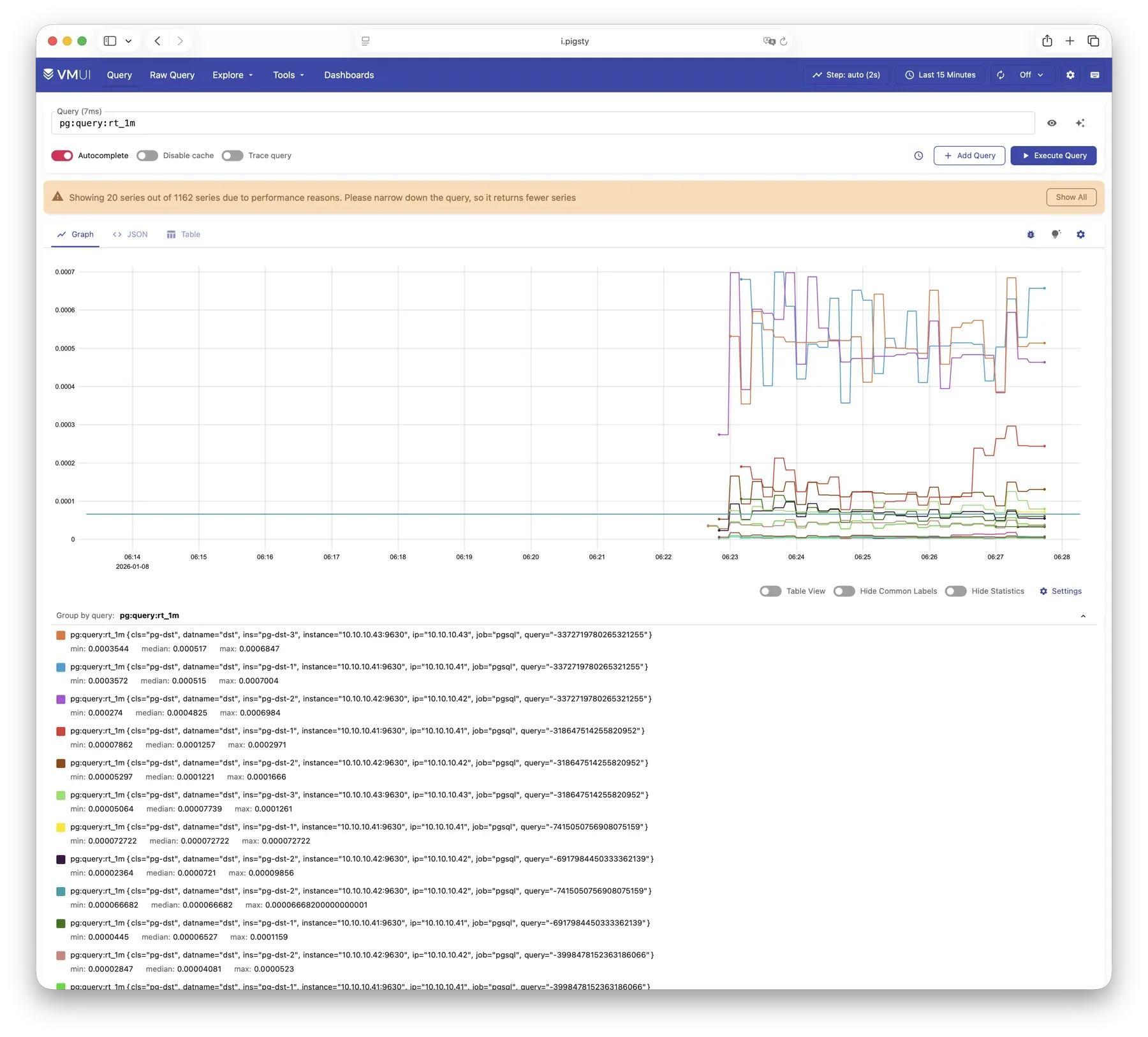
For more information, see: Config: INFRA - VMETRICS
VictoriaLogs
VictoriaLogs centrally stores structured logs from all Pigsty nodes. See the Live Demo.
It listens on port 9428 by default, mounted at Nginx /vlogs path:
| IP Access (replace) | Domain (HTTP) | Domain (HTTPS) | Public Demo |
|---|---|---|---|
http://10.10.10.10/vlogs | http://i.pigsty/vlogs | https://i.pigsty/vlogs | https://demo.pigsty.io/vlogs |
Managed nodes run Vector by default. It collects system, PostgreSQL, Patroni, Pgbouncer, and other logs, structures them, and sends them to VictoriaLogs. The built-in Web UI supports search and filtering. Use the Grafana victorialogs-datasource plugin for visual analysis.
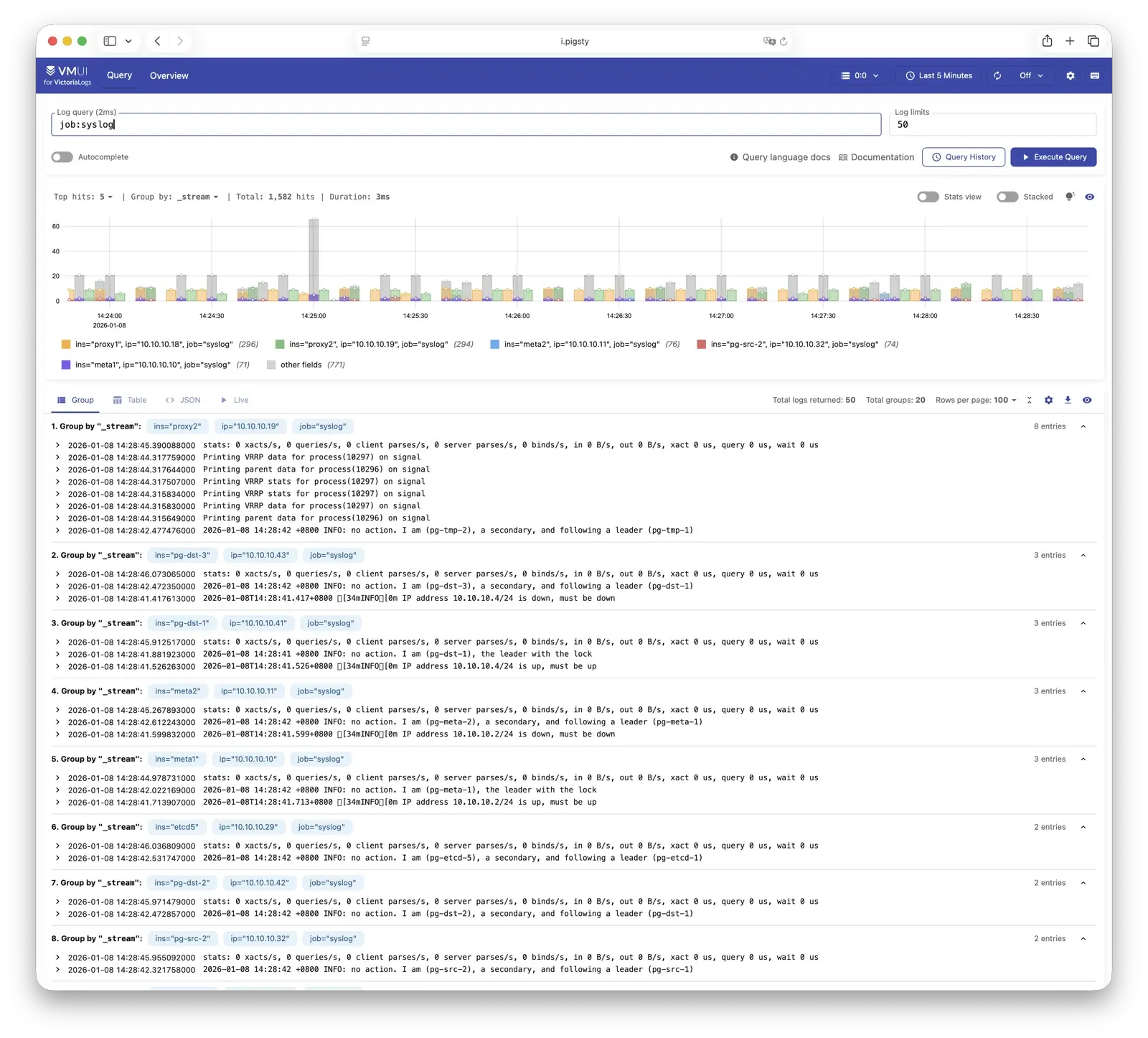
For more information, see: Config: INFRA - VLOGS
VictoriaTraces
VictoriaTraces is used for collecting trace data and slow SQL records. Live Demo
It listens on port 10428 by default, mounted at Nginx /vtraces path:
| IP Access (replace) | Domain (HTTP) | Domain (HTTPS) | Public Demo |
|---|---|---|---|
http://10.10.10.10/vtraces | http://i.pigsty/vtraces | https://i.pigsty/vtraces | https://demo.pigsty.io/vtraces |
VictoriaTraces provides a Jaeger-compatible interface for service traces and slow SQL queries. Use it with Grafana to locate performance limits and trace their causes.
For more information, see: Config: INFRA - VTRACES
VMAlert
VMAlert evaluates alert rules and sends triggered events to Alertmanager. See the Live Demo.
It listens on port 8880 by default, mounted at Nginx /vmalert path:
| IP Access (replace) | Domain (HTTP) | Domain (HTTPS) | Public Demo |
|---|---|---|---|
http://10.10.10.10/vmalert | http://i.pigsty/vmalert | https://i.pigsty/vmalert | https://demo.pigsty.io/vmalert |
VMAlert periodically evaluates rules against VictoriaMetrics data. Pigsty includes rules for common failures in PGSQL, NODE, REDIS, and other modules.
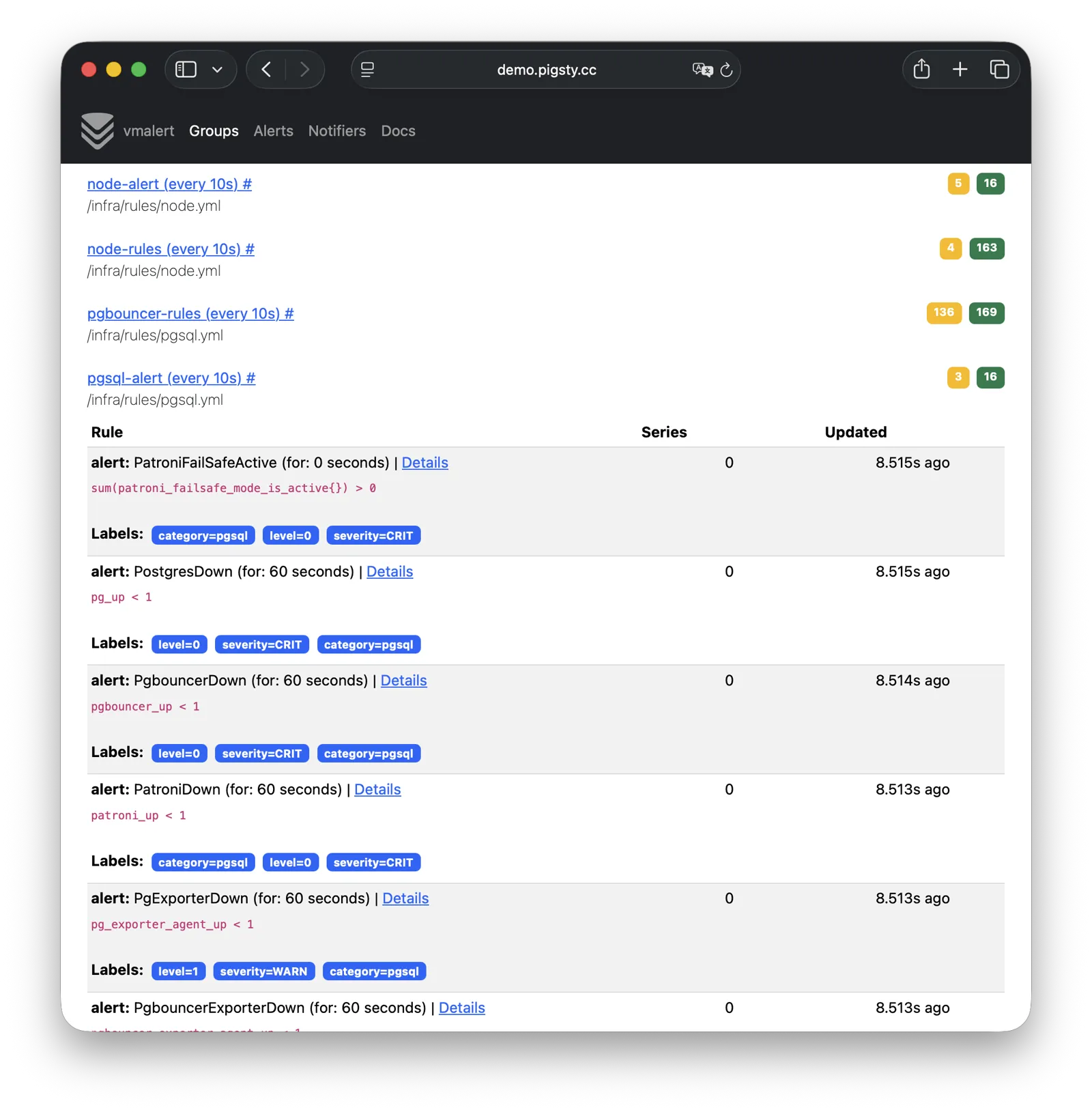
For more information, see: Config: INFRA - VMALERT
AlertManager
AlertManager handles alert event aggregation, deduplication, grouping, and dispatch. Live Demo
It listens on port 9059 by default, mounted at Nginx /alertmgr path, and also accessible via the a.pigsty domain:
| IP Access (replace) | Domain (HTTP) | Domain (HTTPS) | Public Demo |
|---|---|---|---|
http://10.10.10.10/alertmgr | http://a.pigsty | https://i.pigsty/alertmgr | https://demo.pigsty.io/alertmgr |
AlertManager supports email, Webhook, Slack, PagerDuty, WeChat Work, and other notification channels. Routing rules select destinations by severity and module. Silencing and inhibition are also supported.
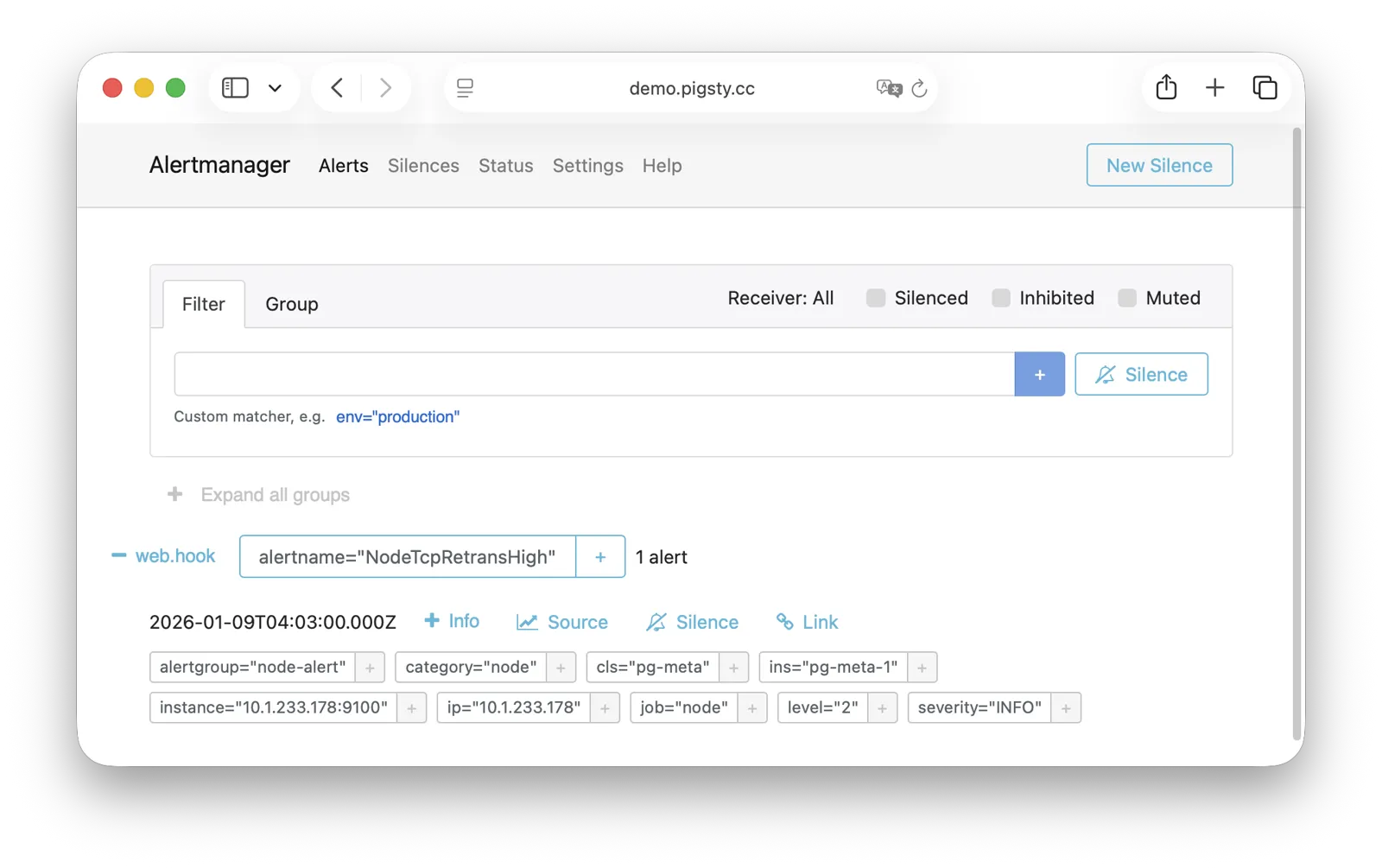
For more information, see: Config: INFRA - AlertManager
BlackboxExporter
Blackbox Exporter probes targets to check reachability.
It listens on port 9115 by default, mounted at Nginx /blackbox path:
| IP Access (replace) | Domain (HTTP) | Domain (HTTPS) | Public Demo |
|---|---|---|---|
http://10.10.10.10/blackbox | http://i.pigsty/blackbox | https://i.pigsty/blackbox | https://demo.pigsty.io/blackbox |
Probe methods include ICMP Ping, TCP ports, and HTTP/HTTPS endpoints. Check VIP reachability, service ports, and external dependencies to determine the scope of a failure.
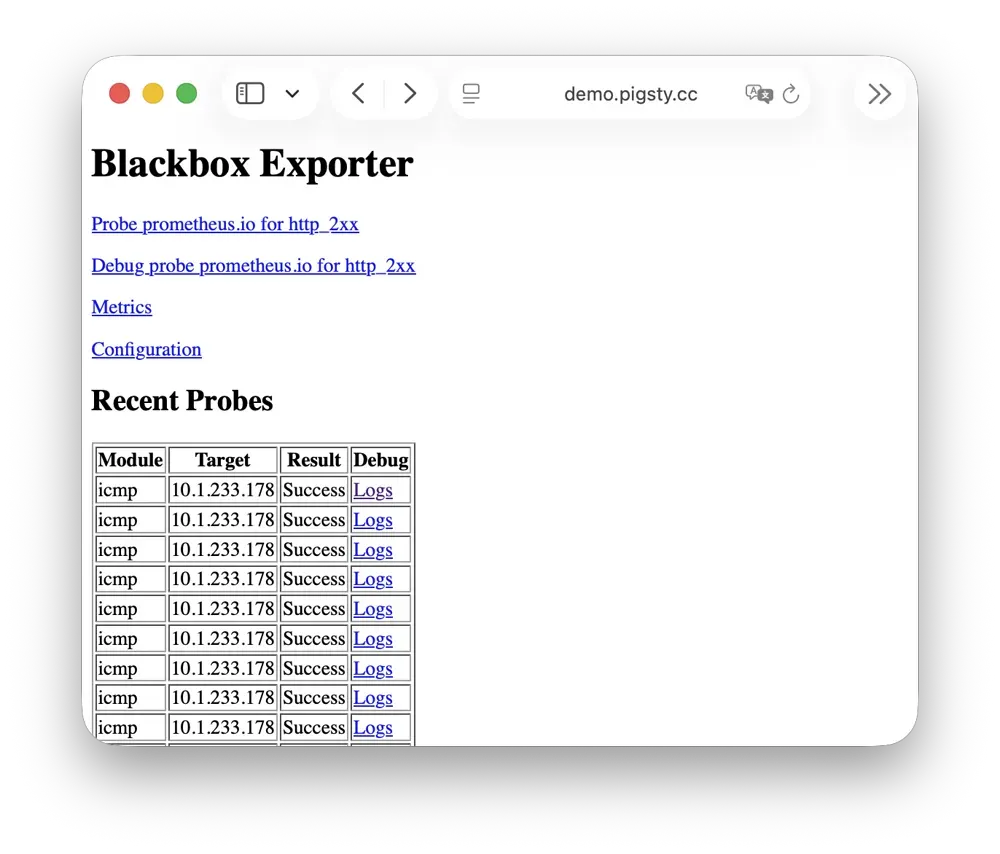
For more information, see: Config: INFRA - BLACKBOX
Ansible
Ansible runs Pigsty deployment, configuration, and management playbooks.
Installation adds Ansible to the administration/infrastructure node. Declarative configuration specifies the target state. Idempotent playbooks can run repeatedly to reach that state without additional side effects.
Ansible provides:
- Agentless execution: Connect through SSH without installing an agent on managed nodes.
- Declarative configuration: Describe the target state; configuration also documents it.
- Idempotent operations: Repeated runs produce consistent results and can retry partial failures.
For more information, see: Playbooks: Pigsty Playbook
DNSMASQ
DNSMASQ provides DNS resolution on INFRA nodes, resolving domain names to their corresponding IP addresses.
DNSMASQ listens on port 53 (UDP/TCP) by default, providing DNS resolution for all nodes. Records are stored in the /etc/dnsmasq.d/pigsty directory.
Other modules register domain names with DNSMASQ during deployment. Client nodes can use infrastructure nodes as DNS servers and access services by name. DNS is optional; Pigsty also works without it.
dns_records: Default DNS records written to INFRA nodesnode_dns_servers: Configure DNS servers for nodes, defaults to INFRA node viaadmin_ip(can also be disabled)
For more information, see: Config: INFRA - DNS and Tutorial: DNS—Configure Domain Resolution
Chronyd
Chronyd synchronizes node clocks through NTP. Its time-source service uses UDP port 123 by default.
Distributed systems need synchronized clocks. Logs need comparable timestamps, certificate checks need accurate time, and PostgreSQL streaming replication is sensitive to clock drift. In isolated networks, other nodes can synchronize to an infrastructure node acting as their NTP server.
All nodes run chronyd by default, using public pool.ntp.org servers. The Node module manages chronyd. In isolated networks, use admin_ip to select the INFRA node as the internal time source.
For more information, see: Config: NODE - TIME
INFRA Node vs Regular Node
In Pigsty, the relationship between nodes and infrastructure is a weak circular dependency: node_monitor → infra → node
NODE does not itself require INFRA. Its node_monitor functions require the infrastructure monitoring platform and services.
infra.yml and deploy resolve this dependency through these steps:
- Initialize NODE on regular nodes. Skip monitoring because the infrastructure is not ready.
- Initialize INFRA on the INFRA node to provide monitoring.
- Configure monitoring on regular nodes to connect to that platform.
Alternatively, use phased deployment: initialize infrastructure nodes before regular nodes.
How Are Nodes Coupled to Infrastructure?
Regular nodes use admin_ip to select an INFRA node for infrastructure services.
For example, global admin_ip = 10.10.10.10 normally directs all nodes to infrastructure at that address.
Change this address to switch infrastructure providers for many nodes. These parameters may reference ${admin_ip}:
| Parameter | Module | Default Value | Description |
|---|---|---|---|
repo_endpoint | INFRA | http://${admin_ip}:80 | Software repo URL |
repo_upstream.baseurl | INFRA | http://${admin_ip}/pigsty | Local repo baseurl |
infra_portal.endpoint | INFRA | ${admin_ip}:<port> | Nginx proxy backend |
dns_records | INFRA | ["${admin_ip} i.pigsty", ...] | DNS records |
node_default_etc_hosts | NODE | ["${admin_ip} i.pigsty"] | Default static DNS |
node_etc_hosts | NODE | [] | Custom static DNS |
node_dns_servers | NODE | ["${admin_ip}"] | Dynamic DNS servers |
node_ntp_servers | NODE | ["pool pool.ntp.org iburst"] | NTP servers (optional) |
For example, local uses the Nginx software repository at admin_ip:80/pigsty. DNS uses DNSMASQ at admin_ip:53. Both choices are optional. Nodes can install from Internet repositories, as most single-node templates do. They can also leave DNS unconfigured because Pigsty does not require it.
INFRA Node vs ADMIN Node
The ADMIN node usually also serves as the INFRA node, including in single-node deployments. With multiple infrastructure nodes, the first infra member usually administers the environment and others provide backups. You can also separate the roles.
For example, large production deployments can use 1–2 small DBA-managed VMs for administration. Use 2–3 high-capacity physical servers, or more, for monitoring infrastructure. Set admin_ip to an infrastructure node address. The parameter retains its historical name from when administration and infrastructure roles were combined.
For local management of cloud nodes, install Ansible on your laptop and select cloud servers as managed targets. The laptop is the administration node. Cloud servers provide infrastructure.
Multiple INFRA Nodes
One infrastructure node usually meets the requirements. Failure of its INFRA module does not interrupt database services on other nodes.
For higher monitoring and alerting availability, use multiple infrastructure nodes. Two nodes can provide redundancy and monitor each other. A distributed Victoria cluster can use more nodes for horizontal scaling without a fixed limit.
Each infrastructure node operates independently. Nginx uses local services, and VictoriaMetrics collects metrics from every environment service. Nodes send logs to all VictoriaLogs endpoints by default. Grafana is the exception: each instance registers every VictoriaMetrics, Logs, Traces, and PostgreSQL instance as a data source. Thus, each Grafana can access all monitoring data.
Dashboard and data-source changes affect only the Grafana instance you edit. For shared configuration, use a PostgreSQL database as Grafana storage. See Configure Grafana High Availability.
Was this page helpful?
Thanks—your feedback helps us improve this page.
What got in the way? (optional)