Configuration
How to configure INFRA nodes? Customize Nginx, local repo, DNS, NTP, monitoring components.
Configuration | Administration | Playbooks | Monitoring | Parameters
Every Pigsty deployment includes a set of infrastructure components that provide services for managed nodes and database clusters:
| Component | Port | Domain | Description |
|---|---|---|---|
| Nginx | 80/443 | i.pigsty | Web service portal, local repo, and unified entry point |
| Grafana | 3000 | g.pigsty | Visualization platform for monitoring dashboards and data apps |
| VictoriaMetrics | 8428 | p.pigsty | Time-series database with VMUI, compatible with Prometheus API |
| VictoriaLogs | 9428 | - | Centralized log database, receives structured logs from Vector |
| VictoriaTraces | 10428 | - | Tracing and event storage for slow SQL / request tracing |
| VMAlert | 8880 | - | Alert rule evaluator, triggers alerts based on VictoriaMetrics metrics |
| AlertManager | 9059 | a.pigsty | Alert aggregation and dispatch, receives notifications from VMAlert |
| BlackboxExporter | 9115 | - | ICMP/TCP/HTTP blackbox probing |
| DNSMASQ | 53 | - | DNS server for internal domain resolution |
| Chronyd | 123 | - | NTP time server |
| PostgreSQL | 5432 | - | CMDB and default database |
| Ansible | - | - | Runs playbooks, orchestrates all infrastructure |
In Pigsty, the PGSQL module uses some services on INFRA nodes, specifically:
Nginx is the access entry point for all WebUI services in Pigsty, using port 80 on the admin node by default.
Many infrastructure components with WebUI are exposed through Nginx, such as Grafana, VictoriaMetrics (VMUI), AlertManager, and HAProxy traffic management pages. Additionally, static file resources like yum/apt repos are served through Nginx.
Nginx routes access requests to corresponding upstream components based on domain names according to infra_portal configuration. If you use other domains or public domains, you can modify them here:
infra_portal:  # domain names and upstream servers
  home         : { domain: i.pigsty }
  grafana      : { domain: g.pigsty ,endpoint: "${admin_ip}:3000" , websocket: true }
  prometheus   : { domain: p.pigsty ,endpoint: "${admin_ip}:8428" }   # VMUI
  alertmanager : { domain: a.pigsty ,endpoint: "${admin_ip}:9059" }
  blackbox     : { endpoint: "${admin_ip}:9115" }
  vmalert      : { endpoint: "${admin_ip}:8880" }
  #logs         : { domain: logs.pigsty ,endpoint: "${admin_ip}:9428" }
  #minio        : { domain: sss.pigsty  ,endpoint: "${admin_ip}:9001" ,scheme: https ,websocket: true }
Pigsty strongly recommends using domain names to access Pigsty UI systems rather than direct IP+port access, for these reasons:
If you don’t have available internet domains or local DNS resolution, you can add local static resolution records in /etc/hosts (MacOS/Linux) or C:\Windows\System32\drivers\etc\hosts (Windows).
Nginx configuration parameters are at: Configuration: INFRA - NGINX
Pigsty creates a local software repository during installation to accelerate subsequent software installation.
This repository is served by Nginx, located by default at /www/pigsty, accessible via http://i.pigsty/pigsty.
Pigsty’s offline package is the entire software repository directory (yum/apt) compressed. When Pigsty tries to build a local repo, if it finds the local repo directory /www/pigsty already exists with the /www/pigsty/repo_complete marker file, it considers the local repo already built and skips downloading software from upstream, eliminating internet dependency.
The repo definition file is at /www/pigsty.repo, accessible by default via http://${admin_ip}/pigsty.repo
curl -L http://i.pigsty/pigsty.repo -o /etc/yum.repos.d/pigsty.repo
You can also use the file local repo directly without Nginx:
[pigsty-local]
name=Pigsty local $releasever - $basearch
baseurl=file:///www/pigsty/
enabled=1
gpgcheck=0
Local repository configuration parameters are at: Configuration: INFRA - REPO
Pigsty v4.0 uses the VictoriaMetrics family to replace Prometheus/Loki, providing unified monitoring, logging, and tracing capabilities:
8428 by default, accessible via http://p.pigsty or https://i.pigsty/vmetrics/ for VMUI, compatible with Prometheus API./infra/rules/*.yml, listens on port 8880, and sends alert events to Alertmanager.9428, supports the https://i.pigsty/vlogs/ query interface. All nodes run Vector by default, pushing structured system logs, PostgreSQL logs, etc. to VictoriaLogs.10428 for slow SQL / Trace collection, Grafana accesses it as a Jaeger datasource.9059, accessible via http://a.pigsty or https://i.pigsty/alertmgr/ for managing alert notifications. After configuring SMTP, Webhook, etc., it can push messages.9115 by default for Ping/TCP/HTTP probing, accessible via https://i.pigsty/blackbox/.For more information, see: Configuration: INFRA - VICTORIA and Configuration: INFRA - PROMETHEUS.
Grafana is the core of Pigsty’s WebUI, listening on port 3000 by default, accessible directly via IP:3000 or domain http://g.pigsty.
Pigsty comes with preconfigured datasources for VictoriaMetrics / Logs / Traces (vmetrics-*, vlogs-*, vtraces-*), and numerous dashboards with URL-based navigation for quick problem location.
Grafana can also be used as a general low-code visualization platform, so Pigsty installs plugins like ECharts and victoriametrics-datasource by default for building monitoring dashboards or inspection reports.
Grafana configuration parameters are at: Configuration: INFRA - GRAFANA.
Pigsty installs Ansible on the meta node by default. Ansible is a popular operations tool with declarative configuration style and idempotent playbook design that greatly reduces system maintenance complexity.
DNSMASQ provides DNS resolution services within the environment. Domain names from other modules are registered with the DNSMASQ service on INFRA nodes.
DNS records are placed by default in the /etc/hosts.d/ directory on all INFRA nodes.
DNSMASQ configuration parameters are at: Configuration: INFRA - DNS
NTP service synchronizes time across all nodes in the environment (optional)
NTP configuration parameters are at: Configuration: NODES - NTP
To install the INFRA module on a node, first add it to the infra group in the config inventory and assign an instance number infra_seq
# Configure single INFRA node
infra: { hosts: { 10.10.10.10: { infra_seq: 1 } }}

# Configure two INFRA nodes
infra:
  hosts:
    10.10.10.10: { infra_seq: 1 }
    10.10.10.11: { infra_seq: 2 }
Then use the infra.yml playbook to initialize the INFRA module on the nodes.
Here are some administration tasks related to the INFRA module:
./infra.yml     # Install INFRA module on infra group
./infra-rm.yml  # Uninstall INFRA module from infra group
You can use the following playbook subtasks to manage the local yum repo on Infra nodes:
./infra.yml -t repo              # Create local repo from internet or offline package

./infra.yml -t repo_dir          # Create local repo directory
./infra.yml -t repo_check        # Check if local repo already exists
./infra.yml -t repo_prepare      # If exists, use existing local repo
./infra.yml -t repo_build        # If not exists, build local repo from upstream
./infra.yml     -t repo_upstream     # Handle upstream repo files in /etc/yum.repos.d
./infra.yml     -t repo_remove       # If repo_remove == true, delete existing repo files
./infra.yml     -t repo_add          # Add upstream repo files to /etc/yum.repos.d (or /etc/apt/sources.list.d)
./infra.yml     -t repo_url_pkg      # Download packages from internet defined by repo_url_packages
./infra.yml     -t repo_cache        # Create upstream repo metadata cache with yum makecache / apt update
./infra.yml     -t repo_boot_pkg     # Install bootstrap packages like createrepo_c, yum-utils... (or dpkg-)
./infra.yml     -t repo_pkg          # Download packages & dependencies from upstream repos
./infra.yml     -t repo_create       # Create local repo with createrepo_c & modifyrepo_c
./infra.yml     -t repo_use          # Add newly built repo to /etc/yum.repos.d | /etc/apt/sources.list.d
./infra.yml -t repo_nginx        # If no nginx serving, start nginx as web server
The most commonly used commands are:
./infra.yml     -t repo_upstream     # Add upstream repos defined in repo_upstream to INFRA nodes
./infra.yml     -t repo_pkg          # Download packages and dependencies from upstream repos
./infra.yml     -t repo_create       # Create/update local yum repo with createrepo_c & modifyrepo_c
You can use the following playbook subtasks to manage various infrastructure components on Infra nodes:
./infra.yml -t infra           # Configure infrastructure
./infra.yml -t infra_env       # Configure environment variables on admin node: env_dir, env_pg, env_var
./infra.yml -t infra_pkg       # Install software packages required by INFRA: infra_pkg_yum, infra_pkg_pip
./infra.yml -t infra_user      # Setup infra OS user group
./infra.yml -t infra_cert      # Issue certificates for infra components
./infra.yml -t dns             # Configure DNSMasq: dns_config, dns_record, dns_launch
./infra.yml -t nginx           # Configure Nginx: nginx_config, nginx_cert, nginx_static, nginx_launch, nginx_exporter
./infra.yml -t victoria        # Configure VictoriaMetrics/Logs/Traces: vmetrics|vlogs|vtraces|vmalert
./infra.yml -t alertmanager    # Configure AlertManager: alertmanager_config, alertmanager_launch
./infra.yml -t blackbox        # Configure Blackbox Exporter: blackbox_launch
./infra.yml -t grafana         # Configure Grafana: grafana_clean, grafana_config, grafana_plugin, grafana_launch, grafana_provision
./infra.yml -t infra_register  # Register infra components to VictoriaMetrics / Grafana
Other commonly used tasks include:
./infra.yml -t nginx_index                        # Re-render Nginx homepage content
./infra.yml -t nginx_config,nginx_reload          # Re-render Nginx portal config, expose new upstream services
./infra.yml -t vmetrics_config,vmetrics_launch    # Regenerate VictoriaMetrics main config and restart service
./infra.yml -t vlogs_config,vlogs_launch          # Re-render VictoriaLogs config
./infra.yml -t vmetrics_clean                     # Clean VictoriaMetrics storage data directory
./infra.yml -t grafana_plugin                     # Download Grafana plugins from internet
Pigsty provides three playbooks related to the INFRA module:
infra.yml: Initialize pigsty infrastructure on infra nodesinfra-rm.yml: Remove infrastructure components from infra nodesdeploy.yml: Complete one-time Pigsty installation on all nodesinfra.ymlThe INFRA module playbook infra.yml initializes pigsty infrastructure on INFRA nodes
Executing this playbook completes the following tasks
This playbook executes on INFRA nodes by default
10.10.10.10 in config templates with the current node’s primary IP address.Notes about this playbook
vmetrics_clean, vlogs_clean, vtraces_clean to false./www/pigsty/repo_complete exists, this playbook skips downloading software from internet. Full execution takes about 5-8 minutes depending on machine configuration.
infra-rm.ymlThe INFRA module playbook infra-rm.yml removes pigsty infrastructure from INFRA nodes
Common subtasks include:
./infra-rm.yml               # Remove INFRA module
./infra-rm.yml -t service    # Stop infrastructure services on INFRA
./infra-rm.yml -t data       # Remove remaining data on INFRA
./infra-rm.yml -t package    # Uninstall software packages installed on INFRA
deploy.ymlThe INFRA module playbook deploy.yml performs a complete one-time Pigsty installation on all nodes
This playbook is described in more detail in Playbook: One-Time Installation.
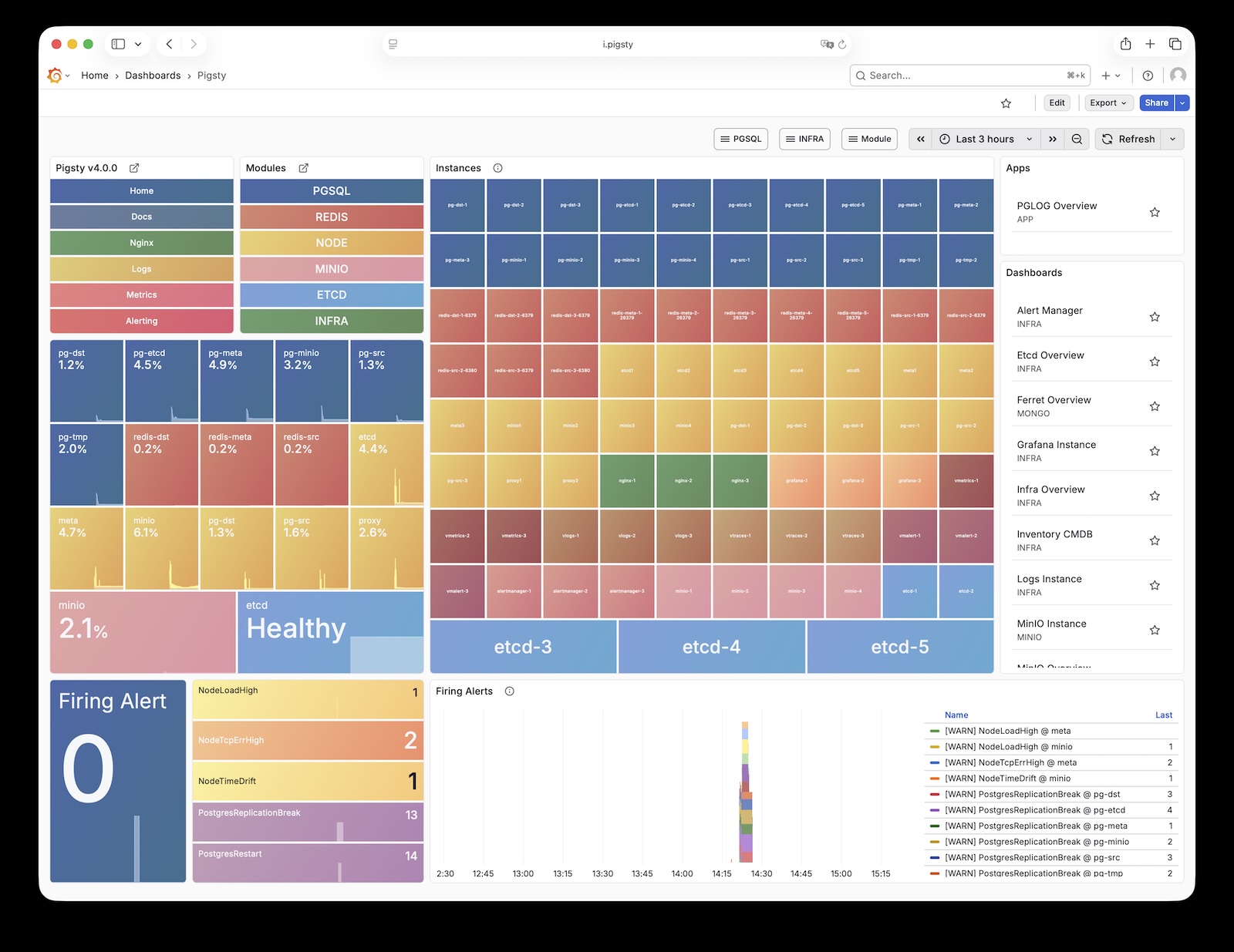
Pigsty Home: Pigsty monitoring system homepage
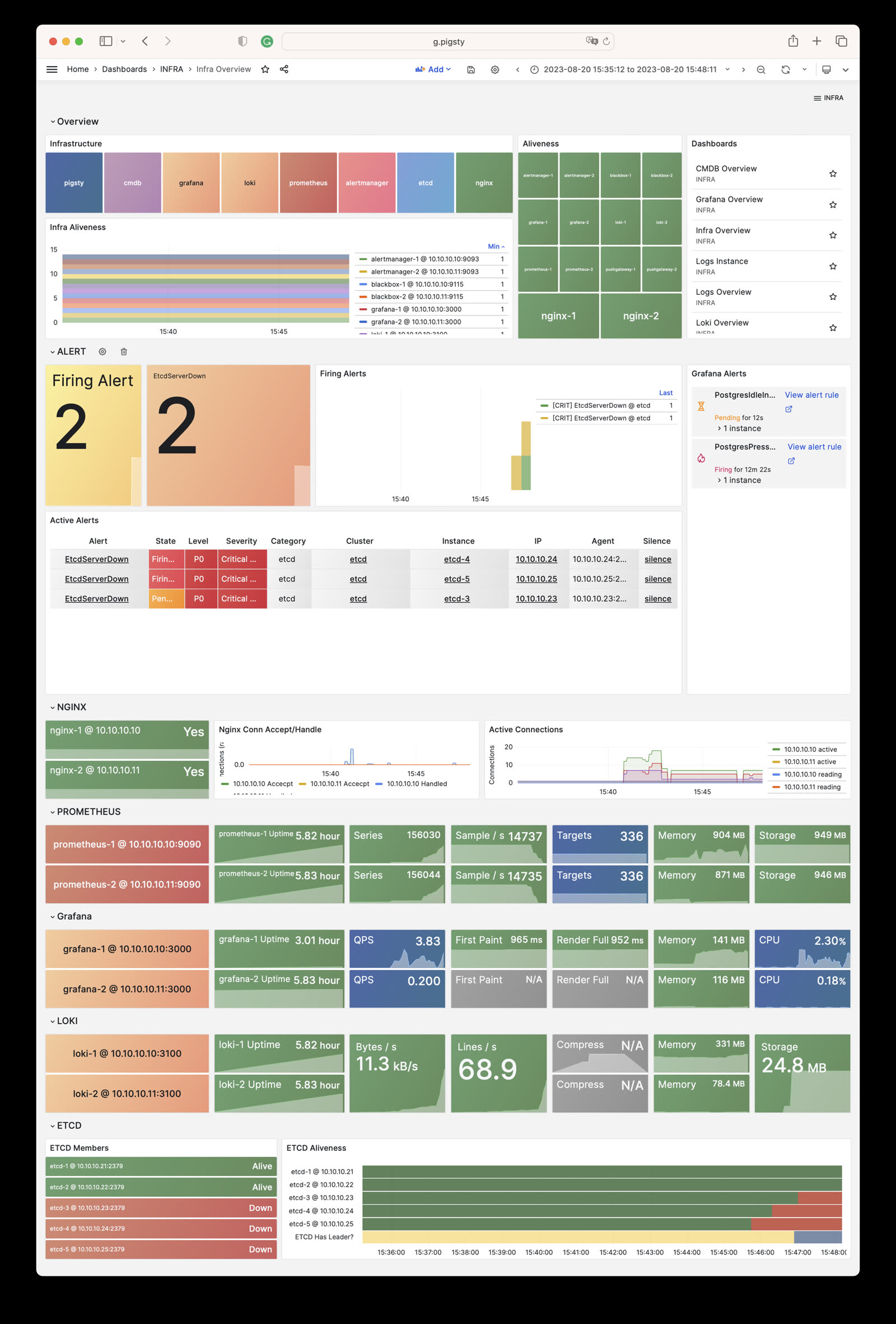
INFRA Overview: Pigsty infrastructure self-monitoring overview
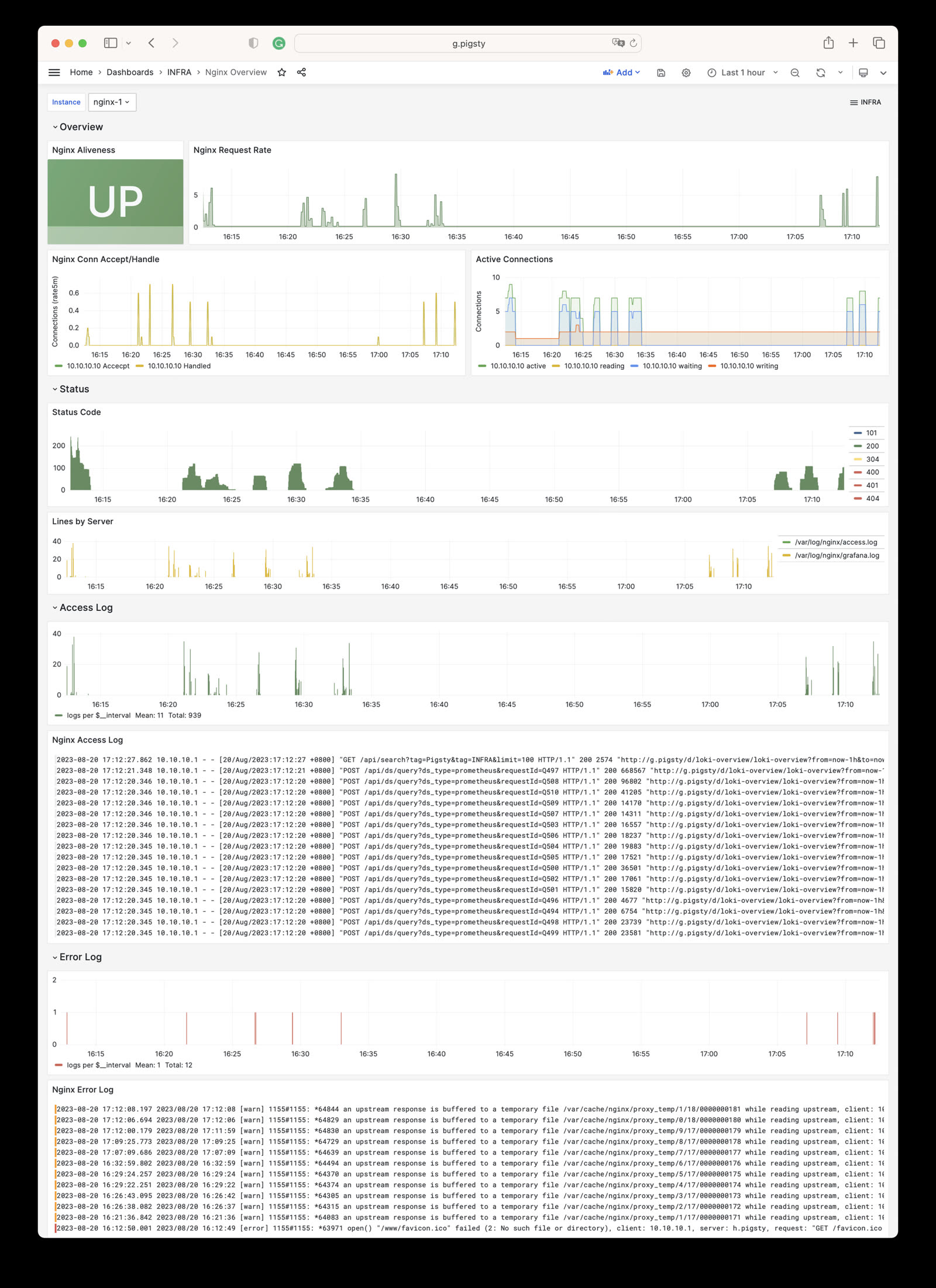
Nginx Instance: Nginx metrics and logs
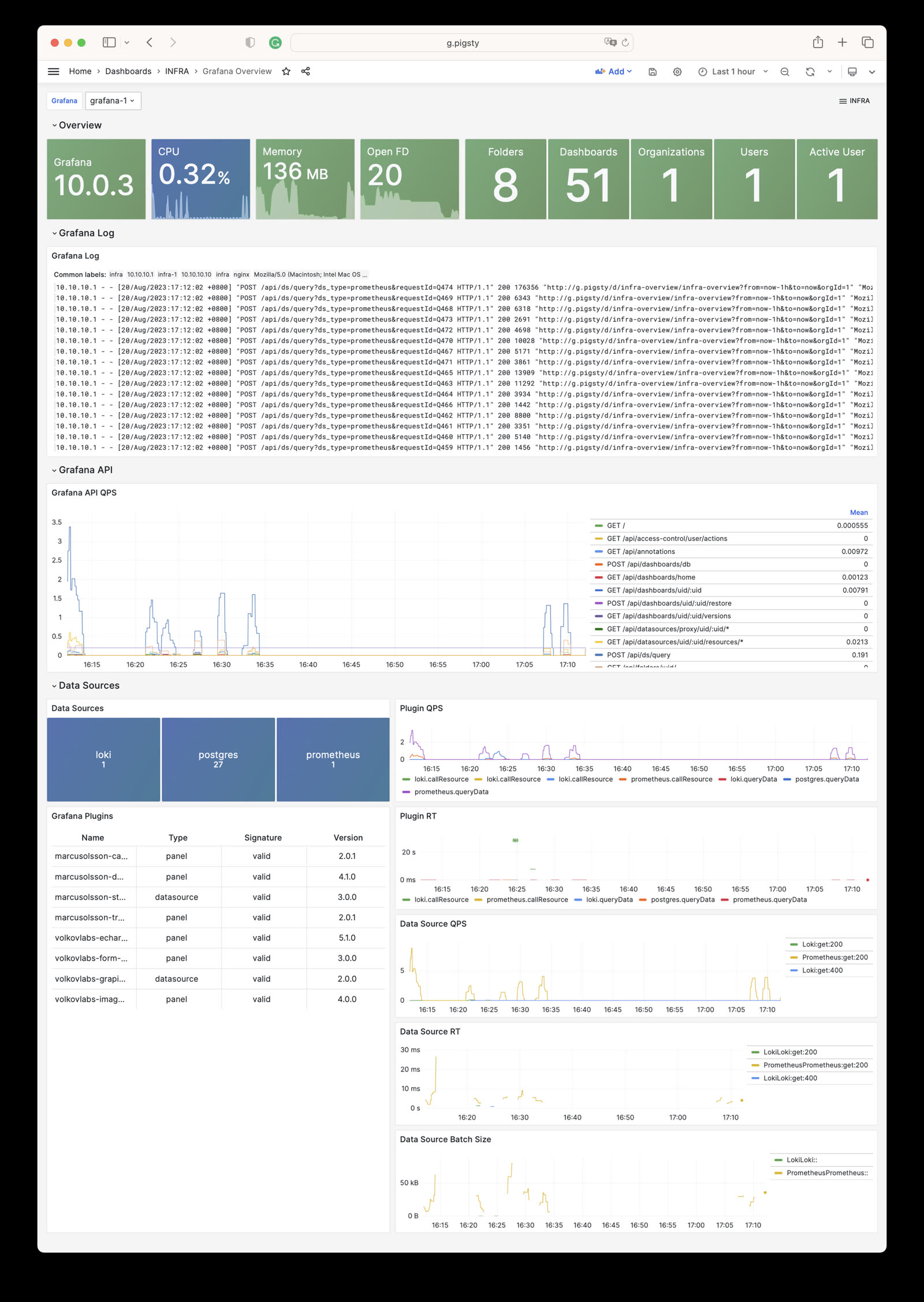
Grafana Instance: Grafana metrics and logs
VictoriaMetrics Instance: VictoriaMetrics scraping, querying, and storage metrics
VMAlert Instance: Alert rule evaluation and queue status
Alertmanager Instance: Alert aggregation, notification pipelines, and Silences
VictoriaLogs Instance: Log ingestion rate, query load, and index hits
VictoriaTraces Instance: Trace/KV storage and Jaeger interface
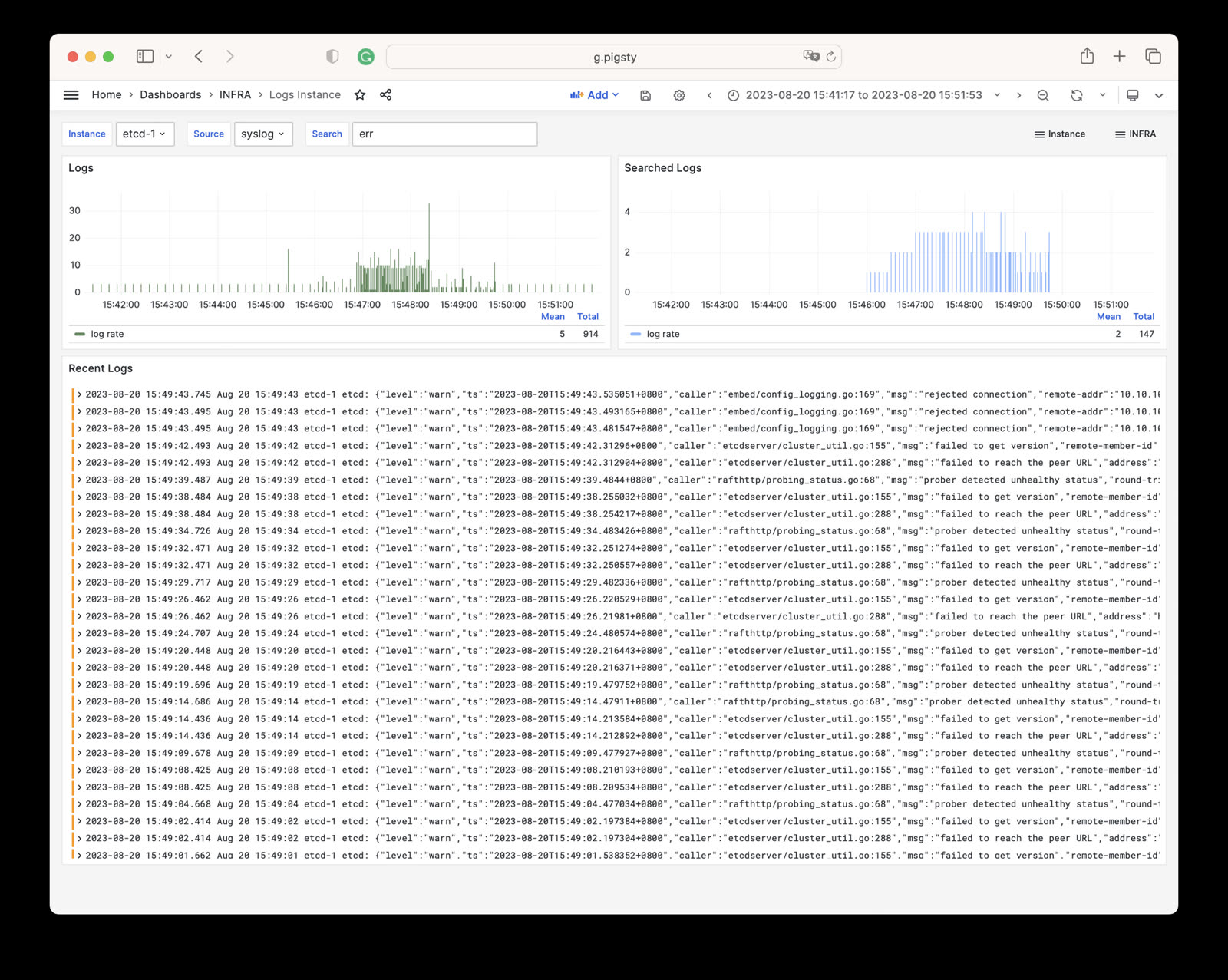
Logs Instance: Node log search based on Vector + VictoriaLogs
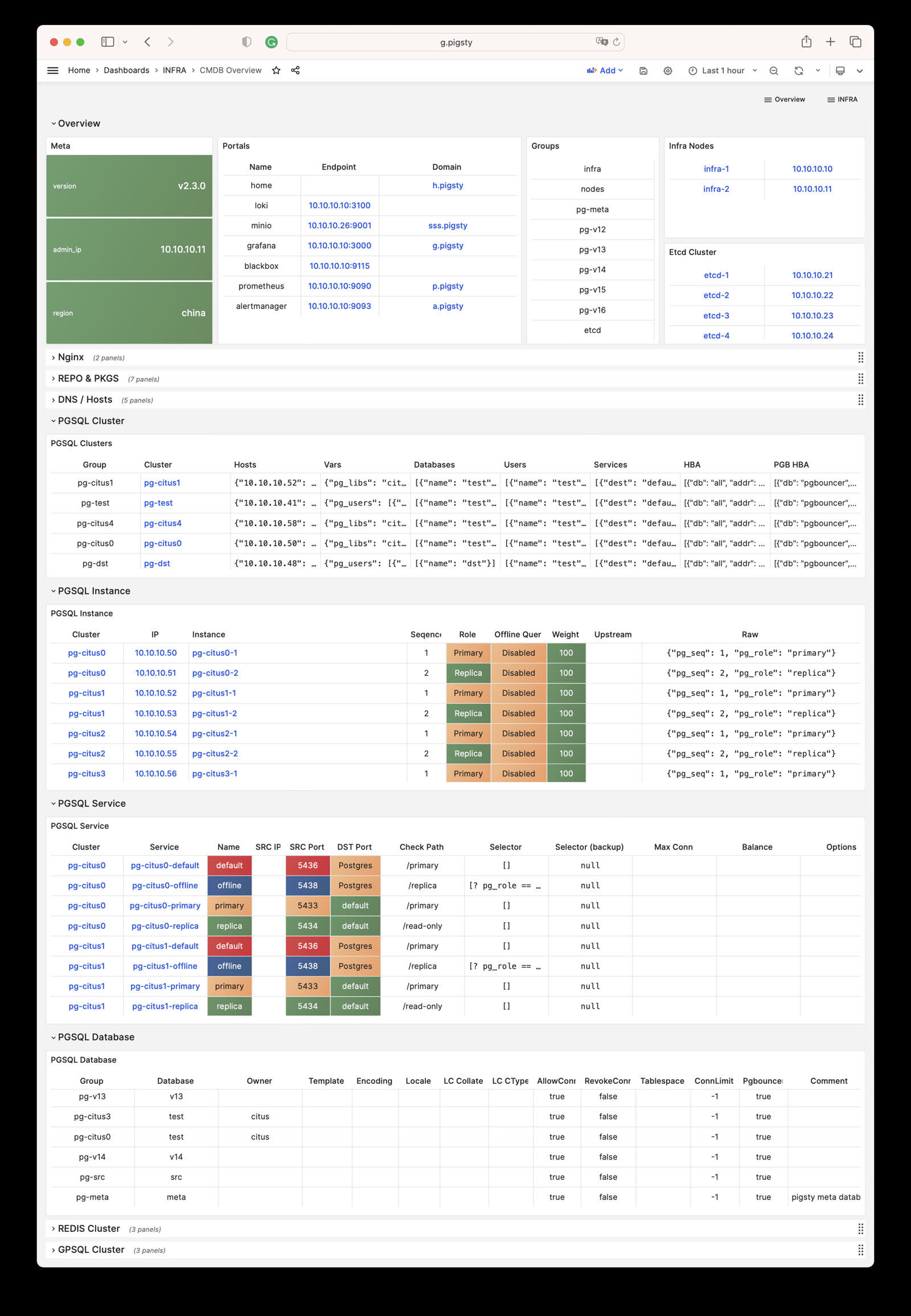
CMDB Overview: CMDB visualization
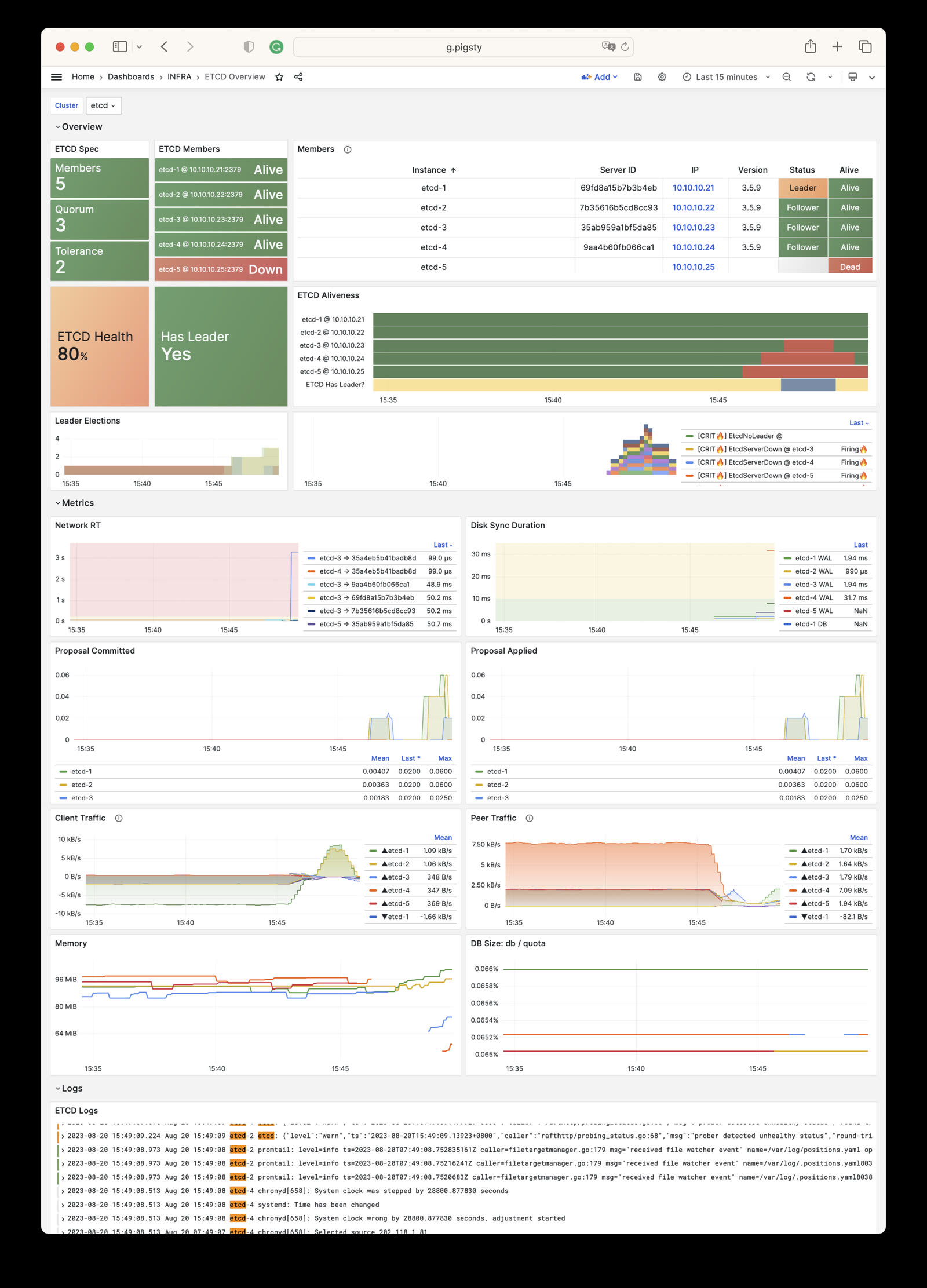
ETCD Overview: etcd metrics and logs
The INFRA module has the following 10 parameter groups.
META: Pigsty metadataCA: Self-signed PKI/CA infrastructureINFRA_ID: Infrastructure portal, Nginx domainsREPO: Local software repositoryINFRA_PACKAGE: Infrastructure software packagesNGINX: Nginx web serverDNS: DNSMASQ domain serverVICTORIA: VictoriaMetrics / Logs / Traces suitePROMETHEUS: Alertmanager and Blackbox ExporterGRAFANA: Grafana observability suiteFor the latest default values, types, and hierarchy, please refer to the Parameter Reference to stay consistent with the Pigsty version.
How to configure INFRA nodes? Customize Nginx, local repo, DNS, NTP, monitoring components.
INFRA module provides 10 sections with 70+ configurable parameters
How to use built-in Ansible playbooks to manage the INFRA module, with a quick reference for common commands.
How to perform self-monitoring of infrastructure in Pigsty?
Complete list of monitoring metrics provided by the Pigsty INFRA module
Frequently asked questions about the Pigsty INFRA infrastructure module
Infrastructure components and INFRA cluster administration SOP: create, destroy, scale out, scale in, certificates, repositories…
Was this page helpful?
Thanks for the feedback! Please let us know how we can improve.
Sorry to hear that. Please let us know how we can improve.