Pigsty uses pgBackRest to manage PostgreSQL backups, arguably the most powerful open-source backup tool in the ecosystem.
It supports incremental/parallel backup and restore, encryption, MinIO/S3, and many other features. Pigsty configures backup functionality by default for each PGSQL cluster.
Pigsty makes every effort to provide a reliable PITR solution, but we accept no responsibility for data loss resulting from PITR operations. Use at your own risk. If you need professional support, please consider our professional services.
The first question is when to backup your database - this is a tradeoff between backup frequency and recovery time.
Since you need to replay WAL logs from the last backup to the recovery target point, the more frequent the backups, the less WAL logs need to be replayed, and the faster the recovery.
Daily Full Backup
For production databases, it’s recommended to start with the simplest daily full backup strategy.
This is also Pigsty’s default backup strategy, implemented via crontab.
node_crontab:['00 01 * * * postgres /pg/bin/pg-backup full']pgbackrest_method: local # Choose backup repository method:`local`, `minio`, or other custom repositorypgbackrest_repo: # pgbackrest repository configuration:https://pgbackrest.org/configuration.html#section-repositorylocal:# Default pgbackrest repository using local POSIX filesystempath:/pg/backup # Local backup directory, defaults to `/pg/backup`retention_full_type:count # Retain full backups by countretention_full:2# Keep 2, up to 3 full backups when using local filesystem repository
When used with the default local local filesystem backup repository, this provides a 24~48 hour recovery window.
Assuming your database size is 100GB and writes 10GB of data per day, the backup size is as follows:
This will consume 2~3 times the database size in space, plus 2 days of WAL logs.
Therefore, in practice, you may need to prepare at least 3~5 times the database size for backup disk to use the default backup strategy.
Full + Incremental Backup
You can optimize backup space usage by adjusting these parameters.
If using MinIO / S3 as a centralized backup repository, you can use storage space beyond local disk limitations.
In this case, consider using full + incremental backup with a 2-week retention policy:
node_crontab:# Full backup at 1 AM on Monday, incremental backups on weekdays- '00 01 * * 1 postgres /pg/bin/pg-backup full'- '00 01 * * 2,3,4,5,6,7 postgres /pg/bin/pg-backup'pgbackrest_method:miniopgbackrest_repo: # pgbackrest repository configuration:https://pgbackrest.org/configuration.html#section-repositoryminio:# Optional minio repositorytype:s3 # minio is S3 compatibles3_endpoint:sss.pigsty # minio endpoint domain, defaults to `sss.pigsty`s3_region:us-east-1 # minio region, defaults to us-east-1, meaningless for minios3_bucket:pgsql # minio bucket name, defaults to `pgsql`s3_key:pgbackrest # minio user access key for pgbackrests3_key_secret:S3User.Backup # minio user secret for pgbackrests3_uri_style:path # minio uses path-style URIs instead of host-stylepath:/pgbackrest # minio backup path, defaults to `/pgbackrest`storage_port:9000# minio port, defaults to 9000storage_ca_file:/etc/pki/ca.crt # minio CA certificate path, defaults to `/etc/pki/ca.crt`block:y# Enable block-level incremental backupbundle:y# Bundle small files into a single filebundle_limit:20MiB # Bundle size limit, recommended 20MiB for object storagebundle_size:128MiB # Bundle target size, recommended 128MiB for object storagecipher_type:aes-256-cbc # Enable AES encryption for remote backup repositorycipher_pass:pgBackRest # AES encryption password, defaults to 'pgBackRest'retention_full_type:time # Retain full backups by timeretention_full:14# Keep full backups from the last 14 days
When used with the built-in minio backup repository, this provides a guaranteed 1-week PITR recovery window.
Assuming your database size is 100GB and writes 10GB of data per day, the backup size is as follows:
Backup Location
By default, Pigsty provides two default backup repository definitions: local and minio backup repositories.
local: Default option, uses local /pg/backup directory (symlink to pg_fs_backup: /data/backups)
minio: Uses SNSD single-node MinIO cluster (supported by Pigsty, but not enabled by default)
pgbackrest_method: local # Choose backup repository method:`local`, `minio`, or other custom repositorypgbackrest_repo: # pgbackrest repository configuration:https://pgbackrest.org/configuration.html#section-repositorylocal:# Default pgbackrest repository using local POSIX filesystempath:/pg/backup # Local backup directory, defaults to `/pg/backup`retention_full_type:count # Retain full backups by countretention_full:2# Keep 2, up to 3 full backups when using local filesystem repositoryminio:# Optional minio repositorytype:s3 # minio is S3 compatibles3_endpoint:sss.pigsty # minio endpoint domain, defaults to `sss.pigsty`s3_region:us-east-1 # minio region, defaults to us-east-1, meaningless for minios3_bucket:pgsql # minio bucket name, defaults to `pgsql`s3_key:pgbackrest # minio user access key for pgbackrests3_key_secret:S3User.Backup # minio user secret for pgbackrests3_uri_style:path # minio uses path-style URIs instead of host-stylepath:/pgbackrest # minio backup path, defaults to `/pgbackrest`storage_port:9000# minio port, defaults to 9000storage_ca_file:/etc/pki/ca.crt # minio CA certificate path, defaults to `/etc/pki/ca.crt`block:y# Enable block-level incremental backupbundle:y# Bundle small files into a single filebundle_limit:20MiB # Bundle size limit, recommended 20MiB for object storagebundle_size:128MiB # Bundle target size, recommended 128MiB for object storagecipher_type:aes-256-cbc # Enable AES encryption for remote backup repositorycipher_pass:pgBackRest # AES encryption password, defaults to 'pgBackRest'retention_full_type:time # Retain full backups by timeretention_full:14# Keep full backups from the last 14 days
2 - Backup Mechanism
Backup scripts, cron jobs, backup repository and infrastructure
Backups can be invoked via built-in scripts, scheduled using node crontab,
managed by pgbackrest, and stored in backup repositories,
which can be local disk filesystems or MinIO / S3, supporting different retention policies.
Scripts
You can create backups using the pg_dbsu user (defaults to postgres) to execute pgbackrest commands:
pgbackrest --stanza=pg-meta --type=full backup # Create full backup for cluster pg-meta
tmp: /pg/spool used as temporary spool directory for pgbackrest
data: /pg/backup used to store data (when using the default local filesystem backup repository)
Additionally, during PITR recovery, Pigsty creates a temporary /pg/conf/pitr.conf pgbackrest configuration file,
and writes postgres recovery logs to the /pg/tmp/recovery.log file.
When creating a postgres cluster, Pigsty automatically creates an initial backup.
Since the new cluster is almost empty, this is a very small backup.
It leaves a /etc/pgbackrest/initial.done marker file to avoid recreating the initial backup.
If you don’t want an initial backup, set pgbackrest_init_backup to false.
Management
Enable Backup
If pgbackrest_enabled is set to true when the database cluster is created, backups will be automatically enabled.
If this value was false at creation time, you can enable the pgbackrest component with the following command:
./pgsql.yml -t pg_backup # Run pgbackrest subtask
Remove Backup
When removing the primary instance (pg_role = primary), Pigsty will delete the pgbackrest backup stanza.
Use the pg_backup subtask to remove backups only, and the pg_rm_backup parameter (set to false) to preserve backups.
If your backup repository is locked (e.g., S3 / MinIO has locking options), this operation will fail.
Backup Deletion
Deleting backups may result in permanent data loss. This is a dangerous operation, please proceed with caution.
List Backups
This command will list all backups in the pgbackrest repository (shared across all clusters)
pgbackrest info
Manual Backup
Pigsty provides a built-in script /pg/bin/pg-backup that wraps the pgbackrest backup command.
pg-backup # Perform incremental backuppg-backup full # Perform full backuppg-backup incr # Perform incremental backuppg-backup diff # Perform differential backup
Base Backup
Pigsty provides an alternative backup script /pg/bin/pg-basebackup that does not depend on pgbackrest and directly provides a physical copy of the database cluster.
The default backup directory is /pg/backup.
NAME
pg-basebackup -- make base backup from PostgreSQL instance
SYNOPSIS
pg-basebackup -sdfeukr
pg-basebackup --src postgres:/// --dst . --file backup.tar.lz4
DESCRIPTION
-s, --src, --url Backup source URL, optional, defaults to "postgres:///", password should be provided in url, ENV, or .pgpass if required
-d, --dst, --dir Location to store backup file, defaults to "/pg/backup"-f, --file Override default backup filename, "backup_${tag}_${date}.tar.lz4"-r, --remove Remove .lz4 files older than n minutes, defaults to 1200(20 hours)-t, --tag Backup file tag, uses target cluster name or local IP address if not set, also used for default filename
-k, --key Encryption key when --encrypt is specified, defaults to ${tag}-u, --upload Upload backup file to cloud storage (needs to be implemented by yourself)-e, --encryption Use OpenSSL RC4 encryption, uses tag as key if not specified
-h, --help Print this help information
postgres@pg-meta-1:~$ pg-basebackup
[2025-07-13 06:16:05][INFO]================================================================[2025-07-13 06:16:05][INFO][INIT] pg-basebackup begin, checking parameters
[2025-07-13 06:16:05][DEBUG][INIT] filename (-f) : backup_pg-meta_20250713.tar.lz4
[2025-07-13 06:16:05][DEBUG][INIT] src (-s) : postgres:///
[2025-07-13 06:16:05][DEBUG][INIT] dst (-d) : /pg/backup
[2025-07-13 06:16:05][INFO][LOCK] lock acquired success on /tmp/backup.lock, pid=107417[2025-07-13 06:16:05][INFO][BKUP] backup begin, from postgres:/// to /pg/backup/backup_pg-meta_20250713.tar.lz4
pg_basebackup: initiating base backup, waiting for checkpoint to completepg_basebackup: checkpoint completed
pg_basebackup: write-ahead log start point: 0/7000028 on timeline 1pg_basebackup: write-ahead log end point: 0/7000FD8
pg_basebackup: syncing data to disk ...
pg_basebackup: base backup completed
[2025-07-13 06:16:06][INFO][BKUP] backup complete!
[2025-07-13 06:16:06][INFO][DONE] backup procedure complete!
[2025-07-13 06:16:06][INFO]================================================================
The backup uses lz4 compression. You can decompress and extract the tarball with the following command:
mkdir -p /tmp/data # Extract backup to this directorycat /pg/backup/backup_pg-meta_20250713.tar.lz4 | unlz4 -d -c | tar -xC /tmp/data
Logical Backup
You can also perform logical backups using the pg_dump command.
Logical backups cannot be used for PITR (Point-in-Time Recovery), but are very useful for migrating data between different major versions or implementing flexible data export logic.
Bootstrap from Repository
Suppose you have an existing cluster pg-meta and want to clone it as pg-meta2:
You need to create a new pg-meta2 cluster branch and then run pitr on it.
You can configure the backup storage location by specifying the pgbackrest_repo parameter.
You can define multiple repositories here, and Pigsty will choose which one to use based on the value of pgbackrest_method.
Default Repositories
By default, Pigsty provides two default backup repository definitions: local and minio backup repositories.
local: Default option, uses local /pg/backup directory (symlink to pg_fs_backup: /data/backups)
minio: Uses SNSD single-node MinIO cluster (supported by Pigsty, but not enabled by default)
pgbackrest_method: local # Choose backup repository method:`local`, `minio`, or other custom repositorypgbackrest_repo: # pgbackrest repository configuration:https://pgbackrest.org/configuration.html#section-repositorylocal:# Default pgbackrest repository using local POSIX filesystempath:/pg/backup # Local backup directory, defaults to `/pg/backup`retention_full_type:count # Retain full backups by countretention_full:2# Keep 2, up to 3 full backups when using local filesystem repositoryminio:# Optional minio repositorytype:s3 # minio is S3 compatibles3_endpoint:sss.pigsty # minio endpoint domain, defaults to `sss.pigsty`s3_region:us-east-1 # minio region, defaults to us-east-1, meaningless for minios3_bucket:pgsql # minio bucket name, defaults to `pgsql`s3_key:pgbackrest # minio user access key for pgbackrests3_key_secret:S3User.Backup # minio user secret for pgbackrests3_uri_style:path # minio uses path-style URIs instead of host-stylepath:/pgbackrest # minio backup path, defaults to `/pgbackrest`storage_port:9000# minio port, defaults to 9000storage_ca_file:/etc/pki/ca.crt # minio CA certificate path, defaults to `/etc/pki/ca.crt`block:y# Enable block-level incremental backupbundle:y# Bundle small files into a single filebundle_limit:20MiB # Bundle size limit, recommended 20MiB for object storagebundle_size:128MiB # Bundle target size, recommended 128MiB for object storagecipher_type:aes-256-cbc # Enable AES encryption for remote backup repositorycipher_pass:pgBackRest # AES encryption password, defaults to 'pgBackRest'retention_full_type:time # Retain full backups by timeretention_full:14# Keep full backups from the last 14 days
Repository Retention Policy
If you backup daily but don’t delete old backups, the backup repository will grow indefinitely and exhaust disk space.
You need to define a retention policy to keep only a limited number of backups.
The default backup policy is defined in the pgbackrest_repo parameter and can be adjusted as needed.
local: Keep the latest 2 full backups, allowing up to 3 during backup
minio: Keep all full backups from the last 14 days
Space Planning
Object storage provides almost unlimited storage capacity, so there’s no need to worry about disk space.
You can use a hybrid full + differential backup strategy to optimize space usage.
For local disk backup repositories, Pigsty recommends using a policy that keeps the latest 2 full backups,
meaning the disk will retain the two most recent full backups (there may be a third copy while running a new backup).
This guarantees at least a 24-hour recovery window. See Backup Policy for details.
Other Repository Options
You can also use other services as backup repositories, refer to the pgbackrest documentation for details:
You can enable MinIO locking by adding the lock flag in minio_buckets:
minio_buckets:- {name: pgsql , lock:true}- {name: meta ,versioning:true}- {name:data }
Using Object Storage
Object storage services provide almost unlimited storage capacity and provide remote disaster recovery capability for your system.
If you don’t have an object storage service, Pigsty has built-in MinIO support.
MinIO
You can enable the MinIO backup repository by uncommenting the following settings.
Note that pgbackrest only supports HTTPS / domain names, so you must run MinIO with domain names and HTTPS endpoints.
all:vars:pgbackrest_method:minio # Use minio as default backup repositorychildren:# Define a single-node minio SNSD clusterminio:{hosts:{10.10.10.10:{minio_seq: 1 }} ,vars:{minio_cluster:minio }}
S3
If you only have one node, a meaningful backup strategy would be to use cloud provider object storage services like AWS S3, Alibaba Cloud OSS, or Google Cloud, etc.
To do this, you can define a new repository:
pgbackrest_method:s3 # Use 'pgbackrest_repo.s3' as backup repositorypgbackrest_repo: # pgbackrest repository configuration:https://pgbackrest.org/configuration.html#section-repositorys3:# Alibaba Cloud OSS (S3 compatible) object storage servicetype:s3 # oss is S3 compatibles3_endpoint:oss-cn-beijing-internal.aliyuncs.coms3_region:oss-cn-beijings3_bucket:<your_bucket_name>s3_key:<your_access_key>s3_key_secret:<your_secret_key>s3_uri_style:hostpath:/pgbackrestbundle:y# Bundle small files into a single filebundle_limit:20MiB # Bundle size limit, recommended 20MiB for object storagebundle_size:128MiB # Bundle target size, recommended 128MiB for object storagecipher_type:aes-256-cbc # Enable AES encryption for remote backup repositorycipher_pass:pgBackRest # AES encryption password, defaults to 'pgBackRest'retention_full_type:time # Retain full backups by timeretention_full:14# Keep full backups from the last 14 dayslocal:# Default pgbackrest repository using local POSIX filesystempath:/pg/backup # Local backup directory, defaults to `/pg/backup`retention_full_type:count # Retain full backups by countretention_full:2# Keep 2, up to 3 full backups when using local filesystem repository
Managing Backups
Enable Backup
If pgbackrest_enabled is set to true when the database cluster is created, backups will be automatically enabled.
If this value was false at creation time, you can enable the pgbackrest component with the following command:
./pgsql.yml -t pg_backup # Run pgbackrest subtask
Remove Backup
When removing the primary instance (pg_role = primary), Pigsty will delete the pgbackrest backup stanza.
Use the pg_backup subtask to remove backups only, and the pg_rm_backup parameter (set to false) to preserve backups.
If your backup repository is locked (e.g., S3 / MinIO has locking options), this operation will fail.
Backup Deletion
Deleting backups may result in permanent data loss. This is a dangerous operation, please proceed with caution.
List Backups
This command will list all backups in the pgbackrest repository (shared across all clusters)
pgbackrest info
Manual Backup
Pigsty provides a built-in script /pg/bin/pg-backup that wraps the pgbackrest backup command.
pg-backup # Perform incremental backuppg-backup full # Perform full backuppg-backup incr # Perform incremental backuppg-backup diff # Perform differential backup
Base Backup
Pigsty provides an alternative backup script /pg/bin/pg-basebackup that does not depend on pgbackrest and directly provides a physical copy of the database cluster.
The default backup directory is /pg/backup.
NAME
pg-basebackup -- make base backup from PostgreSQL instance
SYNOPSIS
pg-basebackup -sdfeukr
pg-basebackup --src postgres:/// --dst . --file backup.tar.lz4
DESCRIPTION
-s, --src, --url Backup source URL, optional, defaults to "postgres:///", password should be provided in url, ENV, or .pgpass if required
-d, --dst, --dir Location to store backup file, defaults to "/pg/backup"-f, --file Override default backup filename, "backup_${tag}_${date}.tar.lz4"-r, --remove Remove .lz4 files older than n minutes, defaults to 1200(20 hours)-t, --tag Backup file tag, uses target cluster name or local IP address if not set, also used for default filename
-k, --key Encryption key when --encrypt is specified, defaults to ${tag}-u, --upload Upload backup file to cloud storage (needs to be implemented by yourself)-e, --encryption Use OpenSSL RC4 encryption, uses tag as key if not specified
-h, --help Print this help information
postgres@pg-meta-1:~$ pg-basebackup
[2025-07-13 06:16:05][INFO]================================================================[2025-07-13 06:16:05][INFO][INIT] pg-basebackup begin, checking parameters
[2025-07-13 06:16:05][DEBUG][INIT] filename (-f) : backup_pg-meta_20250713.tar.lz4
[2025-07-13 06:16:05][DEBUG][INIT] src (-s) : postgres:///
[2025-07-13 06:16:05][DEBUG][INIT] dst (-d) : /pg/backup
[2025-07-13 06:16:05][INFO][LOCK] lock acquired success on /tmp/backup.lock, pid=107417[2025-07-13 06:16:05][INFO][BKUP] backup begin, from postgres:/// to /pg/backup/backup_pg-meta_20250713.tar.lz4
pg_basebackup: initiating base backup, waiting for checkpoint to completepg_basebackup: checkpoint completed
pg_basebackup: write-ahead log start point: 0/7000028 on timeline 1pg_basebackup: write-ahead log end point: 0/7000FD8
pg_basebackup: syncing data to disk ...
pg_basebackup: base backup completed
[2025-07-13 06:16:06][INFO][BKUP] backup complete!
[2025-07-13 06:16:06][INFO][DONE] backup procedure complete!
[2025-07-13 06:16:06][INFO]================================================================
The backup uses lz4 compression. You can decompress and extract the tarball with the following command:
mkdir -p /tmp/data # Extract backup to this directorycat /pg/backup/backup_pg-meta_20250713.tar.lz4 | unlz4 -d -c | tar -xC /tmp/data
Logical Backup
You can also perform logical backups using the pg_dump command.
Logical backups cannot be used for PITR (Point-in-Time Recovery), but are very useful for migrating data between different major versions or implementing flexible data export logic.
Bootstrap from Repository
Suppose you have an existing cluster pg-meta and want to clone it as pg-meta2:
You need to create a new pg-meta2 cluster branch and then run pitr on it.
4 - Admin Commands
Managing backup repositories and backups
Enable Backup
If pgbackrest_enabled is set to true when the database cluster is created, backups will be automatically enabled.
If this value was false at creation time, you can enable the pgbackrest component with the following command:
./pgsql.yml -t pg_backup # Run pgbackrest subtask
Remove Backup
When removing the primary instance (pg_role = primary), Pigsty will delete the pgbackrest backup stanza.
Use the pg_backup subtask to remove backups only, and the pg_rm_backup parameter (set to false) to preserve backups.
If your backup repository is locked (e.g., S3 / MinIO has locking options), this operation will fail.
Backup Deletion
Deleting backups may result in permanent data loss. This is a dangerous operation, please proceed with caution.
List Backups
This command will list all backups in the pgbackrest repository (shared across all clusters)
pgbackrest info
Manual Backup
Pigsty provides a built-in script /pg/bin/pg-backup that wraps the pgbackrest backup command.
pg-backup # Perform incremental backuppg-backup full # Perform full backuppg-backup incr # Perform incremental backuppg-backup diff # Perform differential backup
Base Backup
Pigsty provides an alternative backup script /pg/bin/pg-basebackup that does not depend on pgbackrest and directly provides a physical copy of the database cluster.
The default backup directory is /pg/backup.
NAME
pg-basebackup -- make base backup from PostgreSQL instance
SYNOPSIS
pg-basebackup -sdfeukr
pg-basebackup --src postgres:/// --dst . --file backup.tar.lz4
DESCRIPTION
-s, --src, --url Backup source URL, optional, defaults to "postgres:///", password should be provided in url, ENV, or .pgpass if required
-d, --dst, --dir Location to store backup file, defaults to "/pg/backup"-f, --file Override default backup filename, "backup_${tag}_${date}.tar.lz4"-r, --remove Remove .lz4 files older than n minutes, defaults to 1200(20 hours)-t, --tag Backup file tag, uses target cluster name or local IP address if not set, also used for default filename
-k, --key Encryption key when --encrypt is specified, defaults to ${tag}-u, --upload Upload backup file to cloud storage (needs to be implemented by yourself)-e, --encryption Use OpenSSL RC4 encryption, uses tag as key if not specified
-h, --help Print this help information
postgres@pg-meta-1:~$ pg-basebackup
[2025-07-13 06:16:05][INFO]================================================================[2025-07-13 06:16:05][INFO][INIT] pg-basebackup begin, checking parameters
[2025-07-13 06:16:05][DEBUG][INIT] filename (-f) : backup_pg-meta_20250713.tar.lz4
[2025-07-13 06:16:05][DEBUG][INIT] src (-s) : postgres:///
[2025-07-13 06:16:05][DEBUG][INIT] dst (-d) : /pg/backup
[2025-07-13 06:16:05][INFO][LOCK] lock acquired success on /tmp/backup.lock, pid=107417[2025-07-13 06:16:05][INFO][BKUP] backup begin, from postgres:/// to /pg/backup/backup_pg-meta_20250713.tar.lz4
pg_basebackup: initiating base backup, waiting for checkpoint to completepg_basebackup: checkpoint completed
pg_basebackup: write-ahead log start point: 0/7000028 on timeline 1pg_basebackup: write-ahead log end point: 0/7000FD8
pg_basebackup: syncing data to disk ...
pg_basebackup: base backup completed
[2025-07-13 06:16:06][INFO][BKUP] backup complete!
[2025-07-13 06:16:06][INFO][DONE] backup procedure complete!
[2025-07-13 06:16:06][INFO]================================================================
The backup uses lz4 compression. You can decompress and extract the tarball with the following command:
mkdir -p /tmp/data # Extract backup to this directorycat /pg/backup/backup_pg-meta_20250713.tar.lz4 | unlz4 -d -c | tar -xC /tmp/data
Logical Backup
You can also perform logical backups using the pg_dump command.
Logical backups cannot be used for PITR (Point-in-Time Recovery), but are very useful for migrating data between different major versions or implementing flexible data export logic.
Bootstrap from Repository
Suppose you have an existing cluster pg-meta and want to clone it as pg-meta2:
You need to create a new pg-meta2 cluster branch and then run pitr on it.
5 - Restore Operations
Restore PostgreSQL from backups
You can perform Point-in-Time Recovery (PITR) in Pigsty using pre-configured pgbackrest.
Manual Approach: Manually execute PITR using pg-pitr prompt scripts, more flexible but more complex.
Playbook Approach: Automatically execute PITR using pgsql-pitr.yml playbook, highly automated but less flexible and error-prone.
If you are very familiar with the configuration, you can use the fully automated playbook, otherwise manual step-by-step operation is recommended.
Quick Start
If you want to roll back the pg-meta cluster to a previous point in time, add the pg_pitr parameter:
pg-meta:hosts:{10.10.10.10:{pg_seq: 1, pg_role:primary } }vars:pg_cluster:pg-meta2pg_pitr:{time:'2025-07-13 10:00:00+00'}# Recover from latest backup
Then run the pgsql-pitr.yml playbook, which will roll back the pg-meta cluster to the specified point in time.
./pgsql-pitr.yml -l pg-meta
Post-Recovery
The recovered cluster will have archive_modedisabled to prevent accidental WAL writes.
If the recovered database state is normal, you can enable archive_mode and perform a full backup.
psql -c 'ALTER SYSTEM RESET archive_mode; SELECT pg_reload_conf();'pg-backup full # Perform new full backup
Recovery Target
You can specify different types of recovery targets in pg_pitr, but they are mutually exclusive:
name: Recover to a named restore point (created by pg_create_restore_point)
xid: Recover to a specific transaction ID (TXID/XID)
lsn: Recover to a specific LSN (Log Sequence Number) point
If any of the above parameters are specified, the recovery type will be set accordingly,
otherwise it will be set to latest (end of WAL archive stream).
The special immediate type can be used to instruct pgbackrest to minimize recovery time by stopping at the first consistent point.
Target Types
pg_pitr:{}# Recover to latest state (end of WAL archive stream)
pg_pitr:{time:"2025-07-13 10:00:00+00"}
pg_pitr:{lsn:"0/4001C80"}
pg_pitr:{xid:"250000"}
pg_pitr:{name:"some_restore_point"}
pg_pitr:{type:"immediate"}
Recover by Time
The most commonly used target is a point in time; you can specify the time point to recover to:
If you have a transaction that accidentally deleted some data, the best way to recover is to restore the database to the state before that transaction.
You can find the exact transaction ID from monitoring dashboards or from the TXID field in CSVLOG.
Inclusive vs Exclusive
Target parameters are “inclusive” by default, meaning recovery will include the target point.
The exclusive flag will exclude that exact target, e.g., xid 24999 will be the last transaction replayed.
PostgreSQL uses LSN (Log Sequence Number) to identify the location of WAL records.
You can find it in many places, such as the PG LSN panel in Pigsty dashboards.
To recover to an exact position in the WAL stream, you can also specify the timeline parameter (defaults to latest)
Recovery Source
cluster: From which cluster to recover? Defaults to current pg_cluster, you can use any other cluster in the same pgbackrest repository
repo: Override backup repository, uses same format as pgbackrest_repo
set: Defaults to latest backup set, but you can specify a specific pgbackrest backup by label
Pigsty will recover from the pgbackrest backup repository. If you use a centralized backup repository (like MinIO/S3),
you can specify another “stanza” (another cluster’s backup directory) as the recovery source.
pg_pitr:# Define PITR taskcluster:"some_pg_cls_name"# Source cluster nametype: latest # Recovery target type:time, xid, name, lsn, immediate, latesttime:"2025-01-01 10:00:00+00"# Recovery target: time, mutually exclusive with xid, name, lsnname:"some_restore_point"# Recovery target: named restore point, mutually exclusive with time, xid, lsnxid:"100000"# Recovery target: transaction ID, mutually exclusive with time, name, lsnlsn:"0/3000000"# Recovery target: log sequence number, mutually exclusive with time, name, xidtimeline:latest # Target timeline, can be integer, defaults to latestexclusive:false# Whether to exclude target point, defaults to falseaction: pause # Post-recovery action:pause, promote, shutdownarchive:false# Whether to keep archive settings? Defaults to falsedb_exclude:[template0, template1 ]db_include:[]link_map:pg_wal:'/data/wal'pg_xact:'/data/pg_xact'process:4# Number of parallel recovery processesrepo:{}# Recovery source repositorydata:/pg/data # Data recovery locationport:5432# Listening port for recovered instance
6 - Clone Database Cluster
How to use PITR to create a new PostgreSQL cluster and restore to a specified point in time?
Quick Start
Create an online replica of an existing cluster using Standby Cluster
Create a point-in-time snapshot of an existing cluster using PITR
Perform post-PITR cleanup to ensure the new cluster’s backup process works properly
You can use the PG PITR mechanism to clone an entire database cluster.
Reset a Cluster’s State
You can also consider creating a brand new empty cluster, then use PITR to reset it to a specific state of the pg-meta cluster.
Using this technique, you can clone any point-in-time (within backup retention period) state of the existing cluster pg-meta to a new cluster.
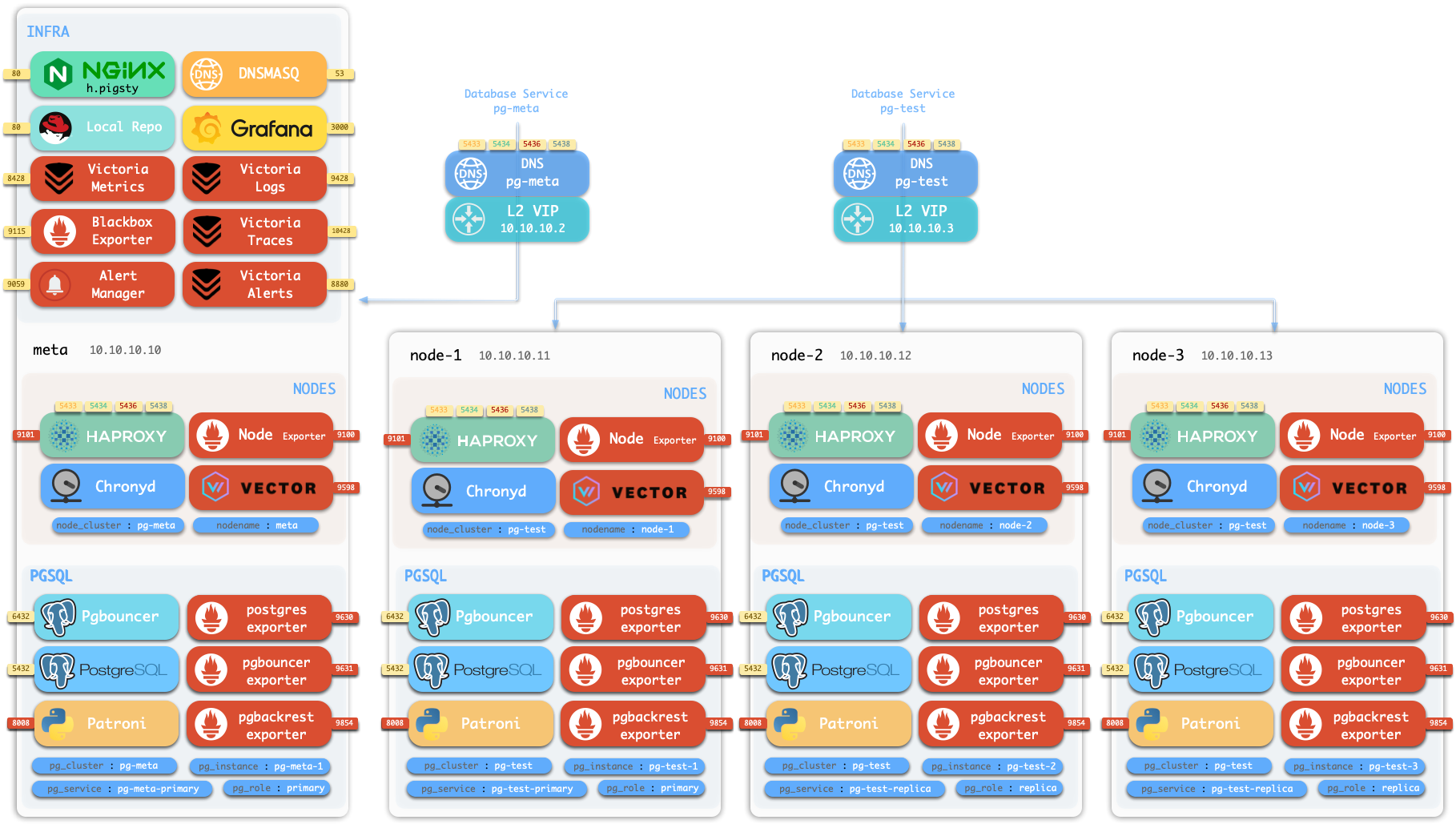
Using the Pigsty 4-node sandbox environment as an example, use the following command to reset the pg-test cluster to the latest state of the pg-meta cluster:
When you restore a cluster using PITR, the new cluster’s PITR functionality is disabled. This is because if it also tries to generate backups and archive WAL, it could dirty the backup repository of the previous cluster.
Therefore, after confirming that the state of this PITR-restored new cluster meets expectations, you need to perform the following cleanup:
Upgrade the backup repository Stanza to accept new backups from different clusters (only when restoring from another cluster)
Enable archive_mode to allow the new cluster to archive WAL logs (requires cluster restart)
Perform a new full backup to ensure the new cluster’s data is included (optional, can also wait for crontab scheduled execution)
pb stanza-upgrade
psql -c 'ALTER SYSTEM RESET archive_mode;'pg-backup full
Through these operations, your new cluster will have its own backup history starting from the first full backup. If you skip these steps, the new cluster’s backups will not work, and WAL archiving will not take effect, meaning you cannot perform any backup or PITR operations on the new cluster.
Consequences of Not Cleaning Up
Suppose you performed PITR recovery on the pg-test cluster using data from another cluster pg-meta, but did not perform cleanup.
Then at the next routine backup, you will see the following error:
postgres@pg-test-1:~$ pb backup
2025-12-27 10:20:29.336 P00 INFO: backup command begin...
2025-12-27 10:20:29.357 P00 ERROR: [051]: PostgreSQL version 18, system-id 7588470953413201282do not match stanza version 18, system-id 7588470974940466058 HINT: is this the correct stanza?
Clone a New Cluster
For example, suppose you have a cluster pg-meta, and now you want to clone a new cluster pg-meta2 from pg-meta.
You can consider using the Standby Cluster method to create a new cluster pg-meta2.
pgBackrest supports incremental backup/restore, so if you have already pulled pg-meta’s data through physical replication, the incremental PITR restore is usually very fast.
Using this technique, you can not only clone the latest state of the pg-meta cluster, but also clone to any point in time.
7 - Instance Recovery
Clone instances and perform point-in-time recovery on the same machine
Pigsty provides two utility scripts for quickly cloning instances and performing point-in-time recovery on the same machine:
pg-fork: Quickly clone a new PostgreSQL instance on the same machine
pg-pitr: Manually perform point-in-time recovery using pgbackrest
These two scripts can be used together: first use pg-fork to clone the instance, then use pg-pitr to restore the cloned instance to a specified point in time.
pg-fork
pg-fork can quickly clone a new PostgreSQL instance on the same machine.
Quick Start
Execute the following command as the postgres user (dbsu) to create a new instance:
pg-fork 1# Clone from /pg/data to /pg/data1, port 15432pg-fork 2 -d /pg/data1 # Clone from /pg/data1 to /pg/data2, port 25432pg-fork 3 -D /tmp/test -P 5555# Clone to custom directory and port
Clone instance number (1-9), determines default port and data directory
Optional Parameters:
Parameter
Description
Default
-d, --data <datadir>
Source instance data directory
/pg/data or $PG_DATA
-D, --dst <dst_dir>
Target data directory
/pg/data<FORK_ID>
-p, --port <port>
Source instance port
5432 or $PG_PORT
-P, --dst-port <port>
Target instance port
<FORK_ID>5432
-s, --skip
Skip backup API, use cold copy mode
-
-y, --yes
Skip confirmation prompts
-
-h, --help
Show help information
-
How It Works
pg-fork supports two working modes:
Hot Backup Mode (default, source instance running):
Call pg_backup_start() to start backup
Use cp --reflink=auto to copy data directory
Call pg_backup_stop() to end backup
Modify configuration files to avoid conflicts with source instance
Cold Copy Mode (using -s parameter or source instance not running):
Directly use cp --reflink=auto to copy data directory
Modify configuration files
If you use XFS (with reflink enabled), Btrfs, or ZFS file systems, pg-fork will leverage Copy-on-Write features. The data directory copy completes in a few hundred milliseconds and takes almost no additional storage space.
pg-pitr
pg-pitr is a script for manually performing point-in-time recovery, based on pgbackrest.
Quick Start
pg-pitr -d # Restore to latest statepg-pitr -i # Restore to backup completion timepg-pitr -t "2025-01-01 12:00:00+08"# Restore to specified time pointpg-pitr -n my-savepoint # Restore to named restore pointpg-pitr -l "0/7C82CB8"# Restore to specified LSNpg-pitr -x 12345678 -X # Restore to before transactionpg-pitr -b 20251225-120000F # Restore to specified backup set
Command Syntax
pg-pitr [options][recovery_target]
Recovery Target (choose one):
Parameter
Description
-d, --default
Restore to end of WAL archive stream (latest state)
-i, --immediate
Restore to database consistency point (fastest recovery)
-t, --time <timestamp>
Restore to specified time point
-n, --name <restore_point>
Restore to named restore point
-l, --lsn <lsn>
Restore to specified LSN
-x, --xid <xid>
Restore to specified transaction ID
-b, --backup <label>
Restore to specified backup set
Optional Parameters:
Parameter
Description
Default
-D, --data <path>
Recovery target data directory
/pg/data
-s, --stanza <name>
pgbackrest stanza name
Auto-detect
-X, --exclusive
Exclude target point (restore to before target)
-
-P, --promote
Auto-promote after recovery (default pauses)
-
-c, --check
Dry run mode, only print commands
-
-y, --yes
Skip confirmation and countdown
-
Post-Recovery Processing
After recovery completes, the instance will be in recovery paused state (unless -P parameter is used). You need to:
Start instance: pg_ctl -D /pg/data start
Verify data: Check if data meets expectations
Promote instance: pg_ctl -D /pg/data promote
Enable archiving: psql -c "ALTER SYSTEM SET archive_mode = on;"
Restart instance: pg_ctl -D /pg/data restart
Execute backup: pg-backup full
Combined Usage
pg-fork and pg-pitr can be combined for a safe PITR verification workflow:
# 1. Clone current instancepg-fork 1 -y
# 2. Execute PITR on cloned instance (doesn't affect production)pg-pitr -D /pg/data1 -t "2025-12-27 10:00:00+08"# 3. Start cloned instancepg_ctl -D /pg/data1 start
# 4. Verify recovery resultspsql -p 15432 -c "SELECT count(*) FROM orders WHERE created_at < '2025-12-27 10:00:00';"# 5. After confirmation, you can choose:# - Option A: Execute the same PITR on production instance# - Option B: Promote cloned instance as new production instance# 6. Clean up test instancepg_ctl -D /pg/data1 stop
rm -rf /pg/data1
Notes
Runtime Requirements
Must be executed as postgres user (or postgres group member)
pg-pitr requires stopping target instance’s PostgreSQL before execution
pg-fork hot backup mode requires source instance to be running
File System
XFS (with reflink enabled) or Btrfs file system recommended
Cloning on CoW file systems is almost instant and takes no extra space
Non-CoW file systems will perform full copy, taking longer
Port Planning
FORK_ID
Default Port
Default Data Directory
1
15432
/pg/data1
2
25432
/pg/data2
3
35432
/pg/data3
…
…
…
9
95432
/pg/data9
8 - Clone Database
How to clone an existing database within a PostgreSQL cluster using instant XFS cloning
Clone Database
You can copy a PostgreSQL database through the template mechanism, but no active connections to the template database are allowed during this period.
If you want to clone the postgres database, you must execute the following two statements at the same time. Ensure all connections to the postgres database are cleaned up before executing Clone:
If you are using PostgreSQL 18 or higher, Pigsty sets file_copy_method by default. This parameter allows you to clone a database in O(1) (~200ms) time complexity without copying data files.
However, you must explicitly use the FILE_COPY strategy to create the database. Since the STRATEGY parameter of CREATE DATABASE was introduced in PostgreSQL 15, the default value has been WAL_LOG. You need to explicitly specify FILE_COPY for instant cloning.
For example, cloning a 30 GB database: normal clone (WAL_LOG) takes 18 seconds, while instant clone (FILE_COPY) only needs constant time of 200 milliseconds.
However, you still need to ensure no active connections to the template database during cloning, but this time can be very short, making it practical for production environments.
If you need a new database copy for testing or development, instant cloning is an excellent choice. It doesn’t introduce additional storage overhead because it uses the file system’s CoW (Copy on Write) mechanism.
Since Pigsty v4.0, you can use strategy: FILE_COPY in the pg_databases parameter to achieve instant database cloning.
pg-meta:hosts:10.10.10.10:{pg_seq: 1, pg_role:primary }vars:pg_cluster:pg-metapg_version:18pg_databases:- name:meta- name:meta_devtemplate:metastrategy:FILE_COPY # <---- Introduced in PG 15, instant in PG18#comment: "meta clone" # <---- Database comment#pgbouncer: false # <---- Not added to connection pool?#register_datasource: false # <---- Not added to Grafana datasource?
After configuration, use the standard database creation SOP to create the database:
bin/pgsql-db pg-meta meta_dev
Limitations and Notes
This feature is only available on supported file systems (xfs, btrfs, zfs, apfs). If the file system doesn’t support it, PostgreSQL will fail with an error.
By default, mainstream OS distributions’ xfs have reflink=1 enabled by default, so you don’t need to worry about this in most cases.
OpenZFS requires explicit configuration to support CoW, but due to prior data corruption incidents, it’s not recommended for production use.
If your PostgreSQL version is below 15, specifying strategy will have no effect.
Please don’t use the postgres database as a template database for cloning, as management connections typically connect to the postgres database, which prevents the cloning operation.
Use instant cloning with caution in extremely high concurrency/throughput production environments, as it requires clearing all connections to the template database within the cloning window (200ms), otherwise the clone will fail.
9 - Manual Recovery
Manually perform PITR following prompt scripts in sandbox environment
You can use the pgsql-pitr.yml playbook to perform PITR, but in some cases, you may want to manually execute PITR using pgbackrest primitives directly for fine-grained control.
We will use a four-node sandbox cluster with MinIO backup repository to demonstrate the process.
Initialize Sandbox
Use vagrant or terraform to prepare a four-node sandbox environment, then:
curl https://repo.pigsty.io/get | bash;cd ~/pigsty/
./configure -c full
./install
Now operate as the admin user (or dbsu) on the admin node.
Check Backup
To check backup status, you need to switch to the postgres user and use the pb command:
sudo su - postgres # Switch to dbsu: postgres userpb info # Print pgbackrest backup info
pb is an alias for pgbackrest that automatically retrieves the stanza name from pgbackrest configuration.
function pb(){localstanza=$(grep -o '\[[^][]*]' /etc/pgbackrest/pgbackrest.conf | head -n1 | sed 's/.*\[\([^]]*\)].*/\1/') pgbackrest --stanza=$stanza$@}
You can see the initial backup information, which is a full backup:
The backup completed at 2025-07-13 02:27:33+00, which is the earliest time you can restore to.
Since WAL archiving is active, you can restore to any point in time after the backup, up to the end of WAL (i.e., now).
Generate Heartbeats
You can generate some heartbeats to simulate workload. /pg-bin/pg-heartbeat is for this purpose,
it writes a heartbeat timestamp to the monitor.heartbeat table every second.
make rh # Run heartbeat: ssh 10.10.10.10 'sudo -iu postgres /pg/bin/pg-heartbeat'
while true;do pgbench -nv -P1 -c4 --rate=64 -T10 postgres://dbuser_meta:[email protected]:5433/meta;donepgbench (17.5 (Homebrew), server 17.4 (Ubuntu 17.4-1.pgdg24.04+2))progress: 1.0 s, 60.9 tps, lat 7.295 ms stddev 4.219, 0 failed, lag 1.818 ms
progress: 2.0 s, 69.1 tps, lat 6.296 ms stddev 1.983, 0 failed, lag 1.397 ms
...
PITR Manual
Now let’s choose a recovery point in time, such as 2025-07-13 03:03:03+00, which is a point after the initial backup (and heartbeat).
To perform manual PITR, use the pg-pitr tool:
$ pg-pitr -t "2025-07-13 03:03:00+00"
It will generate instructions for performing the recovery, typically requiring four steps:
Perform time PITR on pg-meta
[1. Stop PostgreSQL]=========================================== 1.1 Pause Patroni (if there are any replicas) $ pg pause <cls> # Pause patroni auto-failover 1.2 Shutdown Patroni
$ pt-stop # sudo systemctl stop patroni 1.3 Shutdown Postgres
$ pg-stop # pg_ctl -D /pg/data stop -m fast[2. Perform PITR]=========================================== 2.1 Restore Backup
$ pgbackrest --stanza=pg-meta --type=time --target='2025-07-13 03:03:00+00' restore
2.2 Start PG to Replay WAL
$ pg-start # pg_ctl -D /pg/data start 2.3 Validate and Promote
- If database content is ok, promote it to finish recovery, otherwise goto 2.1
$ pg-promote # pg_ctl -D /pg/data promote
[3. Restore Primary]=========================================== 3.1 Enable Archive Mode (Restart Required) $ psql -c 'ALTER SYSTEM SET archive_mode = on;' 3.1 Restart Postgres to Apply Changes
$ pg-restart # pg_ctl -D /pg/data restart 3.3 Restart Patroni
$ pt-restart # sudo systemctl restart patroni[4. Restore Cluster]=========================================== 4.1 Re-Init All [**REPLICAS**](if any) - 4.1.1 option 1: restore replicas with same pgbackrest cmd (require central backup repo) $ pgbackrest --stanza=pg-meta --type=time --target='2025-07-13 03:03:00+00' restore
- 4.1.2 option 2: nuke the replica data dir and restart patroni (may take long time to restore) $ rm -rf /pg/data/*; pt-restart
- 4.1.3 option 3: reinit with patroni, which may fail if primary lsn < replica lsn
$ pg reinit pg-meta
4.2 Resume Patroni
$ pg resume pg-meta
4.3 Full Backup (optional) $ pg-backup full # Recommended to perform new full backup after PITR
Single Node Example
Let’s start with the simple single-node pg-meta cluster as a simpler example.
# Optional, because postgres will be shutdown by patroni if patroni is not paused$ pg_stop # pg_ctl -D /pg/data stop -m fast, shutdown postgrespg_ctl: PID file "/pg/data/postmaster.pid" does not exist
Is server running?
$ pg-ps # Print postgres related processes UID PID PPID C STIME TTY STAT TIME CMD
postgres 3104810 02:27 ? Ssl 0:19 /usr/sbin/pgbouncer /etc/pgbouncer/pgbouncer.ini
postgres 3202610 02:28 ? Ssl 0:03 /usr/bin/pg_exporter ...
postgres 35510354800 03:01 pts/2 S+ 0:00 /bin/bash /pg/bin/pg-heartbeat
Make sure local postgres is not running, then execute the recovery commands given in the manual:
We don’t want patroni HA to take over until we’re sure the data is correct, so start postgres manually:
pg-start
waiting for server to start....2025-07-13 03:19:33.133 UTC [39294] LOG: redirecting log output to logging collector process
2025-07-13 03:19:33.133 UTC [39294] HINT: Future log output will appear in directory "/pg/log/postgres".
doneserver started
Now you can check the data to see if it’s at the point in time you want.
You can verify by checking the latest timestamp in business tables, or in this case, check via the heartbeat table.
The timestamp is just before our specified point in time! (2025-07-13 03:03:00+00).
If this is not the point in time you want, you can repeat the recovery with a different time point.
Since recovery is performed incrementally and in parallel, it’s very fast.
You can retry until you find the correct point in time.
Promote Primary
The recovered postgres cluster is in recovery mode, so it will reject any write operations until promoted to primary.
These recovery parameters are generated by pgBackRest in the configuration file.
postgres@pg-meta-1:~$ cat /pg/data/postgresql.auto.conf# Do not edit this file or use ALTER SYSTEM manually!# It is managed by Pigsty & Ansible automatically!# Recovery settings generated by pgBackRest restore on 2025-07-13 03:17:08archive_mode='off'restore_command='pgbackrest --stanza=pg-meta archive-get %f "%p"'recovery_target_time='2025-07-13 03:03:00+00'
If the data is correct, you can promote it to primary, marking it as the new leader and ready to accept writes.
pg-promote
waiting for server to promote.... doneserver promoted
psql -c 'SELECT pg_is_in_recovery()'# 'f' means promoted to primary pg_is_in_recovery
-------------------
f
(1 row)
New Timeline and Split Brain
Once promoted, the database cluster will enter a new timeline (leader epoch).
If there is any write traffic, it will be written to the new timeline.
Restore Cluster
Finally, not only do you need to restore data, but also restore cluster state, such as:
patroni takeover
archive mode
backup set
replicas
Patroni Takeover
Your postgres was started directly. To restore HA takeover, you need to start the patroni service:
archive_mode is disabled during recovery by pgbackrest.
If you want new leader writes to be archived to the backup repository, you also need to enable the archive_mode configuration.
psql -c 'show archive_mode'

 archive_mode
--------------
 off
# You can also directly edit postgresql.auto.conf and reload with pg_ctlsed -i '/archive_mode/d' /pg/data/postgresql.auto.conf
pg_ctl -D /pg/data reload
Backup Set
It’s generally recommended to perform a new full backup after PITR, but this is optional.
Replicas
If your postgres cluster has replicas, you also need to perform PITR on each replica.
Alternatively, a simpler approach is to remove the replica data directory and restart patroni, which will reinitialize the replica from the primary.
We’ll cover this scenario in the next multi-node cluster example.
Multi-Node Example
Now let’s use the three-node pg-test cluster as a PITR example.