Get Started
Use this guide to install Pigsty on one Linux node. Start with Quick Start. A node with 1 CPU core and 2 GB of memory is sufficient.
You can use a Linux MiniPC, a cloud server, Windows WSL, or a virtual machine on your laptop. Pigsty supplies Vagrant templates for local virtual machines. It also supplies OpenTofu templates for cloud servers.
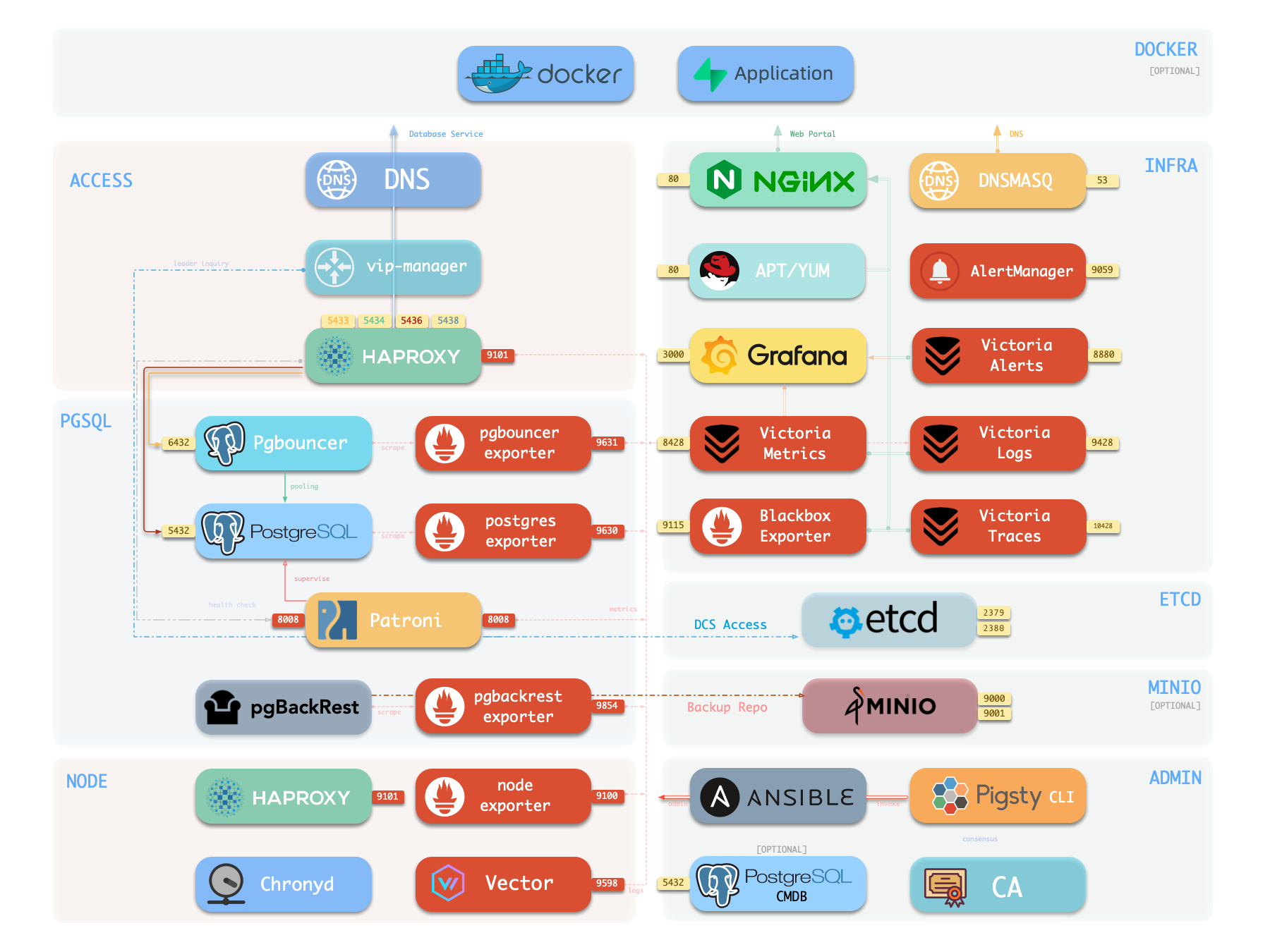
The single-node installation includes these features:
- 600 PostgreSQL extensions.
- Grafana and Victoria monitoring services.
- Infrastructure as code for deployment.
- Local point-in-time recovery (PITR).
External object storage can keep PostgreSQL backups outside the node. These backups improve data durability for demonstrations, personal websites, and small services. A single node cannot provide high availability. Automatic failover requires at least three nodes.
Choose the installation method that meets your requirements:
| Requirement | Guide |
|---|---|
| Install Pigsty on one Linux node | Quick Start |
| Try Pigsty on macOS or Windows | Docker Deployment |
| Install without Internet access | Offline Installation |
| Install PostgreSQL without monitoring services | Slim Installation |
| Deploy multiple nodes for production | Deployment Guide |
Quick Start
- Prepare a node with a supported Linux operating system.
- Use an administration account with passwordless SSH and sudo access.
- Run the commands below.
The installation script downloads Pigsty and installs its dependencies.
The configuration script creates pigsty.yml and generates random passwords.
The deployment playbook installs the modules in the configuration file.
You can also select a configuration template. The template supplies the initial configuration.
After deployment, do these tasks:
- Open the Web UI.
- Connect to PostgreSQL.
- Apply the security recommendations.
- Change the configuration to add more clusters.
- Run playbooks to apply the configuration.
Install, configure, and deploy Pigsty on one Linux node.
Run Pigsty in a Docker container for local development and testing.
Open the Web UI, view monitoring dashboards, and configure domain access.
Connect to PostgreSQL with command-line tools and graphical clients.
Define nodes, modules, databases, and users in the Pigsty inventory.
Use Ansible playbooks to deploy and manage Pigsty clusters.
Install Pigsty without Internet access. Use or build offline packages.
Install PostgreSQL clusters without the monitoring infrastructure.
Protect credentials, restrict network access, and control access to sensitive files.
Was this page helpful?
Thanks—your feedback helps us improve this page.
What got in the way? (optional)